

MCA21 is a government website for company-related work. It helps businesses complete many tasks online. Companies can register and send required forms. They can also update details and check company records.
The Ministry of Corporate Affairs runs this portal. MCA21 V3 is the current version in 2026. It helps companies follow government rules without visiting offices.
MCA21 also helps professionals complete company-related work. People can use it to find important company information.
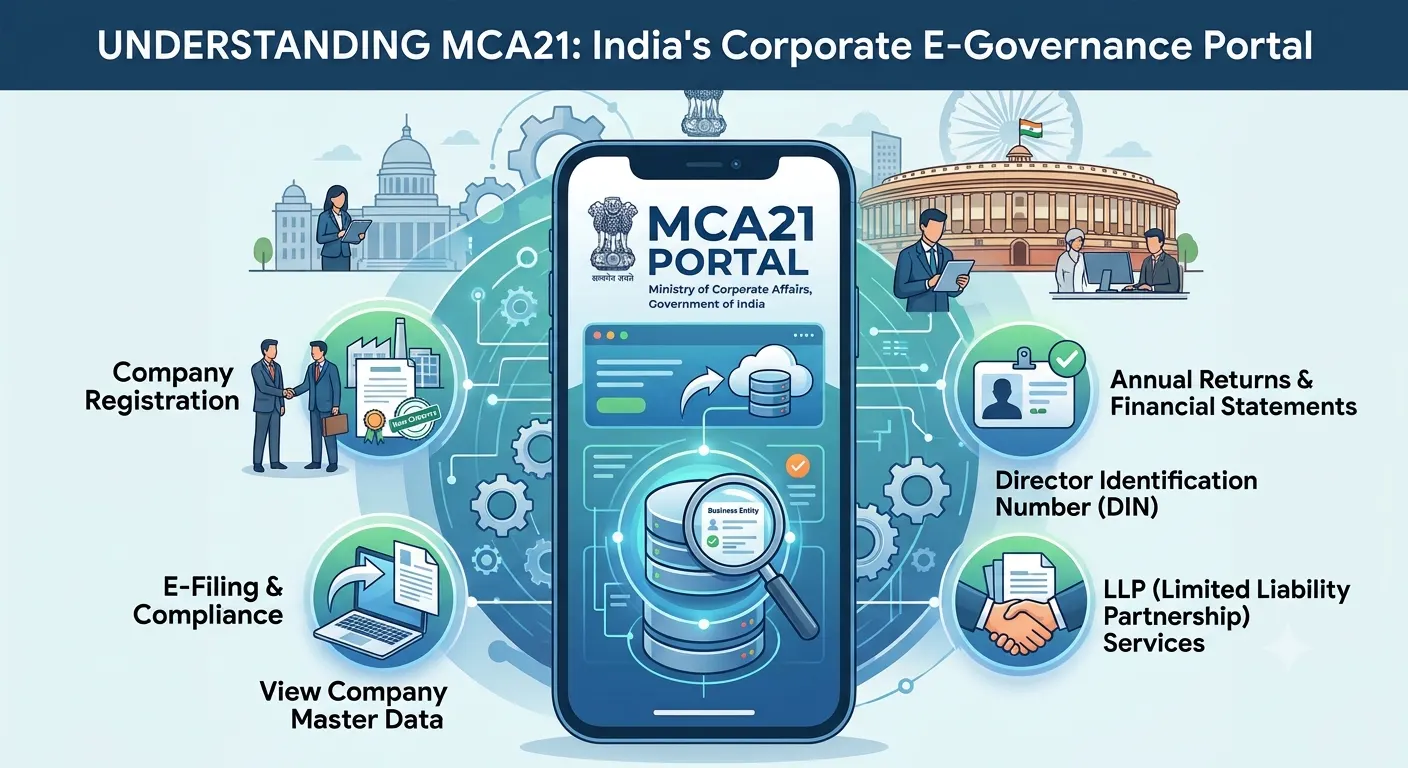
mca-21 portal
What Is the MCA21 Portal?
MCA21 is an online service for companies. It brings many company-related government services together. Businesses can send forms and check their records. People can also search for company information.
The portal helps the government keep company records. It also helps people find public company details.
Ministry of Corporate Affairs and Related Laws
The Ministry of Corporate Affairs (MCA) runs MCA21. It manages rules for companies and business partnerships.
The Companies Act, 2013, contains rules for companies. The Limited Liability Partnership Act, 2008, covers LLPs.
An LLP is a type of business. Its partners usually have limited personal responsibility for business debts.
India’s First Major Online Government Project
MCA21 started in 2006. It was India’s first Mission Mode e-Governance Project under NeGP.
In simple words, it moved important government services online. People could complete many company tasks through a website.
Evolution of MCA21: From V1 to V3
MCA21 has changed over the years. Each version brought changes to online company services.
| Version | Year | Main Change |
| V1 | 2006 | Started online company services. |
| V2 | 2015–2016 | Improved the website and filing process. |
| V3 | 2021 onwards | Added online forms and new services. |
MCA21 V3 was introduced in stages. Company filing moved fully to V3 in 2025. Users should now use V3 for company filings.
MCA21 V2 vs V3: What Changed?
| Feature | V2 | V3 |
| Forms | Many forms needed downloading. | Many forms can be filled online. |
| Checking details | Users checked many details themselves. | The website checks some details automatically. |
| User experience | Used the older website system. | Offers updated services and tools. |
| Login safety | Used earlier login arrangements. | Includes extra login safety checks. |
These changes aim to make filing easier. However, some users have faced technical problems.
Who Uses the MCA21 Portal?
Different people use MCA21 for different tasks.
- Companies and LLPs: Register businesses and submit required forms.
- Company directors: Update details and complete required tasks.
- CAs, CSs and CMAs: Help businesses complete company-related work.
- Investors and lenders: Check company details before making decisions.
- General public: View available company records and documents.
Some services require an account. Others may be available without logging in.
Key Services Offered on MCA21
MCA21 provides many services for companies and LLPs. The services available depend on your needs.
Company and LLP Registration
The portal helps people register new businesses.
- SPICe+: Helps people apply to start a company.
- FiLLiP: Helps people register an LLP.
- Name reservation: Lets applicants request a business name.
Annual Forms and Other Required Filings
Companies must send certain forms to the government. These forms share important business information.
- AOC-4: Used to submit a company’s financial statements.
- MGT-7: Used to submit a company’s yearly report.
- DIR-3 KYC: Used to update a director’s identity details.
Financial statements show a company’s money and business results. A director is a person responsible for company decisions.
The forms required depend on the company and its situation.
Check Company Details and Documents
MCA21 lets people search for company information.
- Check a company’s name and registration details.
- Check whether a company is active.
- View available company or LLP documents.
- Search records submitted to the government.
Some documents may require payment or login.
Reserve Names, Register Loans and Update Details
The portal supports other company-related tasks.
- Apply to reserve a company name.
- Record certain loans taken by a company.
- Update company information.
- Submit forms about directors and company changes.
A charge is a lender’s legal claim over company assets. It may protect the lender if the company fails to repay.
Other Online Services
MCA21 also offers these services:
- e‑Adjudication: Helps handle legal cases online.
- e-Consultation: Lets people share opinions on proposed rules.
- E-Book: You can read company laws and related information online.
These services make legal work and information easier to access.
How to Register and Log In on MCA21 V3
Want to use MCA21 services? Create an account first.
Step 1: Open the Official Website
Visit the official MCA website. Find the registration option.
Step 2: Choose Registration
Select the option to register as a new user. Follow the prompts on the display.
Step 3: Select Your User Type
Select the right account for your goals. Select Business User for company-related work, if required.
Step 4: Enter Your Details
Enter the details asked for on the website. Check your details before moving ahead.
Step 5: Complete Registration
Just follow the steps to get your account ready! Keep your login details safe.
Step 6: Log In to MCA21
Enter your registered details to log in. Follow any further instructions on the screen.
What Do You Need Before Registration?
Keep these details ready:
- A working email address and mobile number.
- PAN details, if required.
- A Digital Signature Certificate, if needed.
- The correct account type for your work.
A Digital Signature Certificate (DSC) is an electronic signature. It helps confirm who is sending an online form. Some filings need a DSC. Not every service requires one.
MCA21 Key Facts at a Glance (2026)
| Fact | Details |
| Launch year | 2006 |
| Managing ministry | Ministry of Corporate Affairs |
| Current version | MCA21 V3 |
| V2 filing status | Company filing moved to V3 in 2025 |
| Forms filed | Over 87 lakh forms in 2024–25 |
| Help and support | Available through the official MCA website |
The government reported 87,79,125 forms for 2024–25. These were filed through MCA21 V3.
Benefits and Challenges of MCA21
| Benefits | Challenges |
| Complete many tasks online. | Website problems may delay filing. |
| Keep company records in one place. | Users may face digital signature problems. |
| Find company information more easily. | Some forms may show errors. |
| Reduce paperwork and office visits. | Some users have reported login problems. |
In 2025, company secretaries reported problems with MCA21 V3. These included login and form submission errors.
The Kerala High Court issued an interim order in 2023. It addressed physical filing during serious website problems. This order related to a specific case. It does not mean everyone can file paper forms. Check the latest MCA instructions before filing.
MCA21 for Competitive Exams: Quick Revision Points
- MCA21 started in 2006.
- The Ministry of Corporate Affairs runs it.
- MCA21 V3 is the current version.
- It supports company and LLP registration.
- The Companies Act, 2013, covers company rules.
- The LLP Act, 2008, covers LLP rules.
Conclusion
MCA21 helps companies complete important tasks online. It supports registration, form submission, and record searches. V3 is the current company filing system. Visit the official MCA website for services and updates.
