
BIM Course in Dubai
Build a global BIM career with Entri’s BIM Course in Dubai. Learn AutoCAD, Primavera, modeling, Revit, drafting, and project workflows through expert-led online sessions designed for the Middle East job market.
Online
6 Months


BIM Course Overview
Entri’s BIM Course in Dubai prepares you for high-demand BIM roles in the UAE construction sector. Master Revit Architecture, modeling, drafting, Navisworks, and construction workflows through live classes, real projects, and placement support for Dubai-based companies.

Guidance from 7+ years experienced professionals

Live Projects from the Middle East

Recorded Classes

Assignments

6 Month Mentorship

Placement Assistance

Live doubt-clearing sessions

HR interview preparation sessions

Industry Interactions

CV preparation sessions

Course completion certificate
Skill Covered in Building Information Modelling Course
Master BIM, Revit, Navisworks, modeling, drafting & construction workflows.
Our BIM Placed Students

Murshid E P
BIM Modeller

Rose Charly T
BIM Engineer Trainee

Alfiya Nizar
BIM Instructor

Sradha A Baiju
Civil BIM Modeller
Know About BIM


BIM- The Evolving thing in Construction Industry | Talk with construction field experts
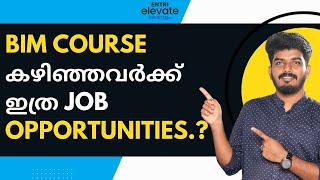
What is BIM Course | The increasing Opportunities of BIM Course

High Demanding Course for Civil Engineers | BIM Course for Civil | BIM Course for Architectures
Tools Covered
Master Industry-Leading BIM Software Tools for Successful BIM Projects!


Career after BIM Course
Upon completing the BIM course, you'll gain the skills to excel in high-demand AEC roles. BIM professionals drive collaboration, efficiency, and accuracy in construction and design, contributing to innovative global projects.
BIM Modeler
Create 3D models, plans & as-built documentation.
BIM Engineer
Handle BIM workflows, coordination & clash resolutions.
Revit Modeler
Build architectural & structural Revit models.
Design Draftsman
Prepare drawings, annotations & sheet documentation.
BIM Coordinator
Manage BIM teams, workflows & quality checks.
Navisworks Specialist
Perform clash detection & construction simulations.
Architectural Visualizer
Create visual 3D building representations.
BIM Course Curriculum
- What is BIM
- BIM in the construction industry
- Benefits of BIM
- Software used in BIM
- Projects
- Project Templates
- Default Project Template
- Revit File Types
- Exploring the User Interface
- Building Elements
- Revit Elements and Families
- Project Units
- Levels
- Grid setting
- Wall
- Drawing a Plan per Dimension
- Clipboard
- Geometry
- Modify
- Loading Door and Window families
- Placing Door and window families
- Type and Instance properties
- Creating Roof using footprint and extrusion
- Soffit, Gutter and Fascia
- Ridge capping
- Creating an architectural floor
- Types of stair modelling using default type and stair by sketch
- Ramp modeling
- Railing modeling using sketch path and place on stair/ramp
- Explaining instance and type properties of each
- Shaft opening, Opening by face, Wall opening, Vertical opening and Dormer opening
- Grids
- Mullions
- Curtain system
- Creating and adding materials
- Adding and removing paint
- Split face
- Placing and inserting components
- Different types of components
- Explaining the model in place using extrusion, blend, revolve, sweep, sweep blend, and Void forms
- Door Family
- Window family
- Generic family
- Profile Creation
- Structural Template
- Beams and Columns
- Structural Floor and Structural Wall
- Foundation
- Truss and Braces
- Basics of reinforcement
- Plan, section, ceiling plan, and elevation
- View Control Bar
- Callout and Drafting view
- Scope box
- Legends
- Annotation
- Dimension category
- Detail category
- Text category
- Tag by category
- Material tag
- Room & Area
- Sheet Creation and placing views
- Exporting views to CAD, pdf etc
- Massing
- Conceptual mass
- Model by face
- Site
- Model Site
- Modify site
- Label Contours
- Project base point and Survey point
- Introduction
- Quantity schedule
- Material takeoff schedule
- Column Schedule
- Exporting Revit
- Appending and merging files
- The Navisworks interface
- Overriding & finding items
- Creating Sets
- Creating, Importing construction schedules
- Using Clash detective
- Batch
- Rules
- Select
- Results
- Report
Blogs
Check out our BIM blogs
Building Information Modelling (BIM) is a digital process that creates, maintains, and makes use of intelligent data across the course of an infrastructure or building project.
For civil engineers, obtaining a BIM certification can enhance career prospects by equipping them with skills to handle complex projects more efficiently.
The demand for professionals proficient in BIM software is on the rise due to the need for smarter, sustainable building practices and the increasing adoption of digital workflows across the globe.
Whether you’re a student, a professional looking to pivot or someone who’s interested in the intersection of tech and construction this guide will show you the way.
Wondering which civil engineering path will skyrocket your career? We’ve got the inside scoop from our recent polls at Entri!
Eligibility for BIM Course
Our BIM course is open to students and professionals with a Civil background:
- B.Tech in Civil Engineering
- Diploma in Civil Engineering
- M.Tech in Civil Background
- B.Arch (Bachelor of Architecture)
- Diploma in Architecture
- Interior Design and Architecture
Pre-requisites
To enroll in this BIM course, students should have:

Basic Knowledge of Construction
Understanding of fundamental construction principles, including architectural design and building systems.

Familiarity with CAD Software
Previous experience with CAD tools (such as AutoCAD) is beneficial but not mandatory.

Basic Understanding of Architecture or Engineering
Ideal for students pursuing B.Tech in Civil Engineering, B.Arch, or related fields. A foundation in architecture or engineering concepts will help in grasping BIM tools.

Computer Literacy
Comfort with using computers and software applications, as the course involves hands-on work with BIM software like Revit and Navisworks.

Mathematical Proficiency
A basic understanding of geometry and measurements is essential for working with BIM models and construction documentation.
Why Live Sessions?
What makes live sessions so beneficial? Let's dive in and explore the advantages
Real-time doubt solving with BIM engineers.
Live modeling demos from expert trainers.
Interactive sessions for hands-on project clarity.

Our Industry Expert Faculty
Get expert guidance from experienced professionals in the AEC industry, providing practical insights and valuable advice to help you excel in your career.

Abdul Rahman
BIM Lead

Over the last 8+ years, Abdul Rahman has led BIM projects from the USA, UK, Middle East & Australia. He has also delivered organization-wide BIM transformation initiatives for clients from Qatar.

Sajith N
Senior BIM Engineering Lead
Sajith has 8+ years of experience with proven expertise in BIM Modelling, MEP Coordination & Workflow Optimization. He has delivered complex BIM projects from the USA, Middle East & Ireland.

Uvais
Senior BIM Engineer
Uvais has 5 years of experience delivering complex BIM projects aligned with USA and UK standards

Fayiz MK
Senior BIM Engineer
Fayiz has 5 years of experience delivering high-quality BIM projects following USA and UK standards.
BIM Course Certification
Courses Recognised by


Frequently Asked Questions
Key Learning Outcomes
By the end of the course, students will learn:
Build Revit architectural & structural models
Create BIM documentation & schedules
Perform clash detection via Navisworks
Manage BIM workflows for UAE projects
Develop professional BIM project portfolio

BIM Course in Different Cities

BIM Course in Kochi
Learn the fundamentals and advanced concepts of Building Information Modeling (BIM). Gain hands-on experience through real-world projects.

BIM Course in Trivandrum
Take the top BIM course in Trivandrum to advance your career. To succeed in the AEC sector, master Revit, 3D modeling, and project management.

BIM Course in Calicut
Learn BIM in Calicut with industry experts and real-world projects. Gain hands-on experience in Revit, Navisworks, and more. Start your BIM career today!
FAQs of BIM Course in Dubai
Other Upskilling Courses
Entri News

World Economic Forum

The Hindu BusinessLine

Mathrubhumi News

Advantages of Learning BIM Course from Entri
Elevate Learning Experience

Student Support
Fast mentor assistance for queries.
Industry Networking
Connect with BIM professionals globally.
Career Support
Career Guidance
Resume, interview & job support.
Live Profile Building
Create Dubai-ready BIM CVs & portfolios.
Explore Free Course
Free AutoCAD Course in Malayalam
The AutoCAD Course for Beginners in Malayalam offered by Entri is a free, beginner-friendly program designed to introduce learners to the fundamentals of AutoCAD.

Free Planswift Course for Beginners
Unlock your estimating career with our free PlanSwift course, designed to help beginners quickly get familiar with digital quantity takeoff.
Who Can Apply for BIM Course in Dubai
- Civil engineering students & graduates
- Architects & draftsmen
- Interior designers
- Construction professionals
- Beginners interested in BIM careers
- Anyone planning to work in the UAE AEC sector


Get Expert Advice for Free: Register for Your Free Consultation Now!
Related Interview Questions

Entri App is India's rapidly growing e-learning platform with 10M+ users. Entri offers courses for govt test prep, coding, digital marketing, spoken english, finance & more in 6 regional languages.
