

Introduction
ChatGPT image generation prompts help you create portraits, edit photographs, design social media visuals and develop creative artwork through natural-language instructions. This guide explains how to use image prompts and provides copy-and-paste examples for photo editing, father-and-daughter images and marriage-related visuals.
How to Use ChatGPT for Image Generation
You can ask ChatGPT to create an image from a text description or upload an existing image and request specific edits. OpenAI recommends describing the image’s purpose, main subject, action, setting, composition and visual style. You can also mention the desired lighting, colours, dimensions and elements that should be avoided.
Steps to create an image
- Open ChatGPT and choose the image-generation option, if it is available in your account.
- Describe the image you want to create in the message box.
- Include details about the subject, setting, mood, composition and style.
- Add instructions about what the image should not contain.
- Submit the prompt and review the result.
- Ask ChatGPT to make focused changes if necessary.
For photo editing, upload the image first and clearly explain what should be changed. Also mention which elements must remain unchanged. ChatGPT supports editing uploaded images and previously generated images through natural-language instructions.
A simple prompt structure
You can use this structure for most image-generation requests:
Create a [type of image] showing [main subject] in [setting]. Include [important details, action or appearance]. Use [lighting, mood and visual style]. Make the image [composition or size]. Preserve [details that must remain unchanged] and avoid [unwanted elements].
For complex requests, use short sections such as Subject, Setting, Style, Composition and Constraints. Clear, focused prompts are usually more effective than unnecessarily long descriptions.
Example
Create a realistic vertical portrait of a young woman reading a book beside a sunny window. Use soft natural lighting, warm colours and a calm editorial photography style. Keep the composition uncluttered, leave space above her head and do not add text, logos or extra people.
You can improve the result with a short follow-up prompt, such as:
Keep the subject and composition unchanged, but make the lighting softer and replace the background with a quiet library.
ChatGPT Photo Editing Prompts
Category overview: These prompts are designed for improving, restoring, or creatively editing existing photographs.
Brief description: Use them to fix lighting, remove unwanted objects, change backgrounds, restore old photos, or prepare images for social media. The key is to specify exactly what should change and what must stay the same, such as facial identity, clothing, and pose.
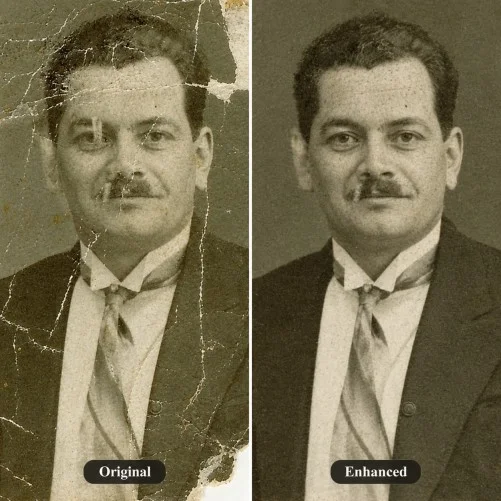
Created with ChatGPT
ChatGPT Prompts for Father and Daughter Image Generation
Category overview: This category focuses on generating or editing meaningful images of fathers and daughters for portraits, milestones, or special occasions like Father’s Day.
Brief description: Prompts in this section help create warm, emotionally resonant images by defining the ages, outfits, poses, and settings. They are useful for family albums, greeting cards, and social posts, and can also restore or enhance old photographs while keeping facial features natural.
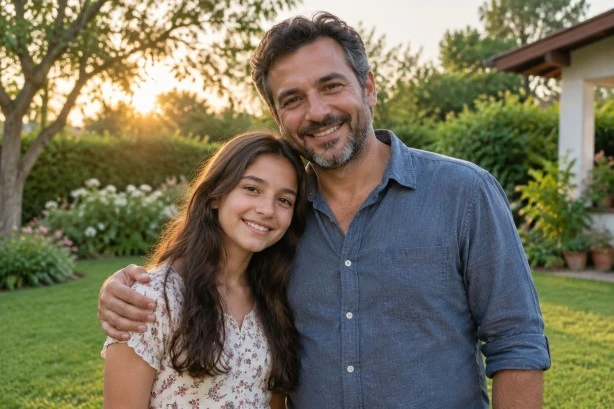
Created with ChatGPT
ChatGPT Prompts for Marriage Image Generation
Category overview: These prompts help create or edit wedding-related visuals such as pre-wedding portraits, save-the-date images, and couple photos for albums or social media.
Brief description: Use these prompts to generate realistic or artistic images of couples by specifying outfits (saree, sherwani, suit), settings (temple, beach, hall), lighting, mood, and composition. They also work for editing existing photos by changing backgrounds, improving lighting, or restoring old images while preserving facial identity.
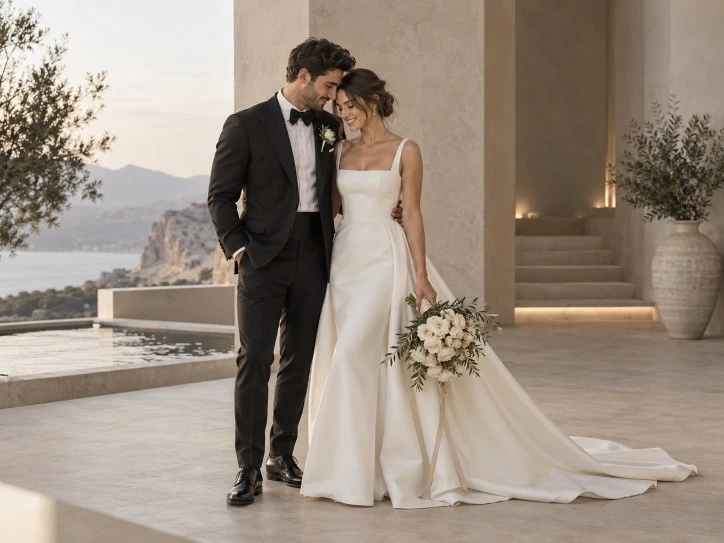
Created with ChatGPT
ChatGPT Prompts for Image Generation: Boys
ChatGPT prompts for boys can help you create realistic portraits, lifestyle photographs, sports images, fantasy characters and creative social media visuals. These prompts are suitable for parents, content creators, photographers, educators, bloggers and anyone who wants to generate personalised images featuring boys in different settings and styles.
You can customise the prompts by adding details about the boy’s age range, clothing, hairstyle, activity, location, expression, lighting and preferred image style. If you are editing an existing photograph, upload the image and clearly mention which details should remain unchanged.
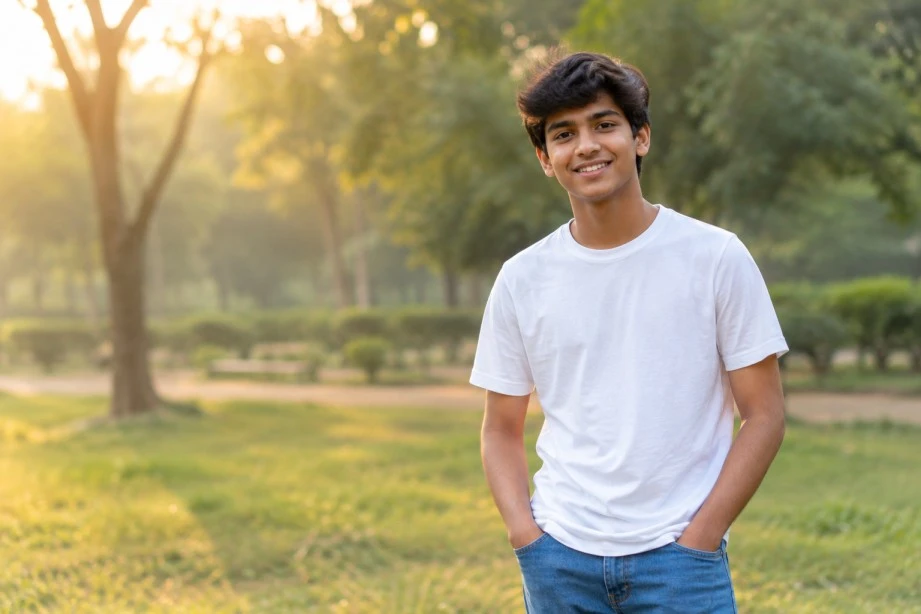
Created with ChatGPT AI
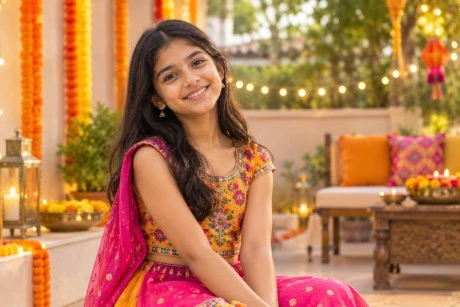
ChatGPT Prompts for Image Generation: Girls
ChatGPT prompts for girls can be used to create realistic portraits, fashion images, educational visuals, sports scenes, fantasy illustrations and celebration-themed artwork. They are suitable for parents, content creators, photographers, educators, designers and social media managers who need creative images featuring girls in different environments.
For better results, describe the subject, setting, clothing, pose, mood, lighting and artistic style. When using an uploaded photograph, state that the girl’s facial features, expression, hairstyle, clothing and body proportions should remain unchanged if you only want to modify the background or visual style.
Created with ChatGPT AI
Tips for Better Image Prompts
- Describe the main subject before adding secondary details.
- Mention the purpose of the image, such as a social media post, wedding invitation or family portrait.
- Specify whether you want a realistic photograph, digital illustration, watercolour, sketch or cinematic image.
- Include the setting, action, mood, lighting and colour palette.
- State the preferred orientation, such as square, vertical or landscape.
- For edits, explain exactly what should change and what must remain untouched.
- Use focused follow-up instructions instead of rewriting the entire prompt.
- Ask ChatGPT to avoid unwanted text, logos, watermarks, extra people and distorted features.
- Upload a reference image when the result needs to match a person, object, layout or existing design.
Conclusion
ChatGPT image-generation prompts make it easier to create customised visuals for personal, creative and professional purposes. The best results come from using specific instructions about the subject, setting, action, style, lighting and composition.
For photo editing, clearly identify the area to be changed. For family and marriage images, describe the relationship, occasion and emotional tone while asking ChatGPT to preserve important identities and features. Start with one of the copy-and-paste prompts above, then refine the result with short and precise follow-up instructions.
|
Join Big Tech companies with Entri’s Courses Now! |
|||||
|---|---|---|---|---|---|
| Full-Stack Web Developer | Data Science | Python Programming | |||
| Software Testing | DevOps | Data Analytics | |||
| Cyber Security | UI/UX Design | ||||
| SAP FICO Course | AI-Powered Practical Accounting Course | ||||


