

Introduction
Gemini can turn a simple text description into a creative image, portrait, social media visual, illustration, or realistic scene. The quality of the result usually improves when your prompt clearly explains the subject, action, setting, composition, visual style, lighting, and aspect ratio. Google also recommends describing the image in detail and refining the result through follow-up instructions.
This guide includes ready-to-use Gemini prompts for image generation featuring men, women, couples, and saree portraits. You can copy a prompt, paste it into Gemini, and customise details such as age, clothing, background, hairstyle, mood, and image size.
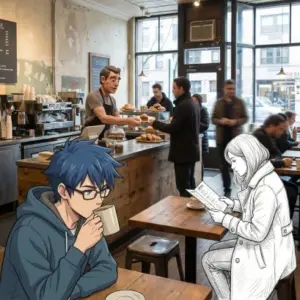
Source: Gemini API
Gemini Image Generation Prompts Based on Categories
How to Use Gemini for Image Generation
You can use Gemini on the web or through the Gemini app. Open Gemini, choose the image-generation option if it is available, and enter a detailed prompt in the chat box. Depending on your version and account, the feature may appear as an Images option or as a tool such as “Create images.”
Simple steps
- Open the Gemini website or app and sign in to your Google account.
- Select the image-generation option, if shown.
- Copy one of the prompts from this article.
- Paste the prompt into the chat box.
- Replace details such as the person’s appearance, clothing, location, or mood.
- Submit the prompt and wait for Gemini to generate the image.
- Ask Gemini to make changes if required.
- Download, save, copy, or share the final image, depending on the available options.
Basic prompt formula
A useful image prompt can follow this structure:
Create a [type of image] of [subject] [action] in [location]. Use [visual style], [lighting], [camera angle], [mood], and [aspect ratio]. Make the image [quality or composition instructions].
For example:
Create a cinematic portrait of a young man standing beside a vintage motorcycle on a quiet coastal road at sunset. Use realistic facial details, warm golden-hour lighting, a shallow depth of field, a confident expression, and a vertical 9:16 composition.
Google’s prompting guidance suggests thinking about the subject, composition, action, location, style, and editing instructions before writing the prompt.
Tips for better results
- Mention whether you want a photorealistic image, digital painting, cartoon, fashion editorial, film still, or 3D illustration.
- Describe the subject’s pose, facial expression, hairstyle, clothing, and accessories.
- Include the background and time of day.
- Specify the camera framing, such as close-up portrait, full-body shot, wide-angle view, or over-the-shoulder shot.
- Add an aspect ratio, such as 1:1 for profile images, 4:5 for social media posts, or 9:16 for mobile content.
- Use follow-up instructions such as “make the lighting softer,” “change the background to a beach,” or “make the expression more natural.”
- Avoid requesting an exact copy of a living artist’s signature style. Instead, describe the visual qualities you want, such as “soft watercolour textures,” “bold comic-book colours,” or “dramatic editorial lighting.”
- If you use a real person’s photograph, make sure you have the necessary permission and avoid creating misleading or harmful content.
Explore free AI tools course by Entri
Gemini Prompts for Image Generation: Man
These prompts are suitable for profile pictures, professional portraits, fashion posts, social media content, portfolios, posters, and creative personal branding. You can adjust the age, appearance, outfit, location, and mood to match your requirements.
Who can use these prompts?
These prompts are useful for:
- Men who want AI-generated profile pictures.
- Bloggers and social media creators.
- Fitness professionals and personal trainers.
- Students creating portfolio or profile images.
- Fashion pages and clothing brands.
- Businesses designing promotional visuals.
- Content writers preparing blog, campaign, or social media graphics.

Created with Gemini AI
Gemini Prompts for Image Generation: Woman
These prompts can help create professional portraits, fashion visuals, lifestyle images, traditional looks, travel scenes, and creative social media content. Add details about the desired outfit, hairstyle, expression, pose, background, and lighting.
Who can use these prompts?
These prompts are suited for:
- Personal profile images.
- Fashion and lifestyle content.
- Student and professional portfolios.
- Beauty and clothing brands.
- Social media posts and reels.
- Festival campaigns.
- Bloggers, influencers, and digital creators.
When generating a realistic image of a specific person, provide only information and reference images you are permitted to use. Avoid presenting an AI-generated image as an authentic photograph if doing so could mislead viewers.
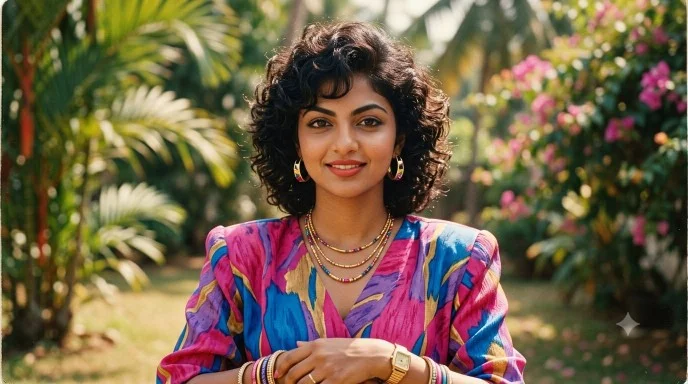
Created with Gemini AI
Gemini Prompts for Image Generation: Couples
Couple prompts are useful for anniversary posts, wedding concepts, engagement visuals, travel memories, romantic illustrations, and social media designs. To make the result more personal, mention the couple’s clothing, setting, relationship mood, pose, and preferred photography style.
Who can use these prompts?
These prompts are suitable for:
- Couples creating social media posts.
- Anniversary and engagement content.
- Wedding photographers and planners.
- Jewellery and fashion brands.
- Travel bloggers.
- Greeting-card designers.
- Digital artists and creative agencies.
For images of real couples, use reference photographs only with consent. If the image is intended for advertising, clarify that it is AI-generated where required by the platform, client, or applicable rules.
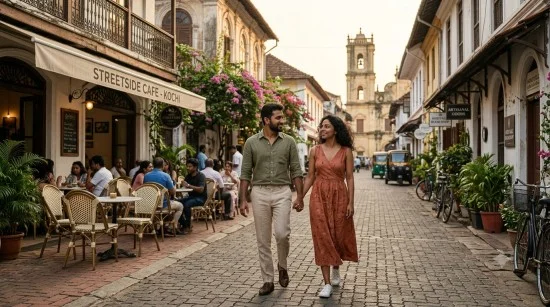
Created with Gemini AI
Gemini Prompts for Image Generation: Saree
Saree prompts can create traditional portraits, modern fashion editorials, wedding visuals, festive campaigns, and cultural illustrations. For better results, specify the saree colour, fabric, draping style, blouse design, jewellery, location, lighting, and pose.
Who can use these prompts?
Saree prompts are especially useful for:
- Saree boutiques and fashion brands.
- Jewellery businesses.
- Wedding and festive campaigns.
- Fashion bloggers and influencers.
- Cultural event promotions.
- E-commerce product concepts.
- Personal portraits and celebration posts.
For product marketing, review the generated image carefully. AI-generated visuals may not always represent the exact colour, weave, border, embroidery, or construction of a real saree.
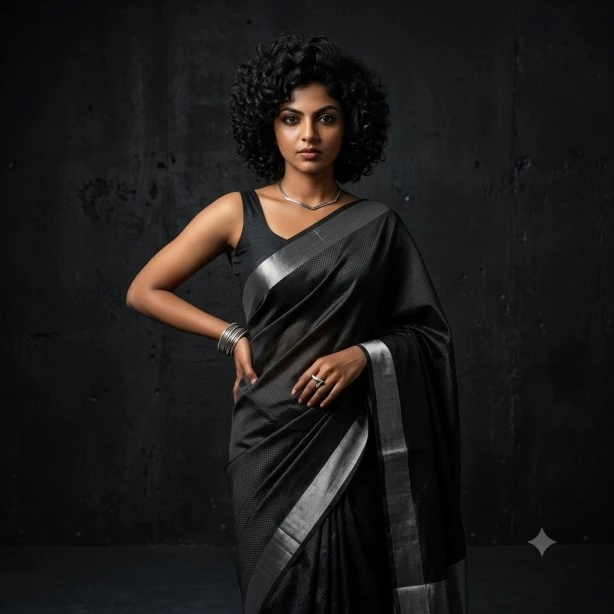
Created with Gemini AI
Gemini Prompts for Father and Daughter Images
Father-and-daughter image prompts can help create emotional portraits, family memories, celebration posts, and creative social media visuals. You can customise these prompts by adding details about their age, clothing, expressions, location, pose, relationship, and preferred image style.
These prompts can be used to create realistic family portraits, traditional photographs, outdoor lifestyle scenes, birthday visuals, festival images, and cinematic illustrations.
Who can use these prompts?
These prompts are useful for:
- Fathers and daughters creating personalised family images.
- Families designing memory posts and greeting cards.
- Photographers creating family portrait concepts.
- Social media creators preparing emotional content.
- Birthday and anniversary campaign designers.
- Festival and celebration planners.
- Bloggers and digital artists.
- Brands creating family-focused promotional visuals.
When generating an image of a real father and daughter, use reference photographs only with their permission. Avoid using an AI-generated image to falsely represent a real event or memory.
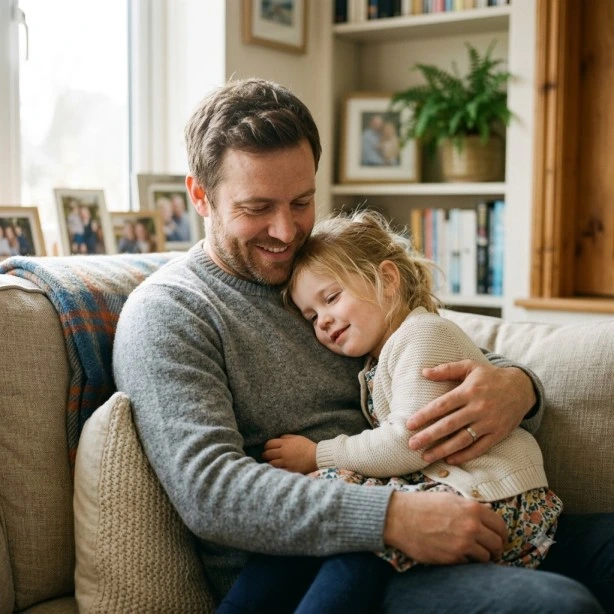
Created with Gemini AI
Gemini Prompts for Male Hairstyle Images
Male hairstyle prompts can help you explore different haircuts, grooming styles, beard combinations, and fashion looks before visiting a salon or barbershop. You can describe the desired hairstyle, hair texture, face shape, hair length, colour, beard style, outfit, background, and image composition.
These prompts are suitable for creating hairstyle previews, barbershop marketing visuals, men’s fashion portraits, grooming content, and profile images.
Who can use these prompts?
These prompts are suitable for:
- Men exploring new hairstyles and haircuts.
- Barbers and hairstylists showcasing their work.
- Grooming and men’s fashion brands.
- Hair salons creating promotional content.
- Fashion bloggers and influencers.
- Social media creators.
- Students and professionals creating profile images.
- Bloggers preparing hairstyle guides and visual content.
For better results, mention the hair type and texture, such as straight, wavy, curly, thick, or fine hair. You can also specify whether you want a front view, side profile, back view, or hairstyle comparison.
AI-generated hairstyle images are useful for inspiration, but the final appearance may vary depending on your actual hair texture, density, hairline, and face shape.

Created with Gemini AI
Gemini Prompts to Make Images High Quality
High-quality image prompts can help improve sharpness, lighting, composition, colour balance, facial details, and overall realism. Instead of using only general instructions such as “make this image better,” describe the exact improvements you want Gemini to make.
You can ask Gemini to enhance image resolution, improve focus, correct lighting, remove visual noise, sharpen important details, balance colours, and create a cleaner composition. You can also specify whether you want a photorealistic, cinematic, editorial, studio, or professional result.
Who can use these prompts?
These prompts are useful for:
- Social media creators improving their visuals.
- Bloggers and content writers preparing article images.
- Businesses designing promotional graphics.
- Photographers enhancing image concepts.
- E-commerce sellers creating product visuals.
- Students preparing project presentations.
- Professionals improving profile pictures.
- Digital artists and graphic designers.
When improving an image, mention which parts should remain unchanged. For example, you can ask Gemini to preserve the person’s face, clothing, pose, and background while improving the lighting and image clarity.
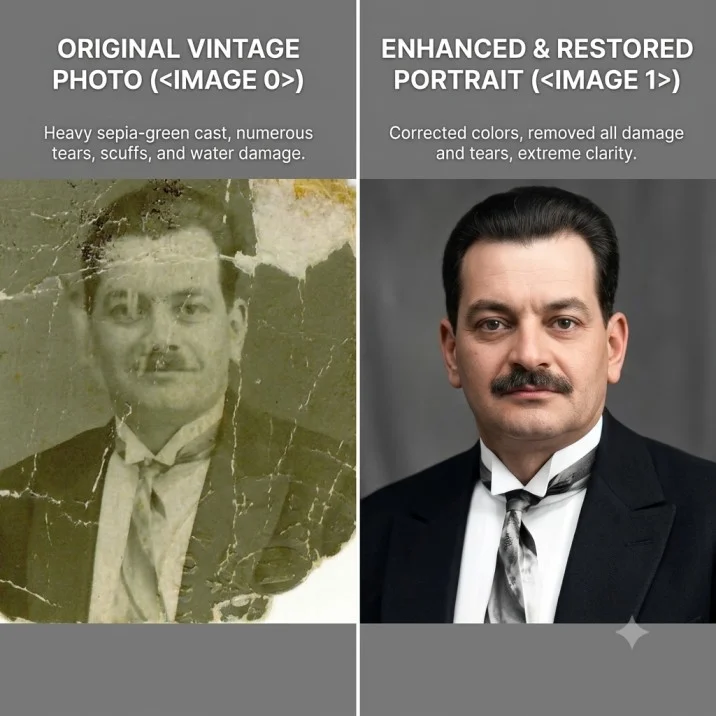
Created with Gemini AI
You can use follow-up instructions such as:
Improve the image quality while keeping the person’s face, clothing, pose, and background unchanged. Increase sharpness, correct the exposure, reduce noise, improve skin texture naturally, and create realistic lighting.
Always review an enhanced image carefully. Over-processing may produce unnatural skin, distorted facial features, incorrect text, or unrealistic objects.
Gemini Prompts for Mother and Son Images
Mother-and-son image prompts can help create warm family portraits, emotional memories, festival visuals, and creative social media content. You can personalise the result by describing the mother’s and son’s age, clothing, expressions, pose, location, relationship, lighting, and desired photography style.
These prompts can be used for traditional family portraits, candid lifestyle scenes, birthday images, travel memories, cultural celebrations, and cinematic illustrations.
Who can use these prompts?
These prompts are useful for:
- Mothers and sons creating family portraits.
- Families designing memory posts and greeting cards.
- Photographers planning family photo sessions.
- Social media creators preparing emotional content.
- Birthday and anniversary campaigns.
- Festival and cultural event promotions.
- Bloggers and digital artists.
- Brands creating family-oriented visuals.
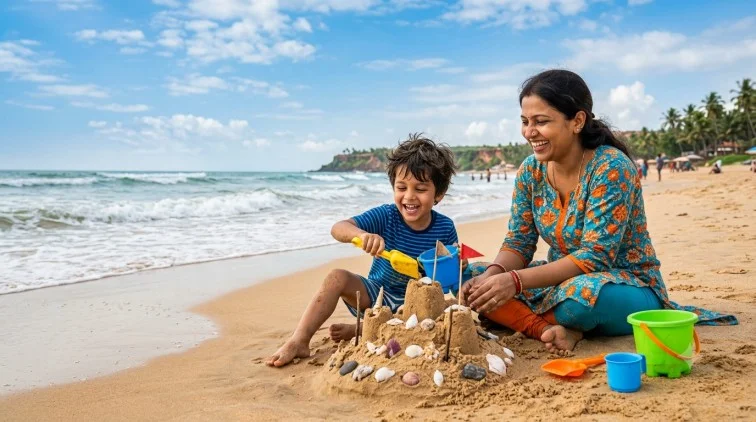
Created with Gemini AI
For a realistic image of a specific mother and son, use reference images only with the consent of the people shown. If the visual is fictional or AI-generated, avoid presenting it as an authentic photograph of a real event.
Gemini Prompts for Marriage Images
Marriage image prompts can help create wedding portraits, engagement visuals, traditional ceremony scenes, reception concepts, and romantic couple images. You can specify the couple’s clothing, wedding location, cultural details, decorations, pose, expressions, lighting, camera angle, and visual style.
These prompts are suitable for wedding invitations, social media posts, anniversary designs, photography concepts, bridal fashion campaigns, and marriage-themed creative projects.
Who can use these prompts?
These prompts are suitable for:
- Engaged couples and newly married couples.
- Wedding photographers and planners.
- Bridal and groom fashion brands.
- Jewellery businesses.
- Wedding invitation designers.
- Event management companies.
- Social media creators and bloggers.
- Greeting-card designers.
- Digital artists and creative agencies.
For a more personalised wedding image, include details such as the wedding attire, venue, flowers, decorations, cultural traditions, jewellery, hairstyle, and preferred colour palette.
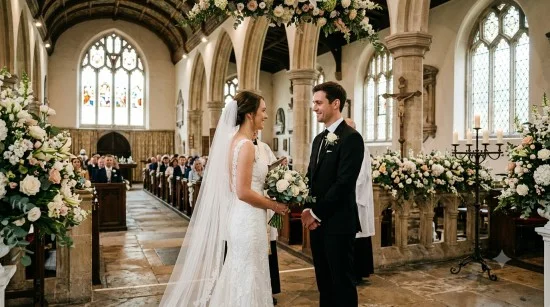
Created with Gemini AI
If you are creating an image of a real couple, use their photographs only with permission. For promotional or commercial content, review the relevant platform rules and clearly identify AI-generated visuals when necessary.
Gemini Prompts for Anant Chaturdashi Images
Anant Chaturdashi image prompts can help create devotional posters, festival greetings, Lord Ganesha immersion scenes, spiritual illustrations, and social media visuals. You can customise these prompts by adding details about the idol, decorations, flowers, devotees, procession, location, lighting, colour palette, and preferred image style.
These prompts are useful for creating festive posters, WhatsApp status images, Instagram posts, greeting cards, event banners, and cultural content related to Anant Chaturdashi. For better results, clearly describe the religious elements, mood, composition, and visual style you want in the final image.
Who can use these prompts?
These prompts are useful for:
- Devotees creating Anant Chaturdashi greeting images.
- Families preparing festival posts and digital invitations.
- Temples and religious organisations.
- Event planners arranging Ganesh Visarjan celebrations.
- Social media creators and influencers.
- Graphic designers creating festival posters.
- Local businesses preparing festive campaigns.
- Bloggers and digital artists.
- Cultural and community organisations.
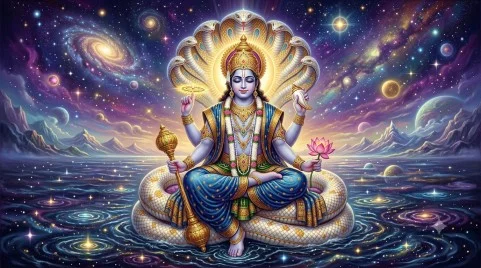
Created with Gemini AI
When creating religious images, describe the symbolism and cultural details respectfully. If the image is used for a public event, verify the date, location, procession details, and other information before publishing.
Gemini Prompts for Gandhi Jayanti Images
Gandhi Jayanti image prompts can help create tribute posters, patriotic visuals, educational illustrations, social media posts, and inspirational images honouring Mahatma Gandhi. You can customise these prompts by describing Gandhi’s portrait, traditional clothing, round spectacles, spinning wheel, peaceful expressions, national symbols, background, lighting, and preferred visual style.
These prompts are useful for creating school project images, event posters, social media greetings, presentation graphics, awareness campaigns, and educational content related to Gandhi Jayanti. For better results, clearly describe the mood, composition, historical elements, colour palette, and text space required in the image.
Who can use these prompts?
These prompts are useful for:
- Schools and colleges preparing Gandhi Jayanti posters.
- Students creating project and presentation visuals.
- Government offices and public institutions.
- Social media creators and influencers.
- Educational bloggers and content writers.
- Graphic designers creating tribute posters.
- Cultural and community organisations.
- Event planners organising Gandhi Jayanti programmes.
- Businesses preparing patriotic campaigns.
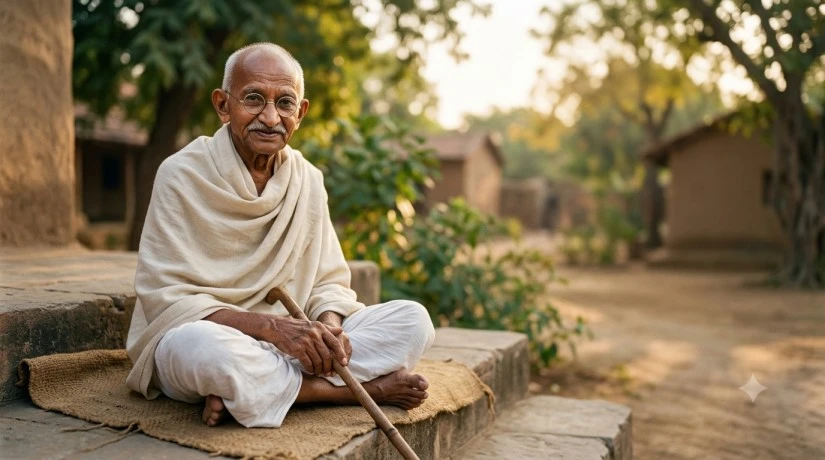
Created with Gemini AI
When creating an image of Mahatma Gandhi, describe historical and cultural elements accurately and respectfully. If the image is used for an event or public programme, verify the date, venue, schedule, and other details before publishing.
Gemini Prompts for Aesthetic Images
Aesthetic Gemini prompts can help create visually appealing portraits, fashion images, lifestyle scenes, travel visuals, room designs, and social media content. You can customise these prompts by describing the colour palette, mood, lighting, outfit, background, composition, camera angle, and preferred aesthetic.
These prompts are useful for creating Instagram posts, profile pictures, Pinterest-style visuals, mood boards, wallpapers, blog graphics, fashion content, and creative digital artwork. For better results, describe the overall visual mood clearly, such as minimal, vintage, dreamy, soft, cinematic, moody, luxury, or film-inspired.
Who can use these prompts?
These prompts are useful for:
- Social media creators designing aesthetic posts.
- Bloggers and influencers creating visual content.
- Fashion and lifestyle brands.
- Photographers planning creative photoshoots.
- Students creating mood boards and presentations.
- Digital artists and graphic designers.
- Interior designers creating room concepts.
- Businesses preparing promotional visuals.
- Users creating wallpapers and profile images.
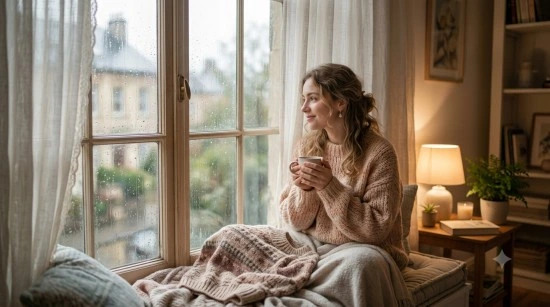
Created with Gemini AI
When creating an aesthetic image of a real person, use reference photographs only with permission. If you plan to publish the image, avoid presenting an AI-generated visual as an authentic photograph when it could mislead viewers.
Gemini Prompts for Oil Painting Images
These prompts are useful for creating wall-art concepts, artistic portraits, book covers, album covers, editorial illustrations, social media posts, and creative portfolio pieces. For better results, mention whether you want a classical, impressionist, romantic, modern, or contemporary oil-painting look.
Who can use these prompts?
These prompts are useful for:
- Artists and illustrators exploring oil-painting concepts.
- Students preparing art projects and presentations.
- Social media creators designing artistic posts.
- Interior designers creating wall-art ideas.
- Book and album cover designers.
- Bloggers and content writers preparing creative visuals.
- Businesses designing premium posters and brand artwork.
- Digital artists creating portfolio pieces.
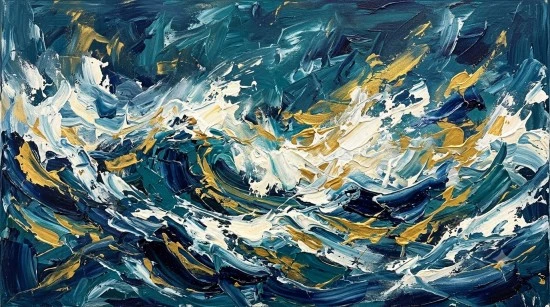
Created with Gemini AI
When creating an oil painting of a real person, use reference photographs only with permission. If you plan to use the artwork commercially, review the relevant platform rules and avoid presenting an AI-generated painting as an original hand-painted artwork.
Gemini Prompts for Ghibli Art Images
These prompts are useful for creating illustrated profile images, story visuals, social media posts, wallpapers, children’s book concepts, travel-inspired artwork, and creative digital illustrations. For better results, describe the visual qualities you want—such as hand-painted textures, soft colours, detailed backgrounds, and a peaceful storytelling mood—rather than asking for an exact copy of a living artist’s signature style.
Who can use these prompts?
These prompts are useful for:
- Social media creators designing illustrated posts.
- Bloggers and digital artists creating story visuals.
- Students preparing creative projects and presentations.
- Illustrators and designers exploring animation-style artwork.
- Children’s book and storybook creators.
- Travel and lifestyle content creators.
- Game and animation enthusiasts.
- Businesses creating friendly, imaginative promotional visuals.
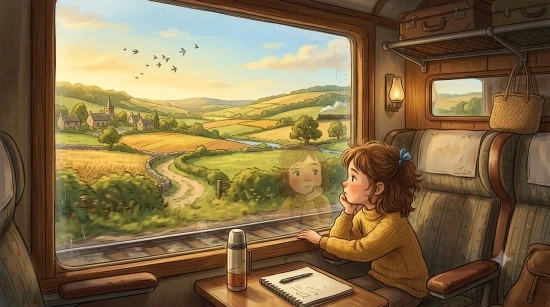
Created with Gemini AI
Avoid using an AI-generated image to imply that it is official artwork from a particular studio, creator, or franchise. If the image features a real person, use their photograph or likeness only with permission.
Gemini Prompts for Friends Images
These prompts are useful for creating realistic group photographs, café and travel scenes, birthday celebrations, graduation memories, road-trip visuals, vintage collages, and artistic friendship artwork. For better results, clearly describe the number of people, their relationship, the setting, and the visual mood you want.
Who can use these prompts?
These prompts are useful for:
- Friends creating personalised group images.
- College students preparing friendship memories.
- Social media creators and influencers.
- Travel bloggers and photographers.
- Event planners and celebration designers.
- Fashion and lifestyle brands.
- Bloggers and digital artists.
- Businesses creating youth-focused campaigns.

Created with Gemini AI
When generating an image of real friends, use photographs only with everyone’s permission. Avoid creating misleading, inappropriate, or harmful images of identifiable people.
Gemini Prompts for Birthday Images
Birthday image prompts can help create personalised portraits, party scenes, cake visuals, family celebrations, children’s party illustrations, invitation backgrounds, greeting cards, and social media graphics. You can customise these prompts by describing the birthday person, age, outfit, party theme, decorations, cake, venue, colour palette, lighting, and image format.
These prompts are useful for creating birthday posts, WhatsApp status images, surprise-party visuals, cake-cutting moments, children’s themed parties, elegant invitations, and birthday banners. For invitations and greeting cards, generate the design without text and add the final name, date, time, venue, and message separately to avoid spelling errors.
Who can use these prompts?
These prompts are useful for:
- Individuals creating birthday portraits and social media posts.
- Families preparing birthday memories and greeting cards.
- Friends planning surprise parties and celebration posts.
- Event planners and party decorators.
- Bakeries and cake designers.
- Children’s party organisers.
- Invitation and greeting-card designers.
- Social media creators and influencers.
- Businesses preparing birthday campaigns.
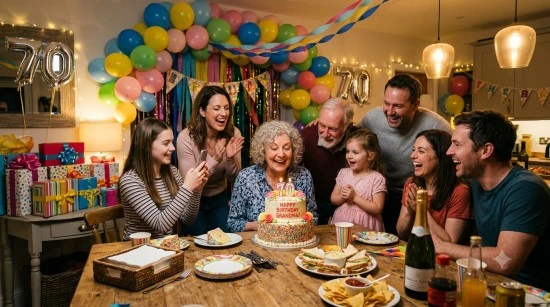
Created with Gemini AI
When creating an image of a real person, use their photograph only with permission. If the image includes a child, keep the scene safe and age-appropriate.
Gemini Prompts for Dussehra Images
Dussehra image prompts can help create festive greetings, Rama-Ravana-themed artwork, Vijayadashami celebration visuals, cultural posters, and social media images. You can customise these prompts by describing the characters, traditional clothing, decorations, temple or procession setting, lighting, colour palette, and preferred visual style.
These prompts are useful for creating festival posters, WhatsApp status images, Instagram posts, school project visuals, event banners, and cultural artwork. For religious or cultural images, describe the symbolism respectfully and avoid presenting an AI-generated visual as an authentic photograph of a real event.
Who can use these prompts?
These prompts are useful for:
- Families creating Dussehra greetings and celebration posts.
- Temples and cultural organisations.
- Event planners arranging Vijayadashami programmes.
- Schools and students preparing festival projects.
- Social media creators and influencers.
- Graphic designers creating festive posters.
- Local businesses preparing seasonal campaigns.
- Bloggers and digital artists.
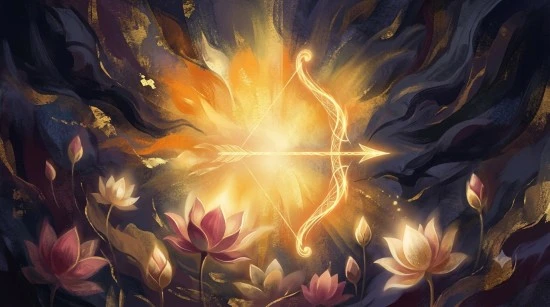
Created with Gemini AI
Gemini Prompts for Family Photo Images
Family photo prompts can help create classic portraits, candid home moments, outdoor travel images, festival photographs, birthday memories, wedding portraits, and artistic family illustrations. You can customise these prompts by describing the number of family members, their ages, outfits, activity, location, expressions, lighting, mood, and aspect ratio.
These prompts are useful for creating realistic family portraits, Kerala backwater travel photos, picnic scenes, festival celebrations, graduation images, watercolour illustrations, cartoon portraits, and memory collages. The dedicated guide covers classic portraits, candid home moments, outdoor and travel scenes, festival celebrations, and creative artwork.
Who can use these prompts?
These prompts are useful for:
- Families creating personalised portraits and memory posts.
- Parents preparing birthday, graduation, and festival images.
- Photographers planning family photo sessions.
- Social media creators and lifestyle bloggers.
- Event planners and celebration designers.
- Graphic designers and digital artists.
- Businesses creating family-focused campaigns.
- Students preparing family-themed projects.
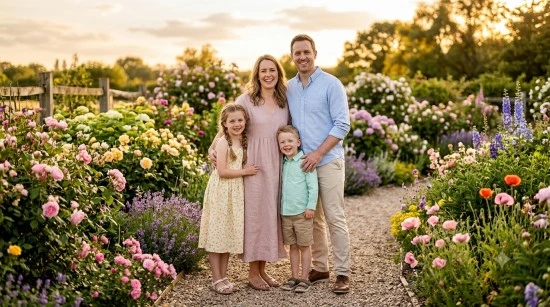
Created with Gemini AI
When generating or editing a family image, use photographs only with permission. Preserve each person’s identity, facial features, hairstyle, clothing, pose, and natural body proportions when editing an uploaded photo.
Gemini Prompts for Wedding Anniversary Images
Wedding anniversary image prompts can help create romantic couple portraits, candlelight dinner scenes, floral invitation backgrounds, traditional anniversary images, travel photographs, and celebration visuals. You can customise these prompts by describing the couple’s outfits, setting, flowers, decorations, lighting, mood, pose, and image format.
These prompts are useful for first anniversaries, silver and golden anniversaries, traditional Indian celebrations, destination anniversary photos, WhatsApp status backgrounds, and elegant greeting cards. The dedicated guide includes romantic portraits, anniversary dinners, floral backgrounds, travel scenes, and creative artwork.
Who can use these prompts?
These prompts are useful for:
- Couples creating anniversary posts and greeting cards.
- Families celebrating parents’ anniversaries.
- Wedding photographers and planners.
- Invitation and greeting-card designers.
- Jewellery and gift brands.
- Hotels, restaurants, and event venues.
- Social media creators and influencers.
- Bloggers and digital artists.
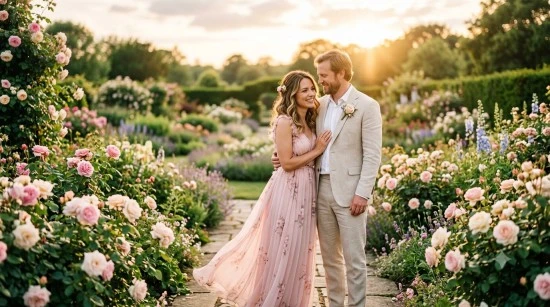
Created with Gemini AI
When editing a real couple photo, ask Gemini to preserve the couple’s identity, expressions, hairstyles, clothing, poses, and body proportions while improving lighting or adding tasteful decorations.
Gemini Prompts for Anime Images
Anime image prompts can help create original anime-style characters, portraits, action scenes, romantic illustrations, fantasy worlds, school-life scenes, and cinematic story visuals. You can customise these prompts by describing the character’s age, hairstyle, outfit, expression, pose, background, colour palette, lighting, and art style.
These prompts are useful for creating profile pictures, wallpapers, story illustrations, social media posts, game concepts, fan-style artwork, and creative portfolio pieces. For better results, describe the visual qualities you want—such as expressive eyes, clean line art, soft shading, and detailed backgrounds—rather than requesting an exact copy of a specific artist or studio style.
Who can use these prompts?
These prompts are useful for:
- Anime fans creating original character artwork.
- Social media creators designing profile pictures and posts.
- Illustrators and digital artists.
- Storybook and comic creators.
- Game designers and animation enthusiasts.
- Students preparing creative projects.
- Bloggers creating visual content.
- Businesses creating youth-focused campaigns.
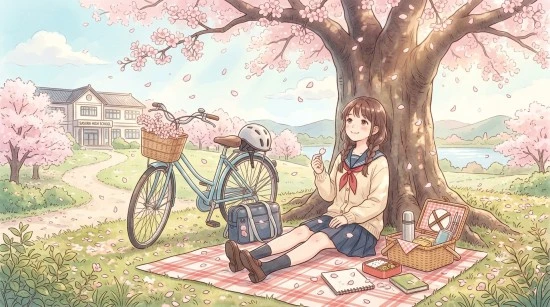
Created with Gemini AI
When transforming a real person’s photo into an anime-style image, use the photograph only with permission and ask Gemini to preserve recognisable facial features, hairstyle direction, expression, and pose.
Gemini Prompts for Underwater Images
Underwater image prompts can help create coral reefs, marine animals, scuba-diving scenes, shipwrecks, underwater caves, mermaid and fantasy worlds, ocean wallpapers, and conservation visuals. You can customise these prompts by describing the subject, marine life, water clarity, depth, light direction, colours, camera angle, and aspect ratio.
These prompts are useful for creating realistic ocean photography, travel and diving visuals, fantasy illustrations, wallpapers, educational posters, and conservation campaign designs. The dedicated guide covers coral reefs, ocean animals, diving exploration, mermaid scenes, artistic wallpapers, and underwater conservation posters.
Who can use these prompts?
These prompts are useful for:
- Ocean and travel content creators.
- Photographers and digital artists.
- Students preparing science or environmental projects.
- Conservation organisations and educators.
- Wallpaper and poster designers.
- Fantasy and animation enthusiasts.
- Diving schools and marine-tourism businesses.
- Bloggers creating visual content.
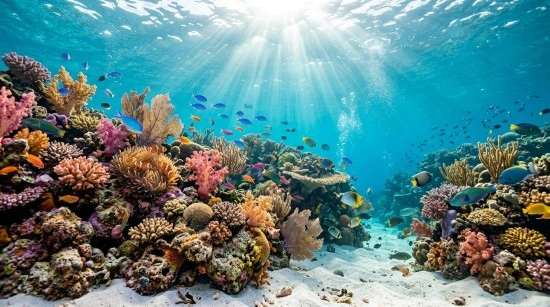
Created with Gemini AI
Avoid depicting unsafe diving practices, harmful interactions with marine animals, or polluted environments unless the image is intended for conservation education.
Gemini Prompts for Engagement Images
Engagement image prompts can help create romantic engagement portraits, proposal scenes, ring-detail photographs, floral invitation backgrounds, traditional Indian engagement visuals, and celebration images. You can customise these prompts by describing the couple’s outfits, setting, flowers, ring, decorations, lighting, mood, pose, and image format.
These prompts are useful for engagement announcements, proposal posts, ring ceremonies, traditional Indian engagements, Kerala engagement portraits, destination proposals, and elegant invitation designs. The dedicated guide includes romantic portraits, proposal scenes, ring and detail shots, traditional Indian engagement prompts, and creative artwork.
Who can use these prompts?
These prompts are useful for:
- Engaged couples creating announcement images.
- Families preparing engagement celebration posts.
- Wedding photographers and planners.
- Jewellery brands and ring designers.
- Invitation and greeting-card designers.
- Event venues and decorators.
- Social media creators and influencers.
- Bloggers and digital artists.
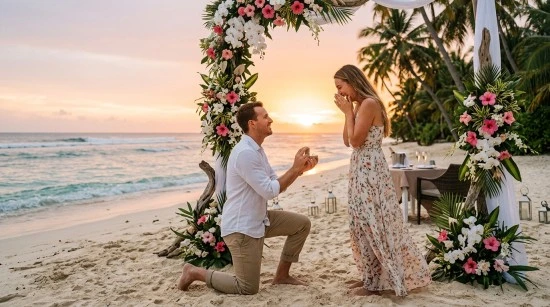
Created with Gemini AI
For a real couple, use photographs only with permission. Ask Gemini to preserve the couple’s identity, facial features, clothing, pose, and body proportions when editing an uploaded engagement photo.
Gemini Prompts for Selfie Images
Selfie image prompts can help create natural portraits, aesthetic social media images, travel selfies, mirror selfies, café and beach selfies, festive images, professional profile pictures, and stylised anime or cartoon versions. You can customise these prompts by describing the person’s age, hairstyle, outfit, expression, pose, location, lighting, colour palette, and aspect ratio.
These prompts are useful for Instagram posts, profile pictures, WhatsApp status images, travel memories, fashion content, festive posts, and professional profile photos. The dedicated guide includes natural, aesthetic, travel, festive, and creative selfie styles.
Who can use these prompts?
These prompts are useful for:
- Social media users creating profile pictures and posts.
- Travel bloggers and influencers.
- Fashion and lifestyle creators.
- Students and professionals preparing profile images.
- Photographers planning selfie concepts.
- Content creators preparing festive posts.
- Digital artists and illustrators.
- Businesses creating personal-branding visuals.
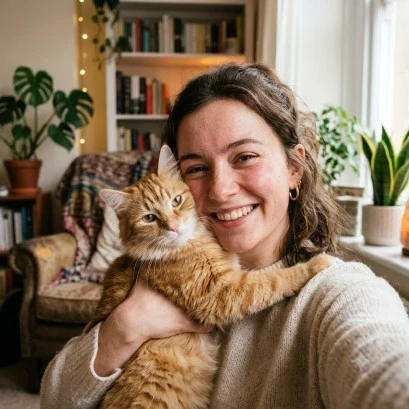
Created with Gemini AI
When editing a real selfie, ask Gemini to improve lighting, sharpness, and background while preserving the person’s identity, facial features, expression, hairstyle, clothing, pose, and natural skin texture.
Gemini Prompts for Professional Photoshoot Images
Professional photoshoot image prompts can help create corporate headshots, LinkedIn profile photos, business portraits, personal-branding visuals, editorial portraits, fashion shoots, and studio-style images. You can customise these prompts by describing the person’s outfit, expression, pose, background, lighting, colour palette, camera angle, and intended use.
These prompts are useful for creating LinkedIn profile photos, website portraits, speaker profiles, business cards, personal-branding content, professional social media posts, and portfolio images. For a polished result, specify whether you want a clean studio background, modern office setting, natural-light editorial look, or premium corporate portrait.
Who can use these prompts?
These prompts are useful for:
- Job seekers creating LinkedIn and resume photos.
- Professionals updating personal-branding visuals.
- Entrepreneurs and business owners.
- Speakers, authors, and consultants.
- Students preparing professional profiles.
- Corporate teams creating website portraits.
- Photographers planning studio concepts.
- Content creators and influencers.

Created with Gemini AI
When creating a professional image of a real person, use their photograph only with permission. Avoid presenting an AI-generated image as an authentic professional photograph in contexts where authenticity matters, such as official identification or recruitment verification.
How to Improve a Generated Image
Your first result may not perfectly match your idea. Instead of starting over, give Gemini a specific follow-up instruction. You can use prompts such as:
Keep the person’s face and clothing unchanged, but replace the background with a beach at sunset. Make the image more realistic and correct the unnatural hand position. Change the saree colour from red to emerald green while keeping the jewellery and pose the same. Make the composition suitable for an Instagram portrait post with a 4:5 aspect ratio. Improve the lighting, reduce the background clutter, and keep the subject in sharp focus. Create a wider version with empty space on the left for headline text.
Clear editing instructions help preserve the elements you want while changing only the part that needs improvement. Gemini also supports conversational refinement for generated or uploaded images, although available features may vary by account, device, and region.
Conclusion
Gemini image-generation prompts work best when they combine a clear subject with specific details about appearance, clothing, action, setting, composition, lighting, and style. The copy-and-paste prompts in this guide can help you create portraits of men and women, romantic couple images, and saree-focused visuals for personal, professional, fashion, cultural, and social media use. Start with one prompt, review the output, and improve it with short follow-up instructions. Small changes to the background, outfit, expression, camera angle, or aspect ratio can make the final image more suitable for your purpose.
|
Join Big Tech companies with Entri’s Courses Now! |
|||||
|---|---|---|---|---|---|
| Full-Stack Web Developer | Data Science | Python Programming | |||
| Software Testing | DevOps | Data Analytics | |||
| Cyber Security | UI/UX Design | ||||
| SAP FICO Course | AI-Powered Practical Accounting Course | ||||
Frequently Asked Questions
What are Gemini prompts for image generation?
Gemini image-generation prompts are written instructions that tell Gemini what image to create. They can describe the subject, clothing, pose, environment, mood, lighting, artistic style, and image dimensions.
Can I copy and paste these prompts into Gemini?
Yes. You can copy a prompt, paste it into Gemini, and change the personal or visual details according to your needs. Adding specific information generally gives you more control over the result.
How can I create a realistic human image in Gemini?
Describe the person’s approximate age group, clothing, hairstyle, expression, pose, environment, lighting, and photography style. You can also request realistic skin texture, natural proportions, sharp focus, and a specific camera composition.
How do I generate a saree image in Gemini?
Mention the saree colour, material, border, blouse design, draping style, jewellery, hairstyle, location, pose, and lighting. For example, you can request a cream Kasavu saree, gold border, jasmine flowers, a Kerala home, and warm natural light.
Can Gemini create couple images?
Gemini can generate creative couple scenes based on your description. Include details about both people, their clothing, interaction, location, mood, lighting, and preferred image style.
Can I use these images for Instagram and other social media platforms?
You can create images for social media, but check the platform’s rules and your intended use. If the image represents a real person, brand, product, or event, use appropriate consent and avoid making an AI-generated image appear to be an authentic photograph when that could mislead viewers.
Which aspect ratio should I choose?
Use 1:1 for square profile images, 4:5 for portrait social media posts, 9:16 for stories and short-video thumbnails, and a wider ratio for website banners or landscape designs. You can include the desired ratio directly in your prompt.
What should I do if Gemini generates an incorrect face or hand?
Ask Gemini to correct the specific problem. For example:
Keep the composition unchanged, but make the hands anatomically natural, improve the facial symmetry, and preserve the original clothing and background.
You may need to refine the image more than once.
Can I edit an image generated by Gemini?
In supported versions, you can ask Gemini to modify an image or upload an image for editing. You can request changes such as replacing the background, changing clothing colours, removing an object, or adjusting the lighting.
Are Gemini-generated images free to use commercially?
Commercial usage can depend on Google’s current terms, your account or product plan, the source material, and applicable laws. Review the terms that apply to your Gemini product before using an image in paid advertising, product packaging, client work, or other commercial projects.


