
Table of Contents
Your website might be invisible to Google – which is a pretty grim reality if you are relying on the wrong rendering method. For SEO success server side rendering (SSR) sends a complete, fully formed HTML page straight to search engines right from the get go, which means your content can be indexed and ranked super fast. Client-side rendering (CSR) on the other hand leaves Google in the dark until it has a chance to execute the JavaScript on the page, which can lead to delays, missed pages and a drop in search engine visibility.
Key Takeaways
- Server-side rendering sends the whole HTML package straight to browsers and search engines on first request, so your content is immediately visible to crawlers and can be indexed right away.
- Client-side rendering delivers a bare bones HTML shell and relies on JavaScript to bring on the content, which can delay or even prevent proper indexing from happening.
- Google can technically render JavaScript but it still has to add the page to a rendering queue which can cause hours or even days worth of delays before it gets indexed.
- If you rely on SEO traffic – like bloggers, ecommerce sites and course platforms do – then using SSR on your high-traffic pages is a no-brainer.
- Modern frameworks like Next.js and Nuxt.js offer server side rendering while still letting you reap the benefits of JavaScript applications.
What is Client-side Rendering (CSR)
1: What is the primary goal of SEO (Search Engine Optimization)?

Client-side rendering is a method where the server just sends a super sparse HTML file to the browser. It only includes the bare minimum of structure and some links to JavaScript files. The browser then goes ahead and downloads those JavaScript files first. It’s only once the JavaScript has been run that the content appears on screen.
A bunch of popular frameworks like React, Angular and Vue are set up to use this approach by default. So, when you visit a CSR website, there are a few stages to how it works. The browser gets a basic HTML shell first off. Then it goes off to fetch and run those JavaScript bundles. Finally the JavaScript generates the content and sticks it into the page.
The CSR process works like this:
Server → Sends a super basic HTML + some JavaScript → Browser downloads and runs those JavaScript files → JavaScript creates the content → User gets to see the page
But the SEO problem with CSR is pretty severe. Search engine crawlers are going to download that HTML file first and if it’s empty they see nothing. Google has got a second process its rendering queue and pages get added to that queue. Then Googles web rendering service will go ahead and execute the JavaScript later – but this two-step process introduces big delays. And sometimes Google just never gets around to rendering the page at all – especially if you are a newer or less authoritative site. Content that loads through APIs or lazy loading can be completely missed.
Join Our Online Digital Marketing Course & Learn the Fundamentals!
Become an AI-powered Digital Marketing Expert
Master AI-Driven Digital Marketing: Learn Core Skills and Tools to Lead the Industry!
Explore CourseWhat is Server-side Rendering (SSR)
Server-side rendering flips the process on its head. When a user or search engine requests a page the server builds the complete HTML before sending it off. The server runs all the JavaScript, fetches any data from APIs, and assembles the final page. What arrives at the browser is ready to go, no messing about.
The SSR process is straightforward:
Server → Runs JavaScript → Fetches data → Builds full HTML → Sends complete HTML to browser → User and bots see content immediately
The SEO benefits of SSR are substantial. Search engine crawlers receive complete HTML on the first request. There is no waiting for JavaScript execution. No second round of rendering is required. Google can crawl and index the content immediately. Pages appear in search results faster.
SSR also improves Core Web Vitals. First Contentful Paint happens quickly because the browser has HTML ready to display. Largest Contentful Paint benefits from pre-rendered content. Users perceive the page as faster because they see something sooner.
Frameworks like Next.js for React and Nuxt.js for Vue make SSR easier to implement. These tools handle the complexity of server-side rendering while preserving the development experience of modern JavaScript frameworks.
Client-side vs Server-side Rendering Comparison Table
| Feature | Client-side Rendering (CSR) | Server-side Rendering (SSR) |
| HTML ready on first request | No. Empty shell only. | Yes. Complete HTML delivered. |
| SEO friendly | Low. Requires JavaScript rendering. | High. Content visible immediately. |
| Speed perception | Depends on JavaScript size and network. | Fast first load with visible content. |
| Google rendering needed | Yes. Second pass required. | No. First pass captures content. |
| Indexing delay | Possible. Hours to days. | Low. Usually indexed quickly. |
The differences in this table matter for search visibility. CSR creates uncertainty. You never know when or if Google will render your content. SSR removes that uncertainty. What you publish gets crawled and indexed reliably.
Why Client-side Rendering Causes SEO Problems

CSR creates a fundamental gap between what search engines see and what users see. The empty HTML that arrives first contains none of your actual content. Search engines must discover your JavaScript files, download them, execute them, and then extract the content. Multiple points of failure exist along this path.
Google maintains a rendering queue. Pages discovered through crawling get added to this queue. The queue can have significant wait times. For large websites, some pages may never leave the queue. Google prioritizes rendering for pages it considers important. Less authoritative pages or newer content can wait indefinitely.
JavaScript blocking creates another issue. If your JavaScript files fail to load, have errors, or take too long, Google may abandon rendering. API calls that fail or time out mean content never appears. Lazy loading images or content based on scroll position may prevent Google from seeing important information.
Google’s second wave indexing refers to the process where pages get indexed after rendering. This second wave can happen days or weeks after initial discovery. During that gap, your content does not appear in search results. For time-sensitive content like news, product launches, or course announcements, this delay can be devastating.
Become an AI-powered Digital Marketing Expert
Master AI-Driven Digital Marketing: Learn Core Skills and Tools to Lead the Industry!
Explore CourseWhy Server-side Rendering is Better for SEO

SSR solves the fundamental problem that CSR creates. Search engine crawlers receive content on the first request. There is no gap between discovery and indexing. No rendering queue delays your content. No JavaScript failures prevent visibility.
Crawlers see what users see. When Googlebot requests an SSR page, it receives the complete HTML. All text, images, and structured data are present. The crawler can extract links, understand page hierarchy, and process schema markup immediately. This efficiency means Google spends its crawl budget on more pages rather than waiting for rendering.
SSR works without JavaScript. Even if JavaScript fails to load, the HTML content remains visible. This resilience matters for search engines, users with poor connections, and accessibility tools. Your content stays accessible regardless of technical issues.
For large websites, SSR improves crawl efficiency. Ecommerce sites with thousands of product pages cannot afford rendering delays. Course platforms need every lesson page indexed. Blogs depend on fresh content appearing quickly in search results. Landing pages for marketing campaigns require immediate visibility. SSR delivers on all these requirements.
When to Use CSR vs SSR
Choosing between rendering methods depends on your website’s purpose and priorities.
Use client-side rendering for:
- Web applications where users interact heavily after login
- Dashboards and admin panels that require authentication
- Internal tools where search visibility does not matter
- Applications where SEO is not a business requirement
Use server-side rendering for:
- SEO-dependent pages that need search traffic
- Blogs and content websites
- Ecommerce product and category pages
- Course curriculum and lesson pages
- Landing pages for marketing campaigns
- Any page where organic search drives revenue
Many websites use a hybrid approach. The homepage, blog, and product pages use SSR. The user dashboard and account settings use CSR. This combination gives you SEO benefits where needed while keeping development complexity manageable.
CSR vs SSR vs Dynamic Rendering
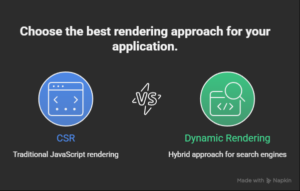
Dynamic rendering offers a middle path. This approach detects whether a request comes from a search engine crawler or a real user. Crawlers receive pre-rendered HTML. Users receive the normal CSR JavaScript experience.
Dynamic rendering works well for large JavaScript applications that cannot fully migrate to SSR. It ensures search engines see content while maintaining the development approach your team prefers.
Join Our Online Digital Marketing Course & Learn the Fundamentals!
How Google Handles CSR Websites
Google processes CSR websites through a two-stage system. The first stage is crawling. Googlebot downloads the HTML and discovers JavaScript files. The second stage is rendering. The page enters a queue for Google’s Web Rendering Service (WRS).
The WRS executes JavaScript, waits for API calls, and builds the final page. This rendered version gets indexed. The delay between crawling and rendering can range from hours to over a week.
Several factors affect rendering priority:
- Website authority and backlink profile
- Frequency of content updates
- Page importance determined by internal linking
- Crawl budget allocation
New pages on low-authority sites may wait longer. Pages deep in site architecture may never render. Google does not guarantee rendering for every page it crawls.
Best Practices for SEO Rendering
Use SSR for pages that need search traffic. Identify which pages drive organic revenue and ensure they use server-side rendering. This single decision eliminates most rendering-related SEO issues.
Avoid heavy JavaScript dependencies. Even with SSR, excessive JavaScript slows page load times. Optimize bundles, remove unused code, and lazy load non-critical resources.
Allow Google access to CSS and JavaScript files. Check your robots.txt file. Blocking CSS or JS prevents Google from rendering your pages correctly. Google needs these resources to build accurate page representations.
Test your rendered HTML. Use Google Search Console’s URL Inspection Tool. Request indexing and view the rendered HTML. Compare it to what users see. Any missing content indicates rendering problems.
Consider pre-rendering for static pages. For pages that do not change frequently, generate static HTML at build time. This approach combines SSR’s SEO benefits with even faster load times. Frameworks like Next.js support static generation alongside SSR.
Join Our Online Digital Marketing Course & Learn the Fundamentals!
Conclusion
The rendering method directly determines whether your content reaches search engines. Client-side rendering leaves your visibility to chance, depending on Google’s rendering queue and JavaScript execution. Server-side removal of rendering. Server-side rendering delivers complete HTML immediately, ensuring reliable crawling and faster indexing.
For websites that depend on organic search traffic, SSR is not optional. It is a technical requirement. Ecommerce stores lose sales when product pages delay indexing. Course platforms lose students when lesson pages remain invisible. Blogs lose readers when content sits in rendering queues.
The choice between CSR and SSR comes down to one question: Does this page need search traffic? If yes, use server-side rendering. If not, client-side rendering may be acceptable. Apply this rule consistently across your website, and rendering will never hold back your SEO performance.
Frequently Asked Questions
Does Google penalize websites that use client-side rendering?
No, Google does not penalize CSR websites. However, the indexing delays and rendering uncertainties associated with CSR can cause lower rankings simply because content takes longer to appear in search results or may never get indexed at all.
How long does Google take to render JavaScript pages?
The rendering delay varies from a few hours to several days. Pages on newer websites with lower authority often wait longer in Google’s rendering queue. High-authority sites with frequent updates may see faster rendering times.
Can I mix CSR and SSR on the same website?
Yes, mixing rendering methods is common practice. Use SSR for SEO-critical pages like product listings, blog posts, and landing pages. Reserve CSR for authenticated sections such as user dashboards, account settings, and internal tools where search visibility does not matter.
What is the easiest way to implement SSR for an existing React app?
Migrating to Next.js is the most straightforward path. Next.js provides built-in SSR capabilities and allows incremental adoption. You can add SSR to specific pages without rewriting your entire React application from scratch.
Does SSR affect website hosting costs?
Yes, SSR typically increases hosting costs compared to static or CSR sites. Server-side rendering requires more processing power because the server builds HTML for each request. However, the SEO benefits often justify the additional expense for revenue-generating pages.
How can I test if Google can render my JavaScript content?
Use Google Search Console’s URL Inspection Tool. Enter your URL and click “Test Live URL.” After the test completes, view the “Rendered HTML” section. Compare this with your actual page content to verify Google sees everything correctly.
Does lazy loading harm SEO when using CSR?
Lazy loading can cause SEO problems when critical content depends on scroll or user interaction. Google may not trigger these events during rendering. Important content that loads only after scrolling may remain invisible to search engines.
What is pre-rendering and how does it differ from SSR?
Pre-rendering generates static HTML files at build time rather than on each request. These static files serve instantly to both users and crawlers. Pre-rendering works well for pages that do not change frequently, offering SSR’s SEO benefits with faster load times.
Can Google execute all types of JavaScript?
Google executes most modern JavaScript but has limitations. Very new APIs, unsupported language features, or scripts requiring specific user interactions may fail during rendering. Testing with Google Search Console reveals any execution issues.
Will using SSR improve my Core Web Vitals scores?
SSR typically improves First Contentful Paint and Largest Contentful Paint because HTML arrives ready to display. However, Core Web Vitals depend on multiple factors including image optimization, server response time, and overall page resources beyond just the rendering method.