Table of Contents
If you’ve ever used a washing machine, car, smartwatch, smart TV, or even a simple digital weighing scale, you’ve already met an embedded system.
Behind every such device, there’s a mix of hardware + firmware, and that firmware is written, tested, and debugged using a specific set of software tools. If you’re a normal learner, an engineering student, or a working professional looking to upskill, understanding these tools is one of the fastest ways to become “industry ready” in embedded systems.
What Are Embedded Software Tools & Why Do They Matter?
Embedded systems are special-purpose computers inside devices, usually built around microcontrollers like STM32, PIC, AVR, ESP32, ARM Cortex-M, etc.
To make these chips “do things”, you need software tools like:
- IDEs (Integrated Development Environments) – where you write and compile code
- Compilers & toolchains – convert your C/C++ code into machine code for the microcontroller
- Debuggers – help you step through code, inspect variables, and fix bugs
- Simulation/modeling tools – used in complex systems like automotive, robotics, aerospace
- Build & project management tools – manage libraries, boards, frameworks, and dependencies
In interviews for embedded roles, it’s very common to hear questions like:
“Which IDEs have you worked with?”
“Have you used Keil / MPLAB / STM32CubeIDE / Arduino IDE?”
“Do you know how to debug using an IDE and JTAG?”
So, knowing these tools is not just a “nice-to-have”, it’s core skillset.
Kickstart your embedded systems career and turn your tech passion into high-demand skills!
How We Chose the Top 10 Tools
Before jumping into the list, here’s how we filtered tools:

- Widely used in industry projects or education/hobby
- Strong community support and documentation
- Relevance to microcontroller-based systems
- Useful for Indian learners and job seekers in embedded design, IoT, or firmware roles
Now, let’s go tool by tool.
Master Embedded Systems Programming!
Launch your tech career with our Embedded Systems Course, designed for hands-on learning and industry readiness.
Know MoreTop Embedded Software Tools You Should Be Familiar With
Now let’s check the latest software tools used in embedded systems:
1. Keil MDK (µVision) – The Classic for ARM Microcontrollers
Keil MDK is one of the most widely used professional IDEs for ARM Cortex-M microcontrollers (STM32, NXP, etc.). It integrates an editor, compiler, debugger, RTOS support, and middleware in one place.
Where it’s used:
- Industrial products (automotive ECUs, medical devices, consumer electronics)
- Safety-critical and performance-sensitive applications
Key Features:
- Powerful ARM compiler (ArmCC/ArmClang) with optimisations
- Integrated debugger & simulator
- Great RTOS integration and middleware libraries
- Tight support for CMSIS and ARM ecosystem
Why it matters for your career:
Many Indian companies working on ARM-based custom boards expect familiarity with Keil. Even if your fundamentals are strong, listing “Keil MDK + ARM Cortex-M” in your resume makes you more relevant for embedded firmware roles.
2. IAR Embedded Workbench – For High-Performance, Safety-Critical Code
IAR Embedded Workbench is another industry-standard commercial IDE used heavily in automotive, medical, defence, and safety-certified applications. It is known for excellent code optimisation and static analysis tools.
Where it’s used:
- ISO 26262, IEC 61508, medical or aerospace projects
- Projects where code size and performance are critical
Key Features:
- Very strong C/C++ compiler optimizations
- Advanced debugging & analysis tools
- Certified for safety-critical development
Why it matters:
If you dream of working in automotive ECU development, medical devices, or mission-critical systems, exposure to IAR is a big plus.
3. STM32CubeIDE – Complete Ecosystem for STM32 Developers
If you are working with STM32 microcontrollers (very common in Indian colleges & companies), STM32CubeIDE is a must-know. It’s the official IDE from STMicroelectronics and combines configuration tools, HAL code generation, and an Eclipse-based IDE.
Where it’s used:
- Real-world STM32 board projects (industrial controllers, IoT products)
- Prototyping and production firmware
Key Features:
- CubeMX-style configuration for clock, pins, peripherals
- Automatic HAL driver code generation
- Built-in debugger and project management
- Free to use
Why it matters:
STM32 is everywhere in embedded roles. Knowing STM32CubeIDE means you can quickly go from idea → pin configuration → firmware → debug in a single tool.
4. MPLAB X IDE – For PIC & dsPIC Microcontrollers
If you’re working with Microchip PIC, dsPIC or AVR controllers, MPLAB X IDE is the go-to environment.
Where it’s used:
- Industrial control
- Power electronics
- Legacy PIC-based systems still widely used in India
Key Features:
- Support for a wide range of PIC microcontrollers
- Solid debugging with ICD / PICkit / real-ICE
- Integration with XC compilers
Why it matters:
Many Indian SMEs and legacy systems still rely on PIC MCUs. If you’re interviewing in plants, manufacturing sectors, or small embedded product companies, MPLAB knowledge is valuable.
5. Arduino IDE – The Easiest Starting Point
If you’re a beginner or coming from a non-embedded background, the Arduino IDE is often the first tool you’ll touch. It hides a lot of complexity and lets you quickly upload code to boards like Arduino UNO, Nano, ESP32 boards (with extensions), etc.
Where it’s used:
- Learning & prototyping
- Simple IoT projects, student projects, hackathons
Key Features:
- Clean, minimal interface
- Huge ecosystem of libraries & examples
- Strong community support
Why it matters:
Even though it’s not an “industry IDE” in many cases, Arduino is a fantastic starting point to understand:
- Digital I/O
- PWM
- UART / SPI / I2C
- Sensors & actuators
From there, you can graduate to more advanced tools like STM32CubeIDE, PlatformIO, or Keil.
6. PlatformIO – Modern, Cross-Platform Embedded Development
PlatformIO is a powerful open-source ecosystem that sits on top of editors like VS Code and supports hundreds of embedded platforms (ESP32, STM32, AVR, etc.).
Where it’s used:
- IoT projects
- Multi-board projects
- Developers who like modern workflows (CLI + VS Code)
Key Features:
- Unified project & library manager
- Cross-platform builds for many boards
- Integration with VS Code, CLion, etc.
- Built-in unit testing & serial monitor
Why it matters:
If you want to be a modern embedded engineer who is comfortable with automation, CI/CD, and multi-board support, PlatformIO is an excellent addition to your toolkit.
7. Eclipse / Eclipse-Based IDEs – Flexible, Open-Source Foundation
Eclipse is a highly extendable open-source IDE often used as the base for many embedded tools (including STM32CubeIDE and others).
Where it’s used:
- Custom embedded workflows
- Vendors’ IDEs built on top of Eclipse
- C/C++ embedded development with plugins
Key Features:
- Plugin-based architecture
- Support for C/C++ development (CDT)
- Can be integrated with various toolchains & debuggers
Why it matters:
Understanding Eclipse-style IDEs helps you quickly adapt when a vendor provides a “custom Eclipse-based IDE”.
8. Visual Studio Code (VS Code) – Editor + Extensions for Embedded
VS Code has become one of the most popular editors worldwide, and with the right extensions (C/C++, Cortex-Debug, PlatformIO, Arduino, etc.), it becomes a powerful embedded development environment.
Where it’s used:
- Cross-platform firmware development
- ESP32, STM32, ARM, Arduino, and more
- Teams that use Git + CI pipelines
Key Features:
- Lightweight but powerful
- Huge ecosystem of extensions
- Great for mixing embedded + scripting + tooling in one place
Why it matters:
Many modern teams use VS Code as a central editor for firmware, scripts, documentation, and automation. If you know VS Code + embedded extensions, you fit naturally into these workflows.
9. MATLAB & Simulink – Model-Based Design for Embedded Systems
For complex applications like motor control, power electronics, automotive, drones, signal processing, tools like MATLAB & Simulink are used for model-based design, code generation, and rapid prototyping.
Where it’s used:
- Automotive control systems
- Robotics and drones
- DSP, control systems, power converters
Key Features:
- Graphical block diagram modeling in Simulink
- Automatic C code generation for microcontrollers / DSPs
- Powerful simulation & tuning
Why it matters:
If you want to work in control engineering, EVs, robotics, or industrial automation, knowledge of MATLAB/Simulink is a big differentiator in the job market.
10. Git & Version Control Tools – Non-Negotiable in Modern Embedded Teams
While Git is not “embedded-only”, it is indispensable in any serious firmware team. Almost all companies use GitHub, GitLab, Bitbucket or internal Git servers to manage embedded codebases.
Where it’s used:
- Every modern embedded project
- Collaborative development & code reviews
Key Features:
- Track changes across firmware versions
- Work in branches, roll back, and merge features
- Integrate with CI/CD for automated builds & tests
Why it matters:
Knowing embedded tools but not knowing Git is like knowing how to drive but not knowing traffic rules. For serious embedded roles, Git is expected.
Which Tool for Which Use-Case
| Use-Case / Stage | Recommended Tools / Setup |
|---|---|
| Beginner / Hobby / Learning | Arduino IDE, VS Code + simple MCUs, basic debugger/simulator |
| College Projects / Prototyping | STM32CubeIDE (for STM32 MCU), VS Code + PlatformIO, Git for versioning |
| Professional Firmware Development (Bare-metal / MCU) | Keil MDK or IAR Embedded Workbench, in-IDE debugging / hardware debugging, version control, RTOS if needed |
| Embedded Linux / IoT / Complex Devices | Buildroot / OpenEmbedded (for OS + rootfs build), VS Code or Eclipse-based IDEs, possibly GUI tool like Embedded Wizard for display interfaces, version control, continuous integration |
| Industrial / Safety-Critical / GUI-based Projects | IAR / Keil (for performance and reliability), Embedded Wizard (for UI), RTOS/driver stacks, robust version control & testing frameworks |
Kickstart your embedded systems career and turn your tech passion into high-demand skills!
How These Tools Fit into a Real Embedded Workflow
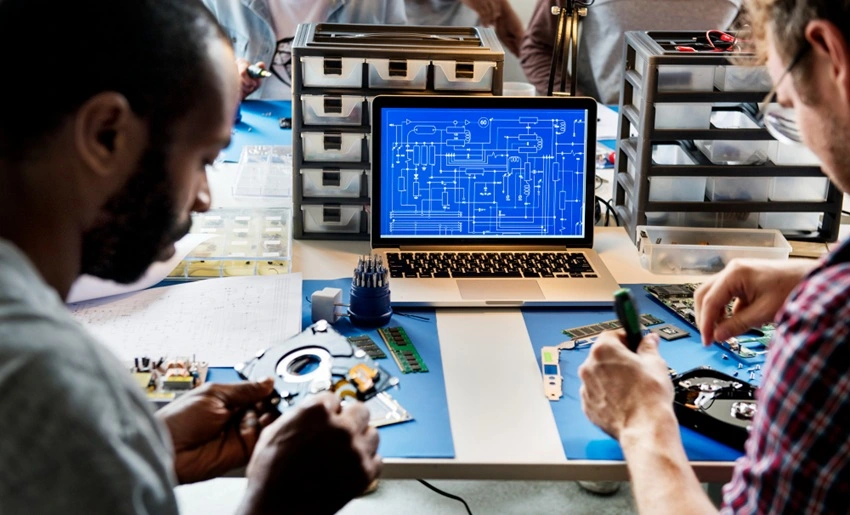
A simplified journey might look like this:
- Beginner stage
- Start with Arduino IDE to understand GPIO, sensors, and communication.
- Intermediate stage
- Move to STM32CubeIDE / MPLAB X / PlatformIO to learn bare-metal programming, HAL layers, interrupts, and RTOS basics.
- Professional stage
- Work with Keil or IAR on specific microcontrollers in production environments.
- Use Git for collaboration.
- Use MATLAB/Simulink in advanced control or signal-processing projects.
If you’re in India and you want to move from “just coding” to “building real embedded products”, this toolchain progression is extremely powerful.
Master Embedded Systems Programming!
Launch your tech career with our Embedded Systems Course, designed for hands-on learning and industry readiness.
Know MoreLearning These Tools with Entri’s Embedded System Course
If you’re serious about starting or upgrading your embedded career, learning these tools in the right sequence is more important than randomly installing IDEs.
That’s where a structured learning path like the Entri Embedded System Course becomes valuable:
- You start from fundamentals: microcontrollers, C programming, interfaces
- Gradually move into hands-on work with boards and tools like:
- Arduino IDE (for basics & quick wins)
- STM32 / vendor-specific IDEs for real-world firmware
- Work on mini-projects and industry-style applications that mirror what companies expect
- Get guidance on interview preparation, project portfolio, and tool-based skill positioning
So instead of just “knowing names of tools”, you’ll actually use them to build working systems, which makes your profile much stronger for embedded, IoT, and electronics roles.
Key Takeaways
- Embedded systems run on special-purpose hardware and need specific software tools for coding, compiling, debugging, and simulation.
- The Top 10 Embedded Tools you should know include:
Keil MDK, IAR Embedded Workbench, STM32CubeIDE, MPLAB X, Arduino IDE, PlatformIO, Eclipse-based IDEs, VS Code (with extensions), MATLAB/Simulink, and Git.
- Each tool has a different role – from beginner-friendly prototyping to safety-critical industrial development.
- For Indian learners and engineers, focusing on ARM-based tools (Keil, STM32CubeIDE, IAR) + Git + at least one modeling tool gives a strong edge.
- A structured course like the Entri Embedded System Course can help you master these tools step by step and turn your learning into job-ready skills.
Conclusion
Mastering embedded systems is not just about learning C or microcontrollers; it’s about being fluent with the tools that power firmware development. The top 10 tools we covered, from VS Code to git, are the foundation of modern embedded engineering. Whether you’re building small IoT devices, industrial controllers, or embedded Linux, these tools will help you design, debug, and deliver production-ready systems.
For beginners, these tools may seem daunting, but learning them step by step builds confidence and opens up high-growth job opportunities in automotive, IoT, robotics, healthcare tech, and consumer electronics. If you want structured guidance, hands-on labs, and real project experience, Entri’s Embedded Systems Course gives you a clear learning path, tool mastery, MCU programming, FreeRTOS projects, and debugging using industry-standard workflows.
Master Embedded Systems Programming!
Launch your tech career with our Embedded Systems Course, designed for hands-on learning and industry readiness.
Know MoreFrequently Asked Questions
Which software is best to start embedded programming as a beginner?
If you’re an absolute beginner, Arduino IDE is the easiest starting point. Once you’re comfortable, you should move to tools like STM32CubeIDE, PlatformIO, or MPLAB X depending on the microcontroller ecosystem you choose.
Do I really need to learn Keil or IAR if I know Arduino or STM32CubeIDE?
For hobby projects, Arduino/STM32CubeIDE is enough.
For professional embedded jobs, especially in ARM-based or safety-critical industries, Keil & IAR exposure is a strong plus and often expected.
Is MATLAB/Simulink necessary for embedded jobs?
Not for all roles. But if you’re targeting:
- Automotive
- Robotics
- Power electronics
- Control systems
Then MATLAB/Simulink can significantly increase your value.
Can I get an embedded job if I only know one tool?
Yes, but companies look for:
- Strong C/C++ fundamentals
- Good understanding of microcontrollers & peripherals
- At least one or two major IDEs (like Keil, STM32CubeIDE, MPLAB)
- Basic Git usage
Once you know one IDE well, learning others is much easier.
How can Entri Embedded System Course help me with these tools?
An Entri Embedded System Course can:
- Give you a structured roadmap
- Let you work on guided projects using real tools
- Help you understand which tool fits which use-case
- Prepare you for interviews and real-world problem statements
Instead of just watching random YouTube videos, you get a focused, career-aligned pathway.
Are these embedded tools used globally?
Yes. Tools like GCC, FreeRTOS, CMake, OpenOCD and VS Code are used across India, the USA, Europe and Asia due to their open-source availability and industry adoption.