Table of Contents
Introduction
Google Antigravity is not just another AI‑coding assistant. It is an agent‑first development platform that lets autonomous AI agents plan, execute, and verify complex software tasks across your editor, terminal, and browser. Announced as part of Google’s broader AI‑tooling push, Antigravity shifts the focus from “type‑and‑fix” code generation to AI‑driven engineering workflows that run end‑to‑end on your behalf.
At Google I/O 2026, Google unveiled Antigravity 2.0, a standalone desktop app plus a new Antigravity CLI, Antigravity IDE‑style experience, and an Antigravity SDK, together forming a full “agents‑as‑a‑platform” stack for developers and teams.

What makes Antigravity special?
Most AI‑coding tools treat the model as an autocomplete box that lives inside your IDE. Antigravity flips that model: instead of you driving the editor, you define goals and let agents drive the editor, terminal, and browser on your behalf.
Key ideas that set Antigravity apart:
- Agent‑first paradigm: Agents can plan multi‑step tasks, run commands, open browser tabs, and verify outputs instead of just suggesting code snippets.
- Asynchronous, multi‑agent workflows: A main agent can spin off sub‑agents for parallel subtasks, keeping its own context window clean and speeding up large projects.
- Artifacts‑based trust: Agents produce verifiable artifacts such as task lists, implementation plans, screenshots, and browser recordings, so you can inspect what they did before shipping.
This makes Antigravity particularly useful for end‑to‑end automation of software tasks, from scaffolding apps to regression‑test runs and CI‑style pipelines.
Explore Entri’s free coding courses now!
Antigravity 2.0: What changed at Google I/O 2026?
At I/O 2026, Google repositioned Antigravity from a VS‑Code‑style IDE with AI to a standalone desktop app built around agents, callable from everywhere in your stack.
Core changes in Antigravity 2.0
-
From “AI‑powered IDE” to “agent‑native work platform”
Antigravity is no longer just an editor. It is a desktop control center for digital agents, where you manage multiple agents, monitoring, logs, and scheduled routines in one place.
-
Project‑based organization (no repo‑locking)
Earlier versions tightly tied sessions to Git repositories. Now, projects can span multiple folders, each with its own agent settings, permissions, and memory boundaries.
-
Sub‑agents and async tasks
The main agent can dynamically create sub‑agents for specific subtasks (testing, documentation, deployment, etc.), and all tasks run asynchronously so compilation or slow processes do not block the primary flow.
-
Scheduled Tasks layer (cron‑style automation)
Using the new /schedule command, you can define one‑time or recurring tasks (daily, hourly, etc.) that agents perform automatically. This lets you run routine checks, refresh data, or regenerate assets on a timer instead of manually triggering them.
-
JSON hooks for agent behavior
Developers can plug in JSON‑based hooks to intercept and modify agent decisions (e.g., filtering certain commands, rewriting prompts, or adding guardrails) without writing full wrappers.
-
New slash commands
Antigravity 2.0 introduces several handy slash commands:
-
/goal: Run a task to completion without checking in for each step./grill‑me: Make the agent ask clarifying questions before touching any files./schedule: Define a scheduled or recurring task./browser: Explicitly enable browser actions when the agent needs to open a page.
On stage, Google demoed agents building a minimal operating system and then running a Doom clone on top, to show that Antigravity can now handle deep, multi‑layered software‑engineering projects.
Also read: Gemini Spark: Google’s 24/7 Agent
Components of the Antigravity stack
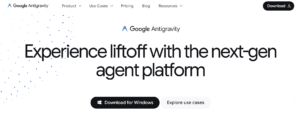
At I/O 2026, Google outlined four main components of the Antigravity ecosystem: Antigravity 2.0, the Antigravity CLI, the Antigravity IDE experience, and the Antigravity SDK.
1. Antigravity 2.0 (desktop app)
- A standalone desktop application for macOS, Linux, and Windows that runs as your primary agent‑management hub.
- Lets you define long‑running projects, manage multiple agents, and view artifacts (task lists, code diffs, screenshots, browser recordings) in one place.
- Supports voice input, where speech is transcribed locally before sending to the model, improving latency and privacy.
2. Antigravity CLI
- A lightweight terminal interface that replaces the old Gemini CLI.
- Designed for developers who prefer the command line; it lets you launch, monitor, and orchestrate agents directly from the terminal.
- Integrates with existing shell workflows and can be used inside CI/CD pipelines or scripts to automate builds, tests, and deployments.
3. Antigravity IDE‑style experience
- Even though the product is now a standalone app, it still offers an IDE‑like interface similar to VS Code or PyCharm, with an agent sidebar that shows ongoing tasks, artifacts, and logs.
- The editor view remains familiar for coding, while the manager view acts as a control‑center tab for orchestrating multiple agents and watching their progress.
4. Antigravity SDK
- A software development kit that lets developers build custom agents and extensions on top of Antigravity.
- Provides APIs and hooks to:
- Programmatically accept or reject agent‑generated code changes and terminal commands.
- Define custom approval workflows, linting rules, and security policies.
- Integrate with external tools such as Firebase, AI Studio, Android tooling, and more.
In practice, the SDK makes it possible to turn Antigravity into a company‑wide automation platform, where different teams can plug in their own agent templates, governance rules, and monitoring dashboards.
Explore Entri’s free AI tools course!
How developers actually use Antigravity
Google and early‑adopter developers are using Antigravity for a growing set of real‑world use cases, from scaffolding apps to full‑cycle automation.
1. Rapid app scaffolding and prototyping
- Developers can describe a feature set (for example, “a clinic‑management portal with patient registration, appointment booking, and reports”), and Antigravity agents will generate boilerplate code, route definitions, API stubs, and basic UI components.
- For small‑business projects, this can turn weeks of manual setup into a few hours of guided agent runs.
2. Automated testing and regression runs
- Antigravity agents can:
- Parse your test suite.
- Run tests across multiple environments.
- Capture screenshots and logs when failures occur.
- This is useful for teams that need lightweight, automated regression checks without maintaining a full‑blown CI‑infrastructure at first.
3. Documentation and internal tooling
- Agents can scan codebases and generate updated API docs, READMEs, onboarding guides, and internal playbooks.
- With slash commands like
/grill‑me, you can ensure the agent first asks clarifying questions before updating any critical docs.
4. Scheduled maintenance and monitoring
- Using Scheduled Tasks, teams can configure agents to:
- Run security‑scan tools nightly.
- Refresh analytics dashboards every morning.
- Check uptime and send alerts when thresholds are crossed.
- These tasks run in the background, reducing the need for manual, repetitive DevOps work.
5. Agent‑assisted refactor and code‑quality workflows
- Antigravity’s JSON‑based hooks and custom‑approval workflows let teams:
- Enforce naming conventions and security rules.
- Block certain risky commands or external API calls.
- Require human review for production‑relevant changes.
- This makes it easier to scale AI‑assisted refactoring across large codebases without sacrificing control.
Also read: How to Use Gemini Omni?
Why Antigravity matters for developers and teams
At a high level, Antigravity is important because it represents Google’s bet on “agent‑native” development, where the primary unit of work is not a file or line of code, but a goal assigned to an agent.
For individual developers, this means:
- Less time spent on boilerplate and repetitive glue code.
- Faster iteration on prototypes and experiments.
For teams and enterprises, it unlocks:
- Reusable agent templates for common workflows (onboarding, testing, deployments).
- Standardized, auditable agent behavior through hooks and SDK‑based controls.
If you are a developer or content writer tracking the future of AI‑assisted coding, Antigravity 2.0 is one of the clearest signals that the industry is moving from autocomplete‑style assistants to fully autonomous, agent‑driven engineering platforms.
Conclusion
Google Antigravity 2.0 is more than an upgrade to an AI coding tool—it is a shift toward agent‑driven development, where autonomous AI agents handle complex, multi‑step engineering tasks while you focus on goals and guardrails. For developers and teams, this means faster prototyping, safer automation, and more structured AI‑assisted workflows across the entire software lifecycle. As Antigravity continues to evolve, it is likely to become a central platform for anyone who wants intelligent, auditable, and scalable agent‑powered software development.
|
Join Big Tech companies with Entri’s Courses Now! |
|||||
|---|---|---|---|---|---|
| Full-Stack Web Developer | Data Science | Python Programming | |||
| Software Testing | AWS Solution Architect Associate | Data Analytics | |||
| Cyber Security | UI/UX Design | ||||
| SAP FICO Course | AI-Powered Practical Accounting Course | ||||
Frequently Asked Questions
What exactly is Google Antigravity?
Google Antigravity is an agent‑first development platform that lets AI agents plan, edit code, run commands, and interact with your browser and terminal, all while you define high‑level goals instead of detailed steps.
How is Antigravity 2.0 different from the earlier version?
Antigravity 2.0 is now a standalone desktop app with support for sub‑agents, async tasks, scheduled jobs, and JSON‑based hooks. It also adds new slash commands like /goal, /grill‑me, and /schedule, making it easier to manage and automate complex workflows.
Do I need a special IDE to use Antigravity?
No. Antigravity runs as a standalone desktop app with an IDE‑like interface, but it also exposes a command‑line interface (Antigravity CLI) and integrates with your existing tools and workflows.
Can Antigravity replace human developers?
Antigravity is designed to assist and automate repetitive, boilerplate, and well‑defined tasks, not replace human judgment. It still requires developers to define goals, review outputs, and enforce quality and security policies.
What are some common use cases for Antigravity?
Typical use cases include rapid app scaffolding, automated testing and regression runs, documentation generation, scheduled maintenance tasks, and agent‑assisted refactoring.
How does Antigravity handle security and control?
Through the Antigravity SDK and JSON hooks, teams can filter commands, enforce coding standards, and require human approvals before critical changes are applied, giving enterprises fine‑grained control over agent behavior.
Is Antigravity free to use?
Google positions Antigravity as part of its broader AI‑tooling ecosystem; pricing and access details (such as free tiers and enterprise plans) are typically outlined in the official documentation and developer portal.
Where can I try Antigravity as a developer?
Developers can get started via Google’s Getting Started and Building with Antigravity codelabs, which provide step‑by‑step tutorials to set up the desktop app, CLI, and SDK for real projects.