Table of Contents
Clash detection in BIM is a coordination process. It identifies conflicts inside digital BIM models. The process compares structural, plumbing, electrical, and HVAC systems. Specialized BIM software performs these checks automatically. Teams resolve issues before construction begins. This reduces delays, rework, and costly construction errors.
- Detects system conflicts early.
- Uses BIM coordination software.
- Improves project planning accuracy.
Key Takeaways:
- Clash detection identifies conflicts inside BIM models.
- It is an important BIM coordination process.
- BIM software checks system overlaps automatically.
- Structural, HVAC, plumbing, and electrical systems get compared.
- Early detection reduces costly construction errors.
- Clash detection improves project coordination significantly.
- It helps prevent delays and rework.
- Navisworks and Revit support clash detection workflows.
- Different clash types require different solutions.
- Modern construction projects depend heavily on BIM coordination.
Get Career-Oriented BIM Certification Course with Expert Mentors! Get a free demo here!
📘 Introduction
Modern buildings contain many connected systems together. Structural, plumbing, electrical, and HVAC teams work simultaneously. Coordination problems often create construction conflicts. These issues increase delays, costs, and project risks.
BIM improves construction coordination through digital workflows. Clash detection is one of BIM’s most important processes. It helps teams identify system conflicts before construction begins. This improves project accuracy and workflow management greatly.
Today, clash detection supports many construction projects worldwide.
- Detects conflicts inside BIM models.
- Improves communication between teams.
- Reduces costly construction rework.
- Helps avoid project delays.
- Supports accurate construction planning.
- Improves project coordination efficiency.
- Reduces material wastage significantly.
- Enhances overall project quality.
🔹 What is BIM?
BIM stands for Building Information Modeling. It is a digital construction management process. BIM helps teams create intelligent 3D building models. These models contain project data and technical information together.
BIM improves collaboration between construction professionals. Architects, engineers, contractors, and project managers work using shared digital models. This improves communication and coordination throughout construction projects.
Traditional construction methods use separate drawings and documents. BIM combines everything inside one digital environment. Teams can identify issues earlier and manage workflows better.
🔸 Main Functions of BIM.
- Creates intelligent 3D building models.
- Stores project and design information.
- Improves project visualization clearly.
- Supports better team collaboration.
- Helps manage project workflows.
- Improves construction coordination.
- Reduces design-related errors.
- Supports project lifecycle management.
🔸 Why BIM Is Important.
Modern projects require better coordination systems. BIM improves construction planning and project efficiency significantly.
- Helps reduce construction conflicts.
- Improves communication between disciplines.
- Supports accurate project planning.
- Reduces delays and costly rework.
- Improves overall project quality.
Master BIM and Elevate Your Career – Enroll Today!
Stay ahead in the construction and design industry with our comprehensive BIM Course! Learn Building Information Modeling (BIM) from experts, gain hands-on experience with top software, and boost your career prospects. Join now and become a certified BIM professional!
Know More🔷 What is Clash Detection in BIM?
Clash detection in BIM is a coordination process. It identifies conflicts inside BIM models. Different building systems get checked together. The process happens before construction starts.
Modern buildings contain many connected systems. These systems share limited construction spaces. Conflicts often happen during project coordination. Clash detection helps solve these issues early.
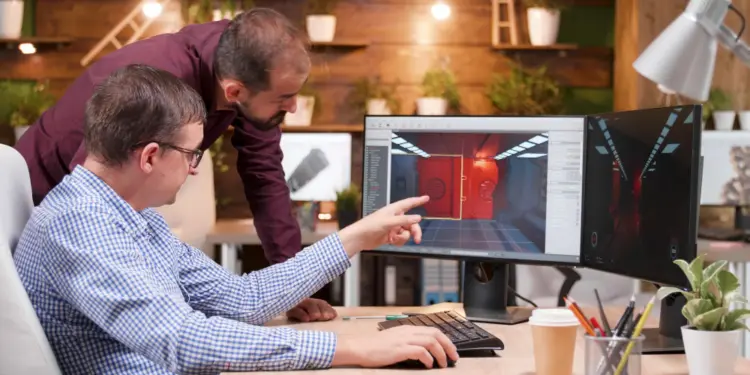
BIM software performs clash checks automatically. Teams review and resolve detected conflicts. This improves construction planning and coordination.
🔸 How Clash Detection Works.
The software compares BIM model components together.
- Detects overlapping building systems.
- Identifies coordination conflicts early.
- Highlights clashes inside digital models.
- Supports visual conflict analysis.
- Improves workflow coordination.
- Helps teams solve issues faster.
🔸 Why Clash Detection Matters.
Construction conflicts create expensive project problems.
- Reduces costly site rework.
- Helps avoid construction delays.
- Improves communication between teams.
- Supports accurate project planning.
- Reduces material wastage.
- Improves project coordination.
- Enhances construction quality.
- Improves workflow efficiency.
🔸 Common Clash Examples.
Different systems often create physical conflicts.
- Pipes crossing structural beams.
- HVAC ducts blocking cable trays.
- Electrical systems overlapping plumbing lines.
- Walls blocking equipment access.
- Ceilings interfering with duct systems.
- Columns affecting piping routes.
🔸 Main Purpose of Clash Detection.
The process improves construction coordination significantly.
- Prevents construction conflicts early.
- Supports smoother project execution.
- Improves project visibility.
- Reduces project risks.
- Helps maintain project timelines.
🔷 Types of Clash Detection in BIM
Different clash types occur during BIM coordination. Each clash affects construction workflows differently. BIM software categorizes these conflicts clearly.
🔸 Hard Clashes.
Hard clashes involve direct physical overlaps. Two components occupy the same space.
- Pipes crossing concrete beams.
- Ducts passing through walls.
- Columns overlapping openings.
- Cable trays blocking HVAC systems.
- Structural elements conflicting with plumbing.
These clashes require immediate corrections.
🔸 Soft Clashes.
Soft clashes involve spacing and clearance issues. Components may not overlap physically.
- Insufficient maintenance space.
- Limited equipment access areas.
- Unsafe clearance distances.
- Tight installation spaces.
- Restricted operational movement.
These clashes affect maintenance and safety.
🔸 Workflow Clashes.
Workflow clashes involve scheduling conflicts. Different activities interfere during construction stages.
- Multiple teams sharing workspaces.
- Equipment access timing conflicts.
- Material delivery overlaps.
- Construction sequence issues.
- Simultaneous installation activities.
These clashes affect project coordination heavily.
🔸 Time-Based Clashes.
Time-based clashes happen during project sequencing.
- Delayed construction activities.
- Incorrect installation sequences.
- Schedule overlap conflicts.
- Temporary structure interference.
- Resource allocation issues.
These clashes affect project timelines directly.
🔸 Why Clash Types Matter.
Different clashes require different solutions.
- Improves issue prioritization.
- Supports faster conflict resolution.
- Improves coordination workflows.
- Helps reduce construction risks.
- Improves project planning accuracy.
🔷 Tools Used for Clash Detection
Many BIM tools support clash detection workflows today. These tools help teams identify and resolve conflicts early. Construction companies use them for better project coordination.
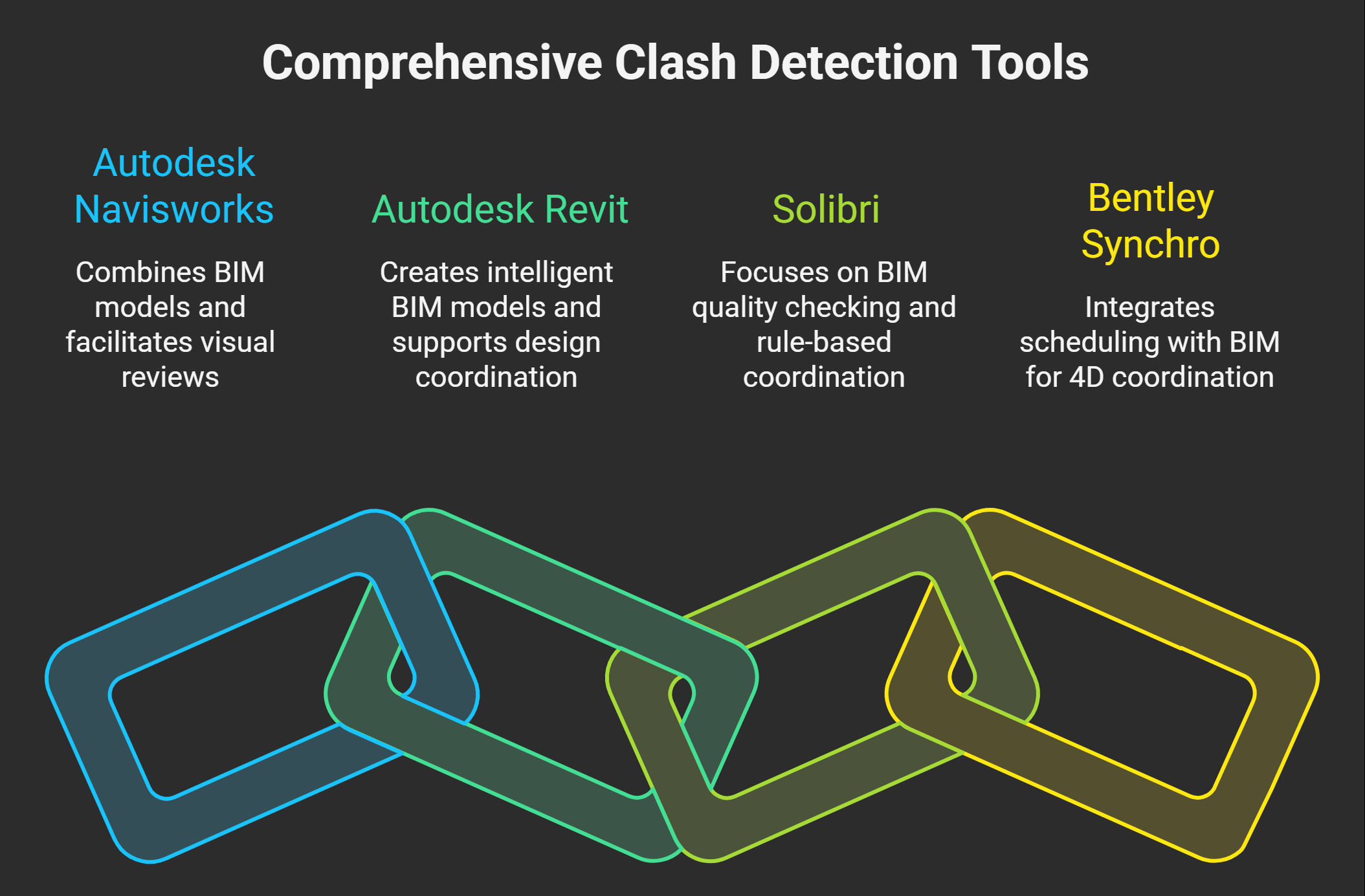
🔸 Autodesk Navisworks.
Navisworks remains highly popular for clash detection.
- Detects clashes automatically.
- Combines multiple BIM models.
- Supports visual clash reviews.
- Generates detailed clash reports.
- Improves project coordination workflows.
- Supports real-time collaboration.
Many large projects depend on Navisworks.
🔸 Autodesk Revit.
Revit supports BIM modeling and coordination.
- Creates intelligent BIM models.
- Supports model-based coordination.
- Improves interdisciplinary collaboration.
- Helps identify design conflicts.
- Supports architectural and MEP workflows.
- Improves project visualization.
Revit works well during design stages.
🔸 Solibri.
Solibri focuses on BIM quality checking.
- Supports advanced clash analysis.
- Checks BIM model accuracy.
- Improves rule-based coordination.
- Generates issue tracking reports.
- Helps maintain BIM standards.
- Supports quality management workflows.
Solibri improves BIM quality significantly.
🔸 Bentley Synchro.
Synchro supports 4D BIM coordination workflows.
- Combines scheduling with BIM.
- Improves construction simulations.
- Supports workflow visualization.
- Helps monitor project progress.
- Improves construction planning.
- Supports project sequencing analysis.
Master BIM and Elevate Your Career – Enroll Today!
Stay ahead in the construction and design industry with our comprehensive BIM Course! Learn Building Information Modeling (BIM) from experts, gain hands-on experience with top software, and boost your career prospects. Join now and become a certified BIM professional!
Know More🔷 Benefits of Clash Detection in BIM
Clash detection provides major construction advantages. It improves coordination, planning, and project execution. Many companies now depend on BIM coordination workflows.
🔸 Reduces Construction Errors.
Early conflict detection prevents major site problems.
- Detects issues before construction starts.
- Reduces installation mistakes.
- Prevents system overlaps.
- Improves construction accuracy.
- Helps avoid design conflicts.
This improves overall project quality.
🔸 Saves Project Time.
Teams solve issues during planning stages.
- Reduces construction delays.
- Speeds coordination processes.
- Improves workflow sequencing.
- Supports faster approvals.
- Reduces project interruptions.
Projects move more smoothly afterward.
🔸 Reduces Project Costs.
Better coordination reduces unnecessary expenses.
- Prevents costly site rework.
- Reduces material wastage.
- Improves labor efficiency.
- Helps control project budgets.
- Minimizes unexpected expenses.
This improves overall cost management.
🔸 Improves Team Coordination.
BIM improves communication between departments.
- Supports shared project understanding.
- Improves interdisciplinary collaboration.
- Reduces communication gaps.
- Helps teams resolve issues faster.
- Improves workflow management.
This creates smoother project coordination.
🔸 Improves Safety and Planning.
Better planning improves construction safety.
- Reduces risky site conflicts.
- Improves construction sequencing.
- Supports safer installations.
- Helps manage complex workflows.
- Improves project visibility.
These benefits improve construction performance significantly.
🔷 Impact of Clash Detection on Construction Projects
Clash detection improves construction project performance significantly. It helps teams identify conflicts before execution begins. This improves coordination, planning, and workflow management.
🔸 Improves Project Quality.
Early conflict detection improves construction accuracy.
- Reduces installation mistakes.
- Prevents system coordination issues.
- Improves design consistency.
- Supports accurate project execution.
- Reduces construction defects.
This improves final project quality greatly.
🔸 Reduces Project Delays.
Construction conflicts often slow project progress. Clash detection helps solve issues early.
- Prevents workflow interruptions.
- Improves construction sequencing.
- Supports faster decision-making.
- Reduces unexpected site problems.
- Improves project scheduling accuracy.
Projects finish within planned timelines more often.
🔸 Improves Team Productivity.
Coordinated workflows improve work efficiency significantly.
- Reduces repetitive tasks.
- Helps teams work smoothly.
- Improves communication between disciplines.
- Supports better workflow management.
- Reduces coordination confusion.
This increases overall productivity levels.
🔸 Improves Cost Control.
Construction errors increase project expenses quickly.
- Reduces costly site rework.
- Minimizes material wastage.
- Improves resource management.
- Helps maintain project budgets.
- Reduces unnecessary labor costs.
Better coordination improves financial management greatly.
🔸 Improves Client Satisfaction.
Clients benefit from smoother project delivery.
- Improves project transparency.
- Supports faster project completion.
- Reduces unexpected project issues.
- Builds stronger client trust.
- Improves project communication.
🔷 Challenges or Limitations of Clash Detection
Clash detection offers many construction advantages. However, some limitations still exist. Many companies face implementation challenges during BIM coordination.
🔸 High Software and Hardware Costs.
Advanced BIM systems require strong infrastructure.
- Software licenses remain expensive.
- Powerful computers become necessary.
- Hardware upgrades increase costs.
- Small firms face budget issues.
These expenses affect BIM adoption rates.
🔸 Skilled Professionals Required.
Teams need proper BIM knowledge and training.
- Beginners face learning difficulties.
- Coordination workflows appear complex.
- Software expertise takes time.
- Continuous training becomes necessary.
This slows implementation in some companies.
🔸 Large Data Management Issues.
Complex BIM models generate massive data volumes.
- Large files slow system performance.
- Model updates require monitoring.
- Data organization becomes difficult.
- Storage requirements increase significantly.
Poor data management affects coordination quality.
🔸 Dependence on Accurate Models.
Clash detection depends on model accuracy.
- Incorrect data creates false clashes.
- Missing information affects results.
- Poor coordination reduces efficiency.
- Model errors create project confusion.
🔷 Clash Detection vs Traditional Coordination
Traditional coordination methods depend on manual reviews. Teams use 2D drawings and spreadsheets mostly. This often creates communication gaps and coordination errors.
Clash detection uses digital BIM workflows instead. The process checks building systems automatically inside BIM models. This improves coordination and project accuracy significantly.
| Feature | Clash Detection in BIM | Traditional Coordination |
|---|---|---|
| Coordination Method. | Automated digital checking. | Manual drawing reviews. |
| Visualization. | 3D BIM models. | 2D drawings. |
| Error Detection. | Early conflict identification. | Late issue discovery. |
| Project Speed. | Faster coordination workflows. | Slower coordination processes. |
| Accuracy. | Higher coordination accuracy. | Higher error chances. |
| Communication. | Better team collaboration. | Limited communication. |
| Rework Chances. | Lower rework risks. | Higher rework risks. |
🔸 Why BIM Coordination Performs Better.
Digital workflows improve construction coordination greatly.
- Improves project visibility.
- Reduces manual checking errors.
- Supports faster issue resolution.
- Improves construction planning.
- Helps avoid costly project delays.
Get Career-Oriented BIM Certification Course with Expert Mentors! Get a free demo here!
🔷 Best Practices for Effective Clash Detection
Proper workflows improve clash detection efficiency greatly. Construction teams must follow organized BIM coordination processes. This improves project accuracy and conflict resolution speed.
🔸 Maintain Accurate BIM Models.
Correct project data improves clash detection quality.
- Update BIM models regularly.
- Verify model accuracy continuously.
- Maintain proper project standards.
- Use organized naming systems.
- Remove duplicate model elements.
- Keep project information updated.
Accurate models improve coordination results significantly.
🔸 Improve Team Collaboration.
Strong communication improves BIM coordination success.
- Conduct regular coordination meetings.
- Share updates across departments.
- Discuss critical clashes quickly.
- Track issue resolution progress.
- Maintain clear communication channels.
- Involve all project stakeholders.
Better collaboration reduces coordination problems greatly.
🔸 Prioritize Important Clashes.
Not all clashes require immediate attention.
- Focus on critical clashes first.
- Separate minor coordination issues.
- Categorize clashes properly.
- Resolve safety-related conflicts early.
- Track high-priority issues carefully.
Proper prioritization improves workflow management.
🔸 Use Standardized Workflows.
Organized processes improve project coordination efficiency.
- Follow BIM execution plans.
- Maintain standard project procedures.
- Use proper file management systems.
- Create detailed clash reports.
- Document resolved conflicts properly.
Standard workflows improve construction coordination quality.
🔸 Perform Regular Clash Reviews.
Continuous monitoring improves project accuracy.
- Review models frequently.
- Detect new clashes early.
- Update coordination reports regularly.
- Monitor project changes continuously.
- Improve issue resolution speed.
🏁 Conclusion
Clash detection improves construction coordination greatly. It helps teams find conflicts before construction starts. This reduces delays, rework, and costly project errors. BIM workflows also improve planning and communication between teams.
Many companies now use clash detection regularly. Digital construction methods continue growing worldwide. BIM coordination skills remain highly valuable today. Clash detection will play a bigger role in future projects.
Master BIM and Elevate Your Career – Enroll Today!
Stay ahead in the construction and design industry with our comprehensive BIM Course! Learn Building Information Modeling (BIM) from experts, gain hands-on experience with top software, and boost your career prospects. Join now and become a certified BIM professional!
Know MoreFrequently Asked Questions
What is clash detection in BIM?
Clash detection in BIM is a digital coordination process used in Building Information Modeling (BIM) workflows. It identifies conflicts between building systems like structural, plumbing, electrical, and HVAC before construction begins.
Why is clash detection important in construction projects?
Clash detection helps teams identify system conflicts early during project planning. This reduces construction delays, material wastage, and costly site rework.
What types of clashes occur in BIM coordination?
The main clash types include hard clashes, soft clashes, workflow clashes, and time-based clashes. Each type affects construction coordination, safety, or scheduling in different ways.
Which software tools are commonly used for clash detection?
Popular BIM tools include Autodesk Navisworks, Autodesk Revit, Solibri, and Bentley Synchro. These tools automatically analyze BIM models and generate clash detection reports.
What is a hard clash in BIM?
A hard clash occurs when two building elements physically occupy the same space in a BIM model. For example, a pipe passing through a structural beam is considered a hard clash.
What is a soft clash in BIM coordination?
A soft clash happens when building elements violate clearance or spacing requirements. These clashes may affect maintenance access, equipment operation, or safety regulations.
How does clash detection improve project coordination?
Clash detection allows different engineering teams to review conflicts inside shared BIM models. This improves communication, planning accuracy, and collaboration between project stakeholders.
When is clash detection performed during a construction project?
Clash detection is usually performed during the design and coordination stages. Early detection allows teams to fix conflicts before construction activities begin.
Can clash detection reduce construction costs?
Yes, clash detection significantly reduces unexpected construction expenses. It prevents costly rework, improves resource planning, and minimizes project delays.
What skills are required to perform clash detection in BIM?
Professionals need knowledge of BIM modeling, coordination workflows, and clash detection tools. Understanding construction systems and project coordination processes is also essential.