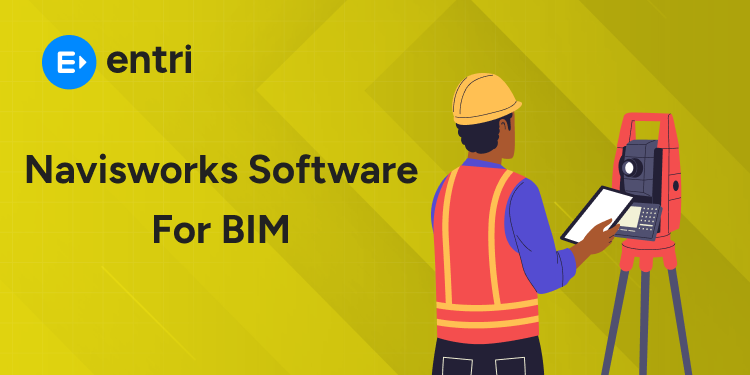
Autodesk Navisworks is a BIM coordination tool. It helps review and manage building models. It improves teamwork and project coordination. This is used by engineers and project teams.
🎯 Key functions
Combines models from different disciplines.
Brings all designs into one view.
Detects clashes between systems early.
Finds issues before construction starts.
Visualizes projects clearly.
Shows how the building will look.
Supports coordination and review.
Helps teams work together easily.
Navisworks makes BIM coordination simple and efficient.
🎯 Quick answers
What is Navisworks in BIM?
A tool for model review and coordination.
What is Navisworks used for?
Clash detection, visualization, and project review.
Is Navisworks part of BIM workflow?
Yes, it supports coordination stages.
Who should learn Navisworks?
Engineers, BIM professionals, and coordinators.
💻 Introduction to Navisworks in BIM
Modern construction projects involve many teams. Each team creates its own design model. These models must work together properly. Poor coordination can cause costly mistakes. You need tools to review everything together. Navisworks helps solve this problem.
🎯 Why is Navisworks important?
Brings different models into one place.
Combines designs from multiple disciplines.
Helps teams see the complete project.
Improves project coordination.
Helps teams understand each other’s work.
Reduces confusion during planning stages.
Detects problems early in the process.
Finds clashes before construction starts.
Prevents delays and extra costs.
📊 How Navisworks fits in BIM?
Works after design stage is completed.
Used for reviewing combined project models.
Supports collaboration between teams.
Allows better communication and coordination.
Helps manage large and complex projects.
Handles detailed models efficiently.
Navisworks plays a key role in BIM workflows.
Master BIM and Elevate Your Career – Enroll Today!
Stay ahead in the construction and design industry with our comprehensive BIM Course! Learn Building Information Modeling (BIM) from experts, gain hands-on experience with top software, and boost your career prospects. Join now and become a certified BIM professional!
🧩 Background – Understanding BIM and Coordination Tools
Earlier construction used simple drawings. Each team created separate designs. These designs often did not match. This caused mistakes during construction.
📐How projects worked before BIM
Each team worked on separate files.
Architects made design drawings.
Engineers created their own plans.
Changes were hard to manage.
Updates were done manually.
Mistakes were common.
🏗️ How BIM improved this
BIM combines all designs in one model.
Everyone works on shared project data.
Changes update across the model.
Teams understand the full project better.
Designs are clear and connected.
Errors are found early.
⚙️ Why coordination tools are needed
Projects became more detailed and complex.
Many systems must work together.
Coordination tools help check models.
They find clashes between systems.
They help fix issues early.
Coordination tools make BIM easier and more reliable.
💻 What is Navisworks Software? (Core Explanation)
Autodesk Navisworks is a model review and coordination tool. It works with models created in other software. It does not create designs from scratch. Instead, it helps analyze and manage existing models.
🎯 What makes Navisworks unique?
Works as a model aggregation tool.
Combines files from different software.
Supports various file formats easily.
Focuses on project analysis.
Helps study models in detail.
Improves understanding of project design.
⚙️ How Navisworks handles models
Imports models from multiple disciplines.
Includes architecture, structure, and MEP.
Merges all models into one environment.
Creates a complete project view.
Allows users to navigate large models.
Helps explore every part of the design.
🔍 Key capabilities of Navisworks
Time-based simulation support.
Shows construction sequence visually.
Model review and walkthrough.
Helps check design from different angles.
Data integration features.
Links model data with project information.
📊 Why Navisworks is important
Helps manage complex project data.
Improves understanding of full project design.
Supports better planning and execution.
Navisworks helps teams review and analyze projects effectively.
Navisworks is used during project review stages. It helps teams analyze and manage combined models. It supports better planning before construction starts.
🔍 Clash detection and issue checking
Finds conflicts between building systems.
Detects overlaps between pipes and structures.
Helps fix problems before construction.
Reduces on-site errors and delays.
Saves time and project costs.
📐 Model coordination and integration
Combines models from different teams.
Includes architecture, structure, and MEP.
Creates one complete project view.
Helps understand overall design clearly.
Improves coordination between disciplines.
Reduces confusion during execution.
🎥 Project visualization and walkthrough
Allows detailed model viewing.
Helps explore designs from all angles.
Supports project walkthroughs.
Helps explain design to stakeholders.
Improves decision making.
Provides clear visual understanding.
⏱️ Construction simulation and planning
Simulates construction sequences.
Shows step-by-step project progress.
Helps plan timelines and schedules.
Improves project execution strategy.
Navisworks helps teams review, plan, and coordinate projects effectively.
Master BIM and Elevate Your Career – Enroll Today!
Stay ahead in the construction and design industry with our comprehensive BIM Course! Learn Building Information Modeling (BIM) from experts, gain hands-on experience with top software, and boost your career prospects. Join now and become a certified BIM professional!
Autodesk Navisworks is mainly used after design is completed. Other BIM tools are used during design creation. Both tools serve different stages of a project.
📊 Comparison table
Feature.
Navisworks.
Other BIM Tools.
Project stage.
Review and coordination.
Design and modeling.
Output type.
Combined project model.
Individual discipline models.
Focus area.
Analysis and checking.
Creation and editing.
File usage.
Works with multiple formats.
Works within native formats.
User role.
Coordinators and managers.
Designers and engineers.
🎯 Key differences
Navisworks is used after models are ready.
Focus is on reviewing combined models.
Other tools are used during model creation.
Focus is on designing building elements.
Navisworks helps understand full project view.
Shows how all systems fit together.
Other tools focus on specific disciplines.
Each team works on its own model.
Both tools work together in BIM workflows.
📊 Benefits of Using Navisworks in BIM
Autodesk Navisworks improves project understanding and control. It helps teams review models before construction starts. This leads to better planning and fewer surprises.
🎯 Key benefits
Improves project visibility.
Shows the complete project in one view.
Helps understand overall design clearly.
Supports better decision making.
Provides clear model insights.
Helps choose correct design options.
Enhances team communication.
Keeps all teams on the same page.
Reduces confusion during coordination.
Saves time during project execution.
Speeds up review processes.
Reduces unnecessary revisions.
Helps manage complex project data.
Handles large models efficiently.
Keeps information organized.
Navisworks helps make BIM projects smoother and more efficient.
⚠️ Challenges and Limitations of Navisworks
Autodesk Navisworks has some practical limitations in use. These challenges appear during setup and large projects. Understanding them helps plan better workflows.
🎯 Common challenges
Learning curve for new users.
Interface may feel unfamiliar at first.
Requires practice to navigate smoothly.
Dependence on model quality.
Poor input models affect results.
Errors may carry into coordination stage.
Large file handling issues.
Heavy models may slow performance.
System hardware affects speed.
Limited editing capability.
Cannot create or modify design elements.
Works mainly as a review tool.
Coordination complexity in big projects.
Managing many models becomes difficult.
Requires organized workflow and planning.
Understanding these limits helps use Navisworks more effectively.
🎯 Who Should Learn Navisworks?
Autodesk Navisworks is useful for many roles in construction. It suits those working with project coordination and review. Learning this tool improves understanding of full project models.
📘 Ideal learners
Civil engineering and architecture students.
Learn coordination in real project workflows.
Understand how different systems connect.
BIM modelers and coordinators.
Improve model review and analysis skills.
Support project coordination tasks.
Construction and site engineers.
Identify issues before site execution.
Improve planning and communication.
Project managers and planners.
Monitor project models and progress.
Make better decisions using visual data.
Designers working in BIM environments.
Understand how designs interact with others.
Improve coordination with other teams.
Learning Navisworks helps build strong coordination skills in BIM projects.
🏗️ Practical Applications in Real Projects
Navisworks helps teams prepare before construction starts. It gives a clear picture of the project. This makes planning easier for everyone involved. Teams can understand the work better. Problems become easier to notice early.
📦 Organizing project information
Combines many files into one view.
Saves time during project checking.
Keeps work more organized.
Helps teams review details quickly.
Shows important model information clearly.
Makes comparison easier between files.
🧭 Understanding spaces and layouts
Lets users move through large models easily.
Floors, rooms, and spaces appear clearly.
This improves project understanding.
Helps people see how parts fit together.
Makes the design easier to explain.
Supports better discussions in meetings.
🗂️ Checking details before work begins
Shows object data in a simple way.
Users can check size and material.
Helps confirm design information quickly.
Supports early review of project content.
Reduces confusion later in execution.
🎯 Helping teams make decisions
Gives a clearer view of the full project.
Teams can discuss plans more easily.
Decisions become faster and more confident.
Helps clients understand the design better.
Makes presentations more effective.
Improves trust in the project.
⚙️ Improving project preparation
Helps organize tasks before site work.
Supports smoother project planning.
Makes the workflow more reliable.
Navisworks helps projects start with clarity and confidence.
🔮 Future of Navisworks in BIM Ecosystem
Navisworks will stay important in future BIM workflows. Construction projects are becoming more complex. Teams need better coordination tools than before. Navisworks helps manage this growing complexity.
📊 Growing role in digital construction
More companies are adopting BIM workflows.
Digital tools are now industry standard.
Coordination tools are becoming essential.
Navisworks supports large project management.
Handles complex and detailed models.
Helps teams review projects efficiently.
🤖 Integration with advanced technologies
Works with cloud-based platforms.
Allows access from different locations.
Improves collaboration across teams.
Supports data-driven project planning.
Helps analyze models more effectively.
Improves decision making.
🏗️ Importance in future projects
Projects will involve more disciplines.
Coordination needs will increase further.
Early issue detection will become critical.
Helps avoid costly mistakes.
Visual tools will improve communication.
Makes designs easier to understand.
🎯 Future outlook
Demand for Navisworks skills will increase.
BIM coordination roles will grow.
Digital construction will expand globally.
Navisworks will remain a key tool in BIM ecosystems.
🏁 Conclusion
Navisworks is a key tool in BIM workflows. It helps review and coordinate project models. It supports better planning before construction begins. Navisworks also reduces errors and improves clarity. Teams can understand projects more easily.
Learning Navisworks is valuable for modern careers. Many companies use it in construction projects. It improves coordination and communication between teams. It also helps manage complex project data. Strong skills in Navisworks support long-term growth.
Master BIM and Elevate Your Career – Enroll Today!
Stay ahead in the construction and design industry with our comprehensive BIM Course! Learn Building Information Modeling (BIM) from experts, gain hands-on experience with top software, and boost your career prospects. Join now and become a certified BIM professional!
Famida is an experienced educator with over a decade of teaching experience, specializing in grades 8 to 12, business management (BBM), and electronics engineering. Holding a Master's degree in Electronics and Communication Engineering, she has also trained interns in IoT. For the past four years, Famida has been writing articles for Entri, focusing on exam preparation tips, question papers, and study plans. She also creates practice questions for the Entri app and provides support to users. Additionally, Famida's writing skills extend to parenting and personal blogs, as well as curriculum development.