

Table of Contents
Introduction
The web is more than social media and search engines—it’s packed with powerful, free tools that can improve your work, learning, and creativity. Whether you need a quick image editor, a weather visualization for a story, or a place to find public-domain books, these 15 websites deliver value without any cost. Below you’ll find what each site does, practical use cases, who will benefit most, and simple tips for getting started.
1. Radio Garden
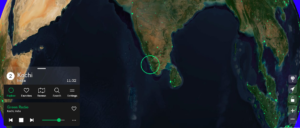
Radio Garden lets you spin an interactive globe and tune into live radio stations from virtually any city on Earth, offering an effortless way to discover local music, talk shows, and cultural programming you won’t find in mainstream playlists. Beyond pure entertainment, it’s an excellent tool for language learners who want to hear native speech in context, podcasters looking for regional audio samples, or journalists sourcing ambient sound from a particular place; the interface is delightfully simple—click a green dot, and you’re listening—while the variety of stations ranges from obscure community broadcasts to major public radio streams, making it as useful for casual listening as it is for research.
2. Internet Archive
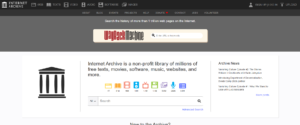
The Internet Archive is a sprawling digital library that preserves books, audio recordings, software, videos, and snapshots of web pages through its Wayback Machine, making it indispensable for anyone researching history, media, or obsolete digital formats. Whether you’re hunting down a long-deleted web article, looking for public-domain films and audiobooks, or trying to download vintage software for a project, the Archive’s breadth is staggering; its collections are particularly valuable for writers and researchers who need primary-source material or historical context that mainstream search engines can’t retrieve.
3. Photopea
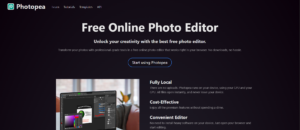
Photopea is a browser-based image and design editor that mirrors many of Photoshop’s core features while running entirely in your web tab, so you can open PSD files, work with layers, and export high-quality images without installing desktop software. It’s a fast, practical choice for content creators who edit on the go, teams sharing design files, or bloggers who need to tweak visuals quickly; performance is surprisingly robust for a web app, and support for multiple file formats means you can accept files from collaborators using different tools and return a web-ready image in minutes.
Explore Entri’s free AI tools courses now!
4. Have I Been Pwned

Have I Been Pwned is a straightforward security service that lets you check whether an email address or password has appeared in known data breaches, serving as a no-nonsense first step in auditing your online safety. Enter your email to see if it’s been compromised, subscribe for alerts, and use the results to prioritize password changes and enable multi-factor authentication where necessary; for individuals and small businesses alike, it provides an immediate, actionable snapshot of exposure and helps inform smarter account hygiene without technical jargon.
5. Excalidraw
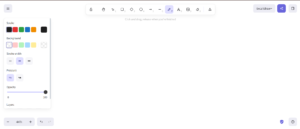
Excalidraw offers a lightweight, collaborative whiteboard with a hand-drawn aesthetic that’s perfect for rapid sketching, flowcharts, and mockups when you need a visual fast. The interface keeps things intentionally simple—draw shapes, connect ideas, and export SVG or PNG—so teams can iterate without getting bogged down in complex design tools, and real-time sharing makes it especially helpful for remote brainstorming sessions, classroom demonstrations, or drafting figures for blog posts where a polished look isn’t required.
6. Remove.bg

Remove.bg uses AI to strip backgrounds from photos in seconds, turning seconds-long uploads into clean cutouts that are ideal for thumbnails, product images, and marketing visuals. The automatic results are usually impressively accurate, and the service adds simple touch-up options for tricky edges; while the free tier limits resolution, those files are perfectly adequate for web use, letting bloggers and small e-commerce sellers create professional-looking images without hiring a designer or mastering complex masking techniques.
7. JustDeleteMe
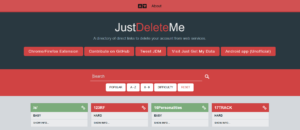
JustDeleteMe acts as a directory and cheat sheet for deleting online accounts, collecting direct links and step-by-step instructions, along with a color-coded difficulty rating that tells you how easy or painful it will be to close an account permanently. It’s a practical resource for privacy-conscious users who want to clean up old profiles, remove unused services, or understand the exit procedures for platforms before they join, and the site’s straightforward layout makes it simple to find the exact page or policy you need rather than digging through a site’s help center.
8. Neal.fun
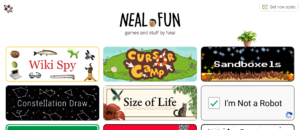
Neal.fun is a playful collection of interactive web experiments that explain ideas through delightful visualizations and hands-on activities, from visualizing the size of planets to building imaginary islands. The site’s projects are great for creative breaks, classroom demonstrations, or sparking ideas for data-driven visual content; because the interactions are intuitive and shareable, you can also use them as low-effort engagement pieces on social channels or in presentations to make abstract concepts tangible.
9. Earth.nullschool.net
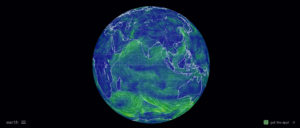
Earth.nullschool.net provides gorgeous, animated maps of global weather patterns, winds, and ocean currents using live datasets, and its visual clarity makes complex meteorological data understandable at a glance. It’s ideal for reporters crafting weather-informed stories, educators illustrating atmospheric dynamics, or curious readers tracking storms and air quality; with several overlay options and time controls, you can tailor the visualization to temperature, wind, particulate matter, and more, producing compelling visuals for articles or social posts.
10. TheTrueSize.com
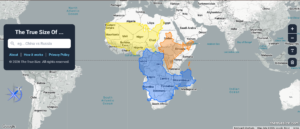
TheTruesize.com tackles the distortions introduced by common map projections by letting you drag countries around the globe to compare their real-world sizes, producing instant “aha” moments when Greenland or Russia shrink back to their true proportions. This tool is invaluable for debunking geography misconceptions, creating striking comparative visuals for blog explainers, or simply giving readers an intuitive sense of scale—you can overlay one country on another with a drag gesture and immediately see how areas stack up.
11. AlternativeTo
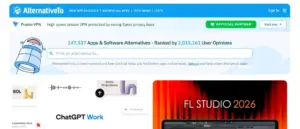
AlternativeTo is a community-driven directory that lists software and app alternatives based on user recommendations, complete with filters for platform, price, and license type, which makes it a great place to find free, open-source, or privacy-respecting replacements for popular paid tools. The user reviews and popularity metrics help you choose practical substitutes quickly, and its cross-platform comparisons are particularly handy when migrating projects between operating systems or looking for lightweight tools for a specific task.
12. WindowSwap

WindowSwap offers short, user-submitted video clips showing views through ordinary windows from around the globe, providing a surprisingly calming way to experience different cities, weather patterns, and everyday life from someone else’s vantage point. It’s ideal for writers and creatives needing ambient inspiration, remote workers seeking a quick visual escape, or anyone who likes to collect picturesque scenes for mood boards; the simplicity and human touch of each clip make it a gentle reminder of how diverse—and connected—everyday views can be.
13. Submarine Cable Map
https://www.submarinecablemap.com/
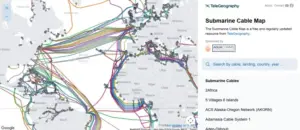
The Submarine Cable Map is an interactive visualization of the global network of undersea fiber-optic cables and landing stations that carry most international internet traffic, offering a revealing look at the physical infrastructure behind the web. For tech journalists, network professionals, and curious readers, the map provides operator names, capacity figures, and landing details, helping explain latency, redundancy, and connectivity issues in articles or technical briefings and grounding abstract internet topics in tangible geography.
14. Project Gutenberg
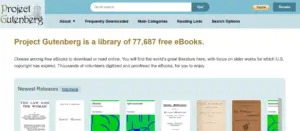
Project Gutenberg hosts a massive catalog of free eBooks – chiefly public-domain classics – in multiple formats such as EPUB, Kindle, and plain text, making it a first stop for readers, students, and writers who need canonical texts without paywalls. The collection is especially useful for sourcing original editions, checking quotations, or compiling reading lists for courses; its straightforward download options and wide language coverage mean you can quickly get offline-ready files for study or reference.
15. Map of Metal

Map of Metal is an interactive, visually driven exploration of heavy metal’s many subgenres and the artists that shaped them, presented as a searchable map that traces the genre’s evolution across decades and regions. Navigating the interface lets you follow stylistic branches—showing how punk, blues, and early hard rock fed into speed metal, thrash, and dozens of niche offshoots—while artist nodes and curated song examples give immediate listening context that brings each subgenre to life.
The site is especially useful for writers, musicologists, and curious listeners who want a compact, navigable genealogy of metal rather than fragmented lists or encyclopedia entries; its geographic and chronological cues make it easy to see when and where specific styles emerged and how they influenced one another. If you’re researching a genre for an article, preparing playlist recommendations, or simply trying to understand why certain scenes sound the way they do, Map of Metal provides clear visual storytelling and ready listening references that make complex musical relationships intuitive and engaging.
Conclusion
These 15 websites offer free, high-quality tools that help you work smarter and explore more. Add the ones you’ll use often to your bookmarks bar and keep a folder for research-heavy sites. For content creators and writers, combining a few—such as Photopea, Remove.bg, and Excalidraw—can speed up production and improve visual storytelling at zero cost.
|
Join Big Tech companies with Entri’s Courses Now! |
|||||
|---|---|---|---|---|---|
| Full-Stack Web Developer | Data Science | Python Programming | |||
| Software Testing | AWS Solution Architect Associate | Data Analytics | |||
| Cyber Security | UI/UX Design | ||||
| SAP FICO Course | AI-Powered Practical Accounting Course | ||||