Table of Contents
Becoming a freelance video editor by 2026 is easy; it takes just 8 to 12 weeks. You master one editing software, then make a 3-video portfolio in a specific niche like YouTube, ads, or social media reels. Land that first client by reaching out cold on Instagram and Reddit. And guess what? You don’t need a degree for this.
KEY TAKEAWAYS
- Video editing is a skill you can learn free through YouTube in 2 weeks of focused practice.
- Specializing in one niche (like YouTube creators or Instagram reels) gets you paid faster than being a generalist.
- Your portfolio needs only 3 to 5 strong samples. Quality matters more than quantity.
- Cold DM on Instagram works better than freelancing platforms for beginners in 2026.
- Beginner freelance video editors in India earn ₹10,000 to ₹30,000 per month starting out.
Build a Career in AI-Powered Video Editing. Join Our Online Video Editing Course!
What Does a Freelance Video Editor Do?
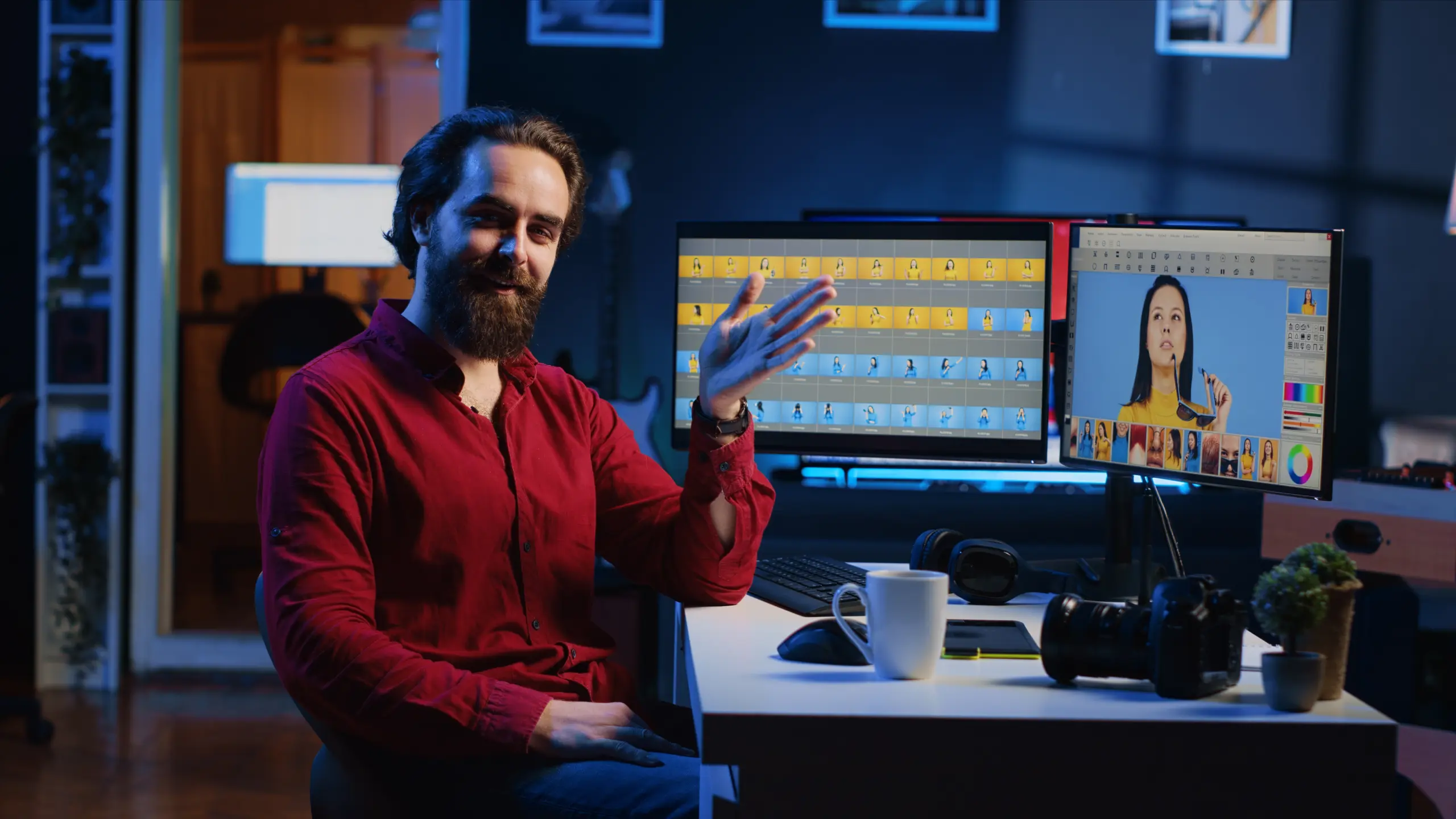
A freelance video editor takes raw footage and shapes it into a video that people love. This means cutting out unnecessary bits, throwing in cool transitions, tweaking colors, syncing audio, and perhaps tossing in some text or effects.
Clients hire freelancers for a bunch of different gigs. The most popular areas in 2026 include:
YouTube videos – Vloggers and YouTubers are always looking for editors to help with their vlogs, tutorials, product reviews, and opinion pieces. Editing a ten-minute YouTube video? Plan on spending two to four hours at least.
Social media reels and shorts – Creating something like an Instagram Reel or a TikTok video that lasts a minute or less requires catching your viewer’s attention right away. You’ve got around 15 to 90 seconds to make it impressive.
Ads – Many small businesses are after a 30-second ad for platforms like Facebook, Instagram, or YouTube. These spots aim to seal a sale fast.
Weddings and events – After a big day or event, couples typically want an editor to trim down hours of footage into a snappy five to ten-minute highlight reel.
Become an AI-powered Video Editor
Master the future of video editing with AI-powered tools and techniques. Learn how to create professional-quality videos faster, automate repetitive editing tasks, generate engaging content, and boost your creative productivity.
Start Learning!Skills You Need to Get Started
You don’t need to have a film school degree. You just need 5 key skills to get started – each takes some practice but doesn’t take years to learn.
Editing basics
Sure, you need to know how to chop up clips, put them in order, add in some transitions and get the video exported. Most of the work is this bit.
Storytelling
Editing isn’t just chopping up bits, it’s about arranging shots to keep people interested. You need to remove the boring bits, make a beginning, middle and end and generally make it look nice. Watch your favourite YouTube vids without the sound on. See how the shots flow together? That’s storytelling.
Sound Design
Bad audio can ruin a good video. You need to get the volume levels right, keep the background noise down, add in some music and get the dialogue in time. Viewers will forgive bad visuals but they will not forgive bad audio.
Colour Correction
Get the skin tones looking natural, sort out the bits that are too dark or too bright, match the colours across different camera angles and you’re good to go. You dont need to be a Hollywood expert, just basic colour correction will do to get started.
Tools of the trade
Learn one editing software inside and out before you even think about learning another. The industry standard tools in 2026 are:
- Adobe Premiere Pro
- Final Cut Pro
- DaVinci Resolve
Pick one of these and then go watch a complete beginners guide on YouTube. Then just practice for 20 hours or so before you start trying to get paid work.
Step-by-Step Roadmap to Get Started
This rough guide is going to take you around 8 to 12 weeks to complete – as long as you can dedicate 10 to 15 hours a week to it, and the more time you put in the faster you’ll get done.
Step 1 – Get a Feel for the Software (Week 1 to 2)
Don’t shell out the cash for a course just yet, YouTube has got you covered. There’s tonnes of free stuff on there, you just need to know what to search for. Try typing in these exact phrases:
- “A beginner’s guide to Premiere Pro 2026, complete with every little detail”
- “DaVinci Resolve for beginners: a step-by-step guide to editing like a pro”
Find a good long tutorial by a popular creator (2 to 3 hours or so) and watch it from start to finish. While it’s playing, pause it and try to do each step yourself before carrying on.
Once you’ve got the hang of that, try editing a short video of anything – your phone footage of the cat, a cooking routine or whatever. Just get in there and practice cutting, adding text and exporting.
You can also try these free resources:
- YouTube – have a look at Casey Faris for DaVinci tutorials and Premiere Gal for Premiere Pro
- Adobe’s website has a ton of beginner tutorials
Step 2 – Have a Go at Real Projects (Week 3 to 4)
Learning the tools is all well and good, but at some point you actually need to use them to edit a start-to-finish video.
Go looking for free raw footage online – search for “free video editing practice footage” on YouTube or Editstock. Download 10 to 20 minutes of raw clips and have a go at editing them into a 2 minute finished video.
To speed up learning, replicate popular YouTube or Instagram videos. First, choose one you enjoy, download it, and study each frame for pace and style.
Next, use free stock footage or your own clips to remake the video, matching pacing, transitions, and text placement. This closely mimics a genuine editing project, teaching valuable skills in the process.
Do this three times and you’ll get faster every time.
Step 3 – Build a Portfolio that will Get You Noticed (Week 5 to 6)
Your portfolio is your proof of skills – without one, you’ll struggle to get hired.
Don’t go overboard trying to create 20 samples, three good ones are way better than ten okay ones. What you’re aiming for is a few perfect examples of your best work.
What you should include in your portfolio:
- A 5 to 8 minute YouTube video with a talking head and some background footage
- A 30 to 60 second Instagram reel with some nice captions and fast cuts
- A 30 second ad for a fake product – just to show you can do it
Host your portfolio on a free platform like Google Drive or YouTube unlisted. Vimeo is a bit better but not essential. Create a simple one page website using a tool like Carrd or Notion. Make sure it’s got your name, the three video samples and a contact button.
Step 4 – Choose a Niche (Week 7)
Generalist editors are up against everyone as far as competition goes. Editors who specialise in a particular area are up against fewer people and can often charge higher rates.
Ask yourself three questions and take some time to think about them
- What kind of vids do you really enjoy editing most?
- Who do you think has the money to pay for your services?
- Where can you learn faster than others?
In 2026, here are some niche options you might want to consider:
- YouTube editors for finance or education channels who are in it for the long haul
- Instagram Reel editors who specialise in working with coaches and course creators
- Short form editors who are experienced at editing podcast clips
Write down the niche you’re interested in on a piece of paper and then tell everyone you know that you are a [niche] video editor – not a general video editor. This simple trick can actually make your clients trust you more
Step 5 – Start Freelancing Platforms (Week 8 to 12)
Freelancing platforms like Upwork and Fiverr can work but they’re pretty crowded. In 2026, beginners do way better by doing some direct outreach instead. Use the platforms as a secondary channel, not your main strategy.
Upwork strategy: get your profile 100% complete, add some portfolio vids and write a headline which includes your specialisation – like “YouTube Video Editor for finance channels”. Only apply for jobs that were posted in the last 24 hours and in the custom proposal you write keep it to under 150 words – basically, say something nice about the client and suggest one specific way you can help them.
DON’T just rely on platforms – the next section has a way of getting clients that actually works.
Become an AI-powered Video Editor
Master the future of video editing with AI-powered tools and techniques. Learn how to create professional-quality videos faster, automate repetitive editing tasks, generate engaging content, and boost your creative productivity.
Start Learning!How to Get Your First Client

Most beginners just post on platforms and then wait for something to happen, but and then they give up.
The thing that actually works these days is to do some direct outreach – you find people who already need video editing and you reach out to them directly. You offer them a small paid test.
Cold DM Strategy for Instagram
Find 50 or so Instagram accounts in your niche. Look for the kinds of creators who post all the time but might have some room for improvement in terms of video editing. Watch their last three posts, then send this exact DM template:
“Hey [name], I edit vids for [niche] creators. I watched your last 3 posts and you’ve got some good content going but I think you might be able to speed things up a bit. Ill edit one of your reels for free as a test. If you like it, Id be happy to work with you at ₹[rate] per vid. Interested?”
Send 10 of those per day, you should get a few replies – maybe 1 or 3. From those, maybe 1 will turn into a paid client. This is a numbers game, just do it for two weeks.
Reddit communities strategy.
Join some subreddits where video editors and creators hang out – r/VideoEditing, r/ForHire and r/CreatorServices are some good ones.
Don’t go posting “looking for work” that kind of post gets lost in the noise. You should be posting helpful answers to questions instead, advising someone on how to solve an editing problem or showing off a before and after of a clip you fixed.
Be useful for a week or so then make a post that shows off your portfolio and offers a discount to the first 3 people who contact you.
Email outreach to YouTube creators.
Find small YouTube channels (5,000 to 50,000 subscribers) in your niche. Look for channels where the creator mentions being overwhelmed or needing help. Find their business email in the About section. Send this email:
Subject: Your video title edit – one quick fix
Body: Hi [name]. I am a freelance video editor who watches your channel. Your [specific video] had great information but lost pace at [timestamp]. Adding jump cuts and removing pauses would increase retention. I can edit your next video on a trial basis for half my rate. Let me know.
Keep the email short. Show you actually watched their content.
Freelance Video Editor Salary in 2026
Your income is going to depend on a whole array of factors – your skill level, the area of expertise you specialise in (or niche), and how you manage to snag regular clients. Here are some genuine numbers from freelance video editors working in India in 2026.
The Beginner (first 6 months)
You know your way around one video editing software. You’ve got a portfolio that showcases 3 decent samples. You’re still finding your feet and tend to land your first few clients through cold direct messages or freelancing platforms.
Monthly pay: anything from ₹10,000 to as much as ₹30,000
How much you charge per video: ₹500 to ₹1500
Number of clients per month : 5 or 6 small projects that don’t require a huge amount of time or effort
The Intermediate (6 to 24 months)
You’ve found your speciality, got some repeat business coming in and you’re starting to charge by project – not by the hour. You’re also getting better at saying no to anything that doesn’t pay well.
Monthly earnings: ₹50,000 to an impressive ₹1,00,000
How much you charge per video: ₹3,000 to ₹10,000
Number of regular clients per month: around 8 or 12 projects that keep coming back for more
The Expert (2+ years)
You’re doing big time video work for popular YouTubers, brands and agencies – your calendar’s always full. You’ve got a waiting list of people wanting to hire your services and you find yourself delegating the simpler tasks to some new, junior editors.
Monthly take-home pay: a pretty impressive ₹1,50,000 to upwards of ₹3,00,000
How much you charge per video: anything from ₹15,000 to as much as ₹50,000
Number of high value clients per month : 4 or 6 big time projects that bring in the good stuff
Best Tools for Freelance Video Editors
You do not need expensive gear to start. A laptop from the last 3 years with 8GB RAM works for 1080p editing. Below are the essential tools beyond editing software.
Editing software (pick one)
- Adobe Premiere Pro – ₹2,200 per month. Industry standard. Most tutorials available.
- DaVinci Resolve – Free. Professional grade color tools. Steeper learning curve.
- Final Cut Pro – ₹30,000 one time. Mac only. Very fast.
Stock footage sites (for b-roll)
- Pexels.com – Free, no attribution needed
- Pixabay.com – Free, good for nature and city shots
- Coverr.co – Free, short clips perfect for transitions
Music libraries (royalty free)
- YouTube Audio Library – Free, safe for any platform
- Pixabay Music – Free, growing collection
- Uppbeat.io – Free with credit to the artist
Plugins and extras (when you start earning)
- Motion Array – ₹1,500 per month for unlimited templates, stock, and music
- Filmora Effects Pack – One time payment for transitions and titles
Common Mistakes to Avoid
Avoid these errors. They cost beginners months of wasted time and lost income.
Charging too low.
New editors charge ₹200 for a 5 minute video. This is a trap. Low rates attract clients who demand many changes and pay late. Raise your rate after every 3 projects. Start at ₹800 minimum for a 1 minute reel.
Over editing.
Beginners add too many transitions, flashy effects, and sound effects. Watch professional editors. They use simple cuts and subtle transitions. Let the content speak. Remove edits that do not serve the story.
Ignoring client communication.
When editors disappear for two days, clients get annoyed and won’t work with them anymore. So, respond within four hours on weekdays. Also, inform your client if you can’t meet a deadline. Bad communication wrecks more freelance careers than actual poor editing does.
Learning too many tools.
You do not need After Effects, Motion, or Fusion in year one. Master one editing software completely. Add motion graphics or advanced effects only when clients pay you to learn them.
Join Our Online Video Editing Course in Kerala. Get Ready for your Dream Job!
Final Tips to Grow Faster
These four habits set apart editors making ₹30,000 a month from those bagging ₹3,00,000.
First, personal branding. Post your projects on Instagram and LinkedIn, showing before and after clips. Teach a new editing trick every week too. Doing this can land you clients coming to you, but it takes consistency – stick with it for at least six months.
Next, keep a steady workflow. Editing for 14 hours one day then nothing for three days won’t build momentum. Aim for 3 to 4 hours daily on weekdays. This routine will help you grow by 1% on each project and hit your goals faster.
| Related Articles | |
| The Complete Guide to Video Editing: Skills, Tools, and Career (2026) | How to Become a Freelance Video Editor |
Become an AI-powered Video Editor
Master the future of video editing with AI-powered tools and techniques. Learn how to create professional-quality videos faster, automate repetitive editing tasks, generate engaging content, and boost your creative productivity.
Start Learning!Frequently Asked Questions
Do I need a degree to become a freelance video editor?
No. Clients care about your portfolio and skills, not your degree. Most successful freelance video editors learned through YouTube and practice. A degree adds no advantage for landing your first client.
How long does it take to earn money as a freelance video editor?
Most beginners land their first paid project within 8 to 12 weeks of focused practice. This requires 10 to 15 hours per week of learning, editing, and outreach. Faster if you dedicate full time.
Which video editing software is best for beginners?
DaVinci Resolve is the best choice because it is free and professional grade. Adobe Premiere Pro is better if you plan to work with agencies. Pick one and master it completely before learning another.
How much should I charge for my first video editing project?
Charge a minimum of ₹800 for a 1 minute finished video. Do not work for free except for one test project to build a portfolio. Low rates attract bad clients and make it hard to raise prices later.
Where do freelance video editors find clients in 2026?
Cold DM on Instagram works best for beginners. Reddit communities like r/forhire and r/CreatorServices are second best. Upwork and Fiverr work but require more effort to get the first review.
What type of video editing pays the most?
YouTube editing for finance, business, and education channels pays the highest consistent rates. Wedding highlight videos pay well but are seasonal. Short form editing for ads pays fast but requires quick turnaround.
Can I do freelance video editing on a laptop?
Yes. A laptop from the last 3 years with 8GB RAM and a decent processor works for 1080p editing. Upgrade to 16GB RAM and an external SSD when you earn your first ₹50,000.
How many portfolio videos do I need to get started?
Three strong samples are enough. One YouTube style video, one Instagram reel, and one short ad. Clients watch only the first 30 seconds of your best work. Quality over quantity.
Is freelance video editing saturated in 2026?
Low end editing is saturated. Niche editing is not. Editors who specialize in YouTube finance channels, real estate tours, or coaching reels find plenty of work. Generalists struggle. Pick a niche.