Table of Contents
A solid video editor demo reel should be between 30 to 60 seconds. Start strong within those first 15 seconds with your top 5 to 8 clips. Make sure the music syncs up with the visuals. Lastly, end with your contact info clearly shown. If new editors stick to this format, they land gigs three times quicker than those with longer, less focused reels.
Key Takeaways
- A demo reel is your most powerful marketing tool. Clients watch reels first. They read resumes only if the reel impresses them.
- Keep your reel under 60 seconds. The average viewer stops watching after 45 seconds.
- Start with your strongest clip in the first 5 seconds. This is your hook. Lose it, lose the client.
- Include at least three different video styles (ads, social media, interviews) to show range.
- Update your reel every 3 months. Old work signals you are not active.
Join Our Online Video Editing Course in Kerala. Get Ready for your Dream Job!
What Is a Video Editor Demo Reel?
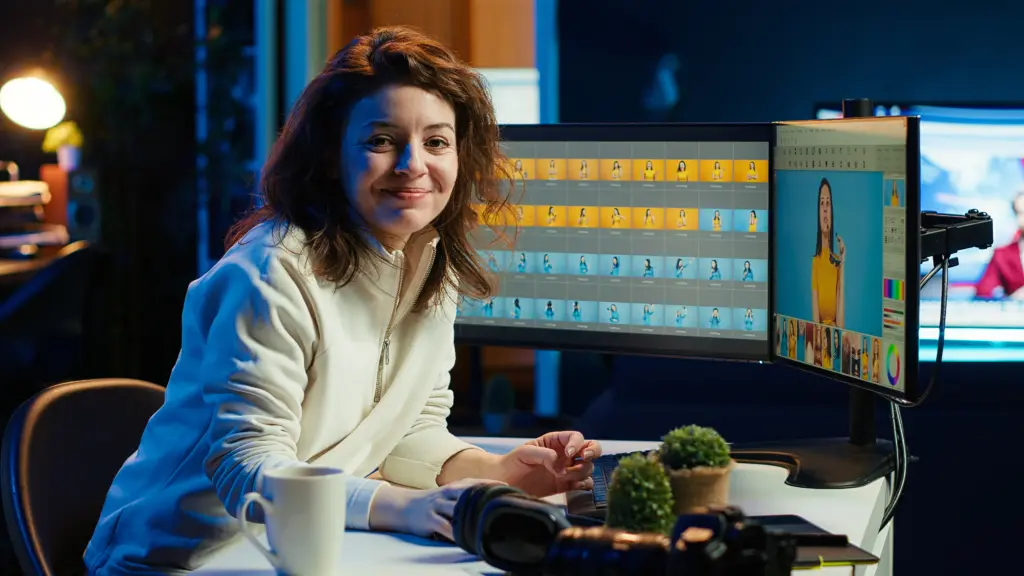
A demo reel is a short video that shows your best editing work. It is not a portfolio. A portfolio is a collection of full projects. A reel is a highlights package.
Think of a reel as a movie trailer for your skills. A trailer does not show the whole film. It shows the best moments to make you want more. Your reel works the same way.
The difference matters. A portfolio requires time to explore. Clients do not have that time. They open your reel, watch 30 seconds, and decide yes or no. That is why a reel is more valuable than a portfolio for getting the first client.
Become an AI-powered Video Editor
Master the future of video editing with AI-powered tools and techniques. Learn how to create professional-quality videos faster, automate repetitive editing tasks, generate engaging content, and boost your creative productivity.
Start Learning!Why Your Demo Reel Matters more than a Resume
Most clients do not read resumes. They do not care about your education or software certifications. They care about one thing: can you make their video look good?
A resume tells someone what you claim to know. A demo reel proves what you can actually do. This is the show versus tell concept in action.
Here is what happens when a client hires an editor. They open your reel first. If the reel feels boring, too long, or unprofessional, they close it. They never open your resume or visit your portfolio. They move to the next editor.
Your reel is your first impression. A resume is your second impression. Most editors never get to the second impression. Make your reel so good that clients have no choice but to call you.
What to Include in a Demo Reel
Not every clip belongs in your reel. Beginners make the mistake of adding everything they have. That approach weakens your reel. Here is what works.
Best 5 to 8 Clips Only
Select your absolute best work. If you have only three good clips, make a 30-second reel with those three. Do not add weak clips to make it longer. One bad clip makes the whole reel look bad.
Different Styles (Ads, Reels, YouTube)
Show range. Include a fast-paced ad. Add a social media reel with text overlays. Show a YouTube video with smooth transitions. Clients hire editors who can handle different projects. If all your clips look the same, clients assume you can only do one thing.
Before and After Edits
This is a secret weapon. Show a raw clip for 2 seconds. Then show your edited version for 4 seconds. The contrast proves your value instantly. Clients see exactly what you added: color correction, cuts, music, effects.
Text Overlays and Transitions
Do not hide your skills. Use a clean title card at the start with your name and what you do (example: “John – Video Editor”). Use transitions that match your style. Fast cuts work for action content. Smooth dissolves work for interviews.
Step-by-Step Guide to Creating a Demo Reel
Follow these steps in order. Do not skip any step. Each one builds on the last.
Step 1 – Choose Your Best Work
Open all your completed projects. Watch each one. Ask one question: does this clip make me feel proud? If the answer is not an immediate yes, remove it.
Quality over quantity. A 30-second reel with 5 amazing clips beats a 90-second reel with 12 average clips. Be ruthless with your choices.
If you are a beginner with few projects, create sample work. Edit a friend’s travel video. Remake a commercial using stock footage. Cut a scene from a public domain film. Practice projects count as real work when they show skill.
Step 2 – Pick the Right Music
Music sets the energy of your reel. Fast electronic music works for action and sports. Lo-fi hip hop works for travel and lifestyle. Orchestral music works for dramatic storytelling.
Match the pacing. Cut your clips to the beat of the music. A hit on every drum beat makes the reel feel professional. This skill is called sound sync. Clients notice it immediately.
Use royalty-free music from YouTube Audio Library or Pixabay. Do not use copyrighted songs. Your reel will get taken down from social media.
Step 3 – Start With a Strong Hook (0 to 5 Seconds)
The first 5 seconds decide everything. Most viewers watch for 5 seconds. If nothing interesting happens, they leave.
Your hook must be your single best edit. Not your second best. Not your most recent. Your absolute best.
Examples of strong hooks:
- A before and after color grade that transforms a dull shot into a cinematic frame
- A fast sequence of 5 cuts in 3 seconds showing action
- A text animation that pops on screen with your name
Do not start with a black screen or a slow fade in. Nor should you start with your logo animation. Start with your best work immediately.
Step 4 – Keep it Short (30 to 60 Seconds)
Human attention spans are short. Social media trained people to expect fast content. A 90-second reel feels like a lecture. A 45-second reel feels like a highlight.
Time your reel. Watch it three times. If you feel bored at any point, cut that section. If you feel like skipping ahead, remove those clips.
The ideal length for a beginner reel is 45 seconds. This gives you room for 6 to 8 clips plus an intro and outro. Every second must earn its place.
Step 5 – Add Contact Info at the End
The last 5 seconds must show how to reach you. Do not assume clients will find you.
Include:
- Your email address (write it out clearly)
- Your Instagram handle (where you post regularly)
- Your YouTube channel or portfolio link
Keep the contact screen on screen for at least 4 seconds. Use a simple background. Make the text large and easy to read. Add a call to action like “Hire me for your next project.”
Become an AI-powered Video Editor
Master the future of video editing with AI-powered tools and techniques. Learn how to create professional-quality videos faster, automate repetitive editing tasks, generate engaging content, and boost your creative productivity.
Start Learning!Best Tools to Create a Demo Reel
You do not need expensive software to make a great reel. Start with what you can access. Upgrade later.
Adobe Premiere Pro
This is the industry standard. It costs about $20 per month. Premiere Pro handles all video formats. It has tools for color correction, audio mixing, and transitions. Most professional jobs expect you to know Premiere.
After Effects
Use After Effects for text animations and motion graphics. A simple animated title card makes your reel look polished. You can learn basic text animations in 2 hours on YouTube.
DaVinci Resolve
This software is completely free. Professional colorists use DaVinci Resolve. It has powerful editing tools and advanced color grading. The free version has no watermark and no time limit. Start here if you have no budget.
Demo Reel Examples (Breakdown)
Let us analyze what makes a good reel work. Watch any professional editor’s reel on YouTube. Search for “video editor demo reel” and study the top results.
Fast Cuts
Notice how often the clips change. A good reel changes clips every 2 to 4 seconds. Faster cuts create energy. Slower cuts create emotion. Match the cut speed to your music.
Story Flow
The reel should feel like one piece, not random clips thrown together. Start with high energy. Move into a middle section showing range. End with something memorable. This is storytelling at the micro level.
Sound Sync
Notice how the cuts hit the beat perfectly. Pros spend hours tweaking clip timings by fractions of a second. When the beat and the clip change line up, it feels so satisfying, so it’s worth the time. That feeling keeps people watching.
Common Mistakes to Avoid
Making it too Long
A 2-minute reel is a mistake. Even professional editors with 10 years of experience keep reels under 90 seconds. Beginners must stay under 60 seconds. Long reels get skipped.
Using Weak Clips
Every clip must be excellent. One weak clip makes clients question your judgment. They think: if you cannot tell which clips are bad, how can you edit my video well?
No Clear Niche
A reel with random clips confuses viewers. Weddings, then gaming, then corporate interviews, then music videos. Clients cannot tell what you specialize in. Pick a main niche. Show 70 percent of clips in that niche. Show 30 percent showing range.
No Contact Info
This happens more than you think. An editor spends 10 hours making a beautiful reel. They upload it to YouTube. A client watches and wants to hire them. But there is no email. No Instagram. No link. The client closes the tab. The opportunity is lost forever.
How to Use Your Demo Reel to Get Clients

Making the reel is only half the work. You must put it where clients can find it.
Upload to YouTube
Create a YouTube channel for your editing work. Name it something professional. Write a description that says you are available for hire. Put your email in the channel bio.
Upload to Instagram
Instagram Reels are perfect for demo reels. Crop your reel to 9:16 vertical format. Add captions. Post it as a Reel. Use hashtags like #videoeditor #demoreel #filmmaker.
Add to Freelance Profiles
Put your reel at the top of your Fiverr, Upwork, or Freelancer profile. Clients on these platforms watch reels before reading anything else. A good reel doubles your response rate.
Send in Cold DMs
Find small businesses on Instagram. Look for brands that post video content but have low quality edits. Send them a polite message. Say: “I am a video editor. Here is my 45-second reel. If you like it, I can edit your next reel for $50.” This works.
Join Our Online Video Editing Course in Kerala. Get Ready for your Dream Job!
Final Tips to Make Your Reel Stand Out
Update Every 3 Months
Your best work improves over time. Remove old clips. Add new ones. An updated reel signals that you are active and growing. A reel from 2022 looks like you stopped working.
Follow Trends
Pay attention to editing styles on TikTok and Instagram. Fast zoom cuts. Glitch effects. Beat sync mapping. Add one or two trending techniques to your reel. It shows clients you understand current social media.
Focus on Storytelling
Technical skills are key, but storytelling lands you the gig. If an edit doesn’t evoke emotions, all the fancy coloring won’t help. Each clip needs to spark feelings—excitement, humor, amazement. It’s that emotional impact clients shell out for.
| Related Articles | |
| The Complete Guide to Video Editing: Skills, Tools, and Career (2026)
How to Become a Freelance Video Editor in 2026 (Step-by-Step Guide) |
How to become a freelance video Editor |
Become an AI-powered Video Editor
Master the future of video editing with AI-powered tools and techniques. Learn how to create professional-quality videos faster, automate repetitive editing tasks, generate engaging content, and boost your creative productivity.
Start Learning!Frequently Asked Questions
How long should my first demo reel be?
Keep it between 30 and 60 seconds. Beginners should aim for 45 seconds. Anything longer loses viewer attention. Anything shorter does not show enough range.
What if I have no paid video projects yet?
Create sample work. Edit a friend’s travel footage. Cut a scene from a public domain film. Remake a commercial using stock video. Practice projects count when they show real skill.
Can I use popular songs in my demo reel?
No. Copyrighted music gets your reel removed from YouTube and Instagram. Use royalty-free music from YouTube Audio Library, Pixabay, or Artlist. Safe music keeps your reel online.
How many clips should my reel include?
Use 5 to 8 clips. Any fewer feels thin. Any more feels rushed. Each clip should stay on screen for 4 to 8 seconds. This gives viewers time to see your work without getting bored.
Should I add my logo at the beginning?
No. Logos waste your hook seconds. Start with your best clip immediately. Put your name and logo at the end for 4 seconds. The beginning is for proving your skills, not showing your brand.
How often should I update my demo reel?
Update every 3 months. Remove old clips that no longer represent your best work. Add new projects as you complete them. An outdated reel makes clients think you stopped editing.
What video format works best for a demo reel?
Export in MP4 format with H.264 compression. Use 1920×1080 resolution (1080p). Keep file size under 100MB. This format uploads quickly to YouTube, Instagram, and freelance platforms.
Do I need a niche or can I show everything?
Show a main niche with 70 percent of your clips. Pick one area: commercials, social media, weddings, or interviews. Use the remaining 30 percent to show range. Clients hire specialists more often than generalists.
Where should I upload my demo reel first?
Upload to YouTube first. Then repost to Instagram as a Reel. Add the same reel to your Fiverr, Upwork, or LinkedIn profile. YouTube gives you a stable link you can send anywhere.