Table of Contents
Introduction
Fitness apps are used to make exercise easier. They offer different functions. Which includes: workout plans, videos, tracking tools, etc. Few apps are for strength and flexibility. Others are designed for running and walking. Simple routines are offered to beginners. Progress can also be tracked by regular users. Many apps provide free features. The best choice is depends on personal facts. Like: personal goals, time, and budget.
Ten popular fitness apps are covered here. Their features and workout options are explained. Home workouts and free options are also included. Every app is for different purpose. Regular exercise followed by enough rest is important. A suitable app can help exercise become a habit.
Key Takeaways:
- Workout plans are provided by fitness apps.
- Different fitness goals are taken care of.
- Free workout features are offered by many apps.
- Home workouts can be done without equipment.
- One’s Progress can be tracked daily.
- One can built good Exercise habits.
Become a General Fitness Trainer and turn your passion into a Profession!
How Can Fitness Apps Help With Your Workout Routine?
Workout routines can be organised using fitness apps. One can track their progress in excercise.
1. Workout Plans
Ready-made exercise plans are provided by many apps.
- Beginner workouts.
- Strength training.
- Cardio exercises.
- Yoga sessions.
- Stretching routines.
- Weekly plans.
- Guided workouts.
- Exercise videos.
- Rest day reminders.
- Fitness goals.
Main benefit: Workouts can be followed more easily.
2. Progress Tracking
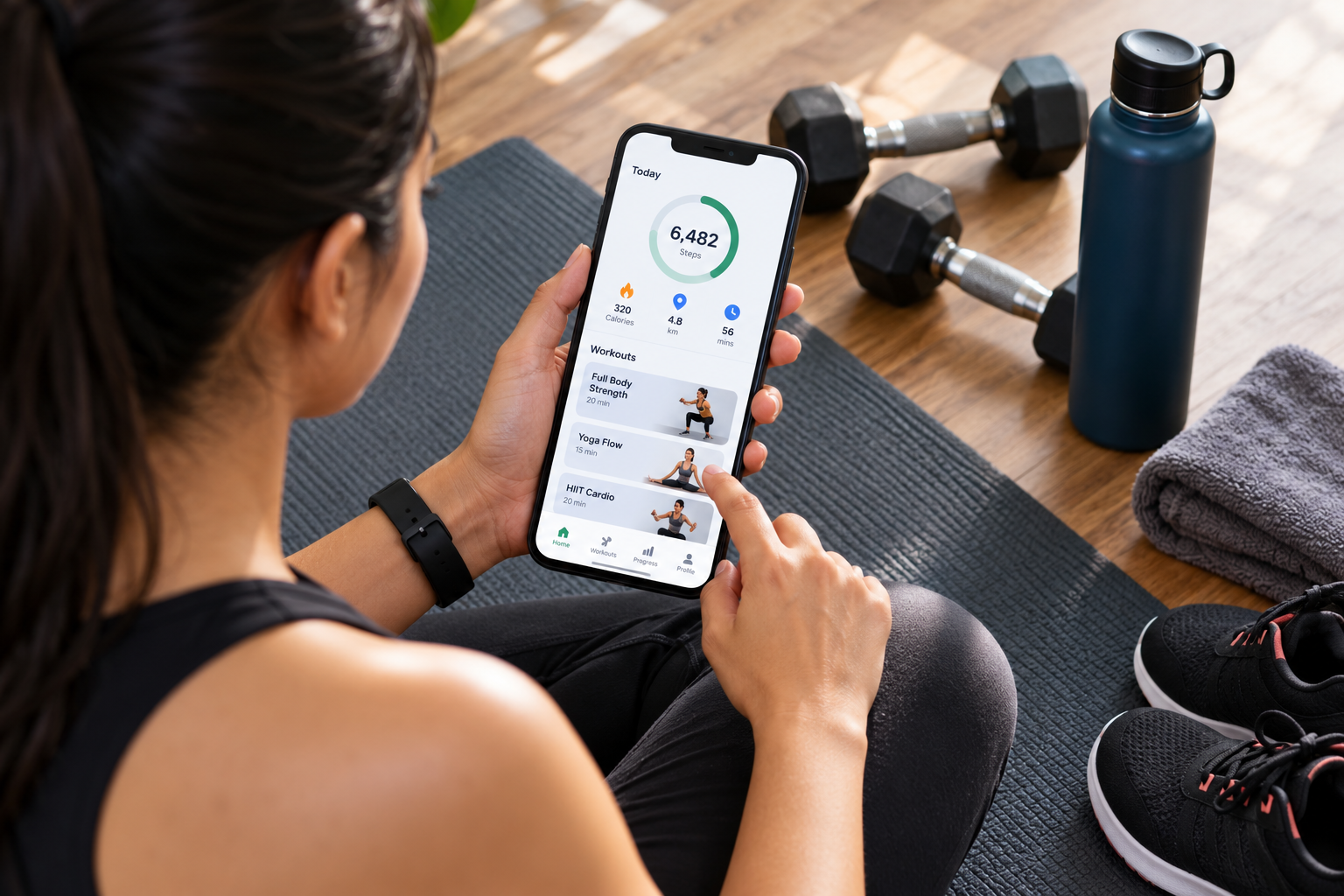
Daily activities can be recorded with tracking tools.
- Steps taken.
- Distance covered.
- Workout time.
- Estimated calories.
- Running speed.
- Exercise history.
- Weight records.
- Weekly activity.
- Personal records.
- Completed goals.
Main benefit: Progress can be reviewed regularly.
3. Personalised Workouts
Workouts can be suggested according to user needs.
- Fitness goals.
- Current fitness level.
- Available time.
- Exercise choices.
- Home equipment.
- Workout frequency.
- Exercise difficulty.
- Training plans.
- Progress updates.
- Rest needs.
Main benefit: Suitable exercises can be selected.
4. Motivation
They encourage one to do regular exercise.
- Daily reminders.
- Activity goals.
- Progress charts.
- Workout challenges.
- Achievement badges.
- Training calendars.
- Exercise streaks.
- Personal records.
- Community support.
- Motivational messages.
Main benefit: Develops every day exercise habits.
5. Flexible Workouts
Workouts can be completed in different places.
- Home workouts.
- Gym sessions.
- Outdoor running.
- Walking plans.
- Short exercises.
- Travel workouts.
- Equipment-free training.
- Yoga breaks.
- Video classes.
- Flexible schedules.
Main benefit: Fits exercise into any schedule.
Turn Your Passion for Fitness into a Profession
Learn practical skills, get certified, and step into the growing fitness industry with confidence.
Join the Course10 Best Fitness and Exercise Apps
Each workout needs are taken care of by these apps. Features and prices may vary by country. Free and paid options are available.
1. Nike Training Club
Guided workouts are offered through Nike Training Club. Strength training, yoga, and Pilates are included. A lot of sessions can be completed at home. Different fitness levels are supported.
Best for: General fitness.
Main features:
- Strength workouts.
- Yoga sessions.
- Pilates classes.
- Mobility exercises.
- Guided routines.
- Home workouts.
- Beginner options.
- Flexible sessions.
- Trainer instructions.
- Free workout content.
Main benefit: Many workouts are available free.
2. FitOn
Video workout classes are provided by FitOn. Cardio, yoga, and strength training are included. Dance and Pilates sessions are also offered. Many classes are suitable for home exercise.
Best for: Home fitness classes.
Main features:
- Video workouts.
- Cardio classes.
- Yoga sessions.
- Pilates routines.
- Dance workouts.
- Guided exercises.
- Short sessions.
- Beginner workouts.
- Different workout styles.
- Optional paid features.
Main benefit: Many workout choices are provided.
3. Strava
Outdoor activities can be tracked through Strava. Running and cycling are popular uses. It records the following. Distance, speed, and activity time. One can share them with friends.
Best for: Running as well as cycling.
Main features:
- GPS tracking.
- Distance records.
- Speed tracking.
- Route information.
- Running history.
- Cycling records.
- Activity sharing.
- Community challenges.
- Progress tracking.
- Workout history.
Main benefit: Outdoor exercise can be tracked.
Some advanced features require payment.
4. Nike Run Club
Running goals can be supported through Nike Run Club. Guided audio runs provide instructions during exercise. Distance and pace can be recorded. Training plans are given for each goal.
Best for: Beginner as well as regular runners.
Main features:
- Guided running.
- Audio instructions.
- Distance tracking.
- Pace records.
- Training plans.
- Running goals.
- Progress tracking.
- Workout history.
- Running reminders.
- Coaching support.
Main benefit: Running routines can be followed easily.
5. Apple Fitness+
It provides Instructor-led workout. It includes strength, cycling, yoga, and HIIT as well. Different workout lengths are available. Extra workout information can be shown through Apple Watch.
Best for: Guided workout classes.
Main features:
- Video classes.
- Strength training.
- Yoga sessions.
- Cycling workouts.
- HIIT classes.
- Stretching sessions.
- Trainer guidance.
- Music-led workouts.
- Different durations.
- Activity measurements.
Main benefit: Many workout types are offered.
A subscription is generally required.
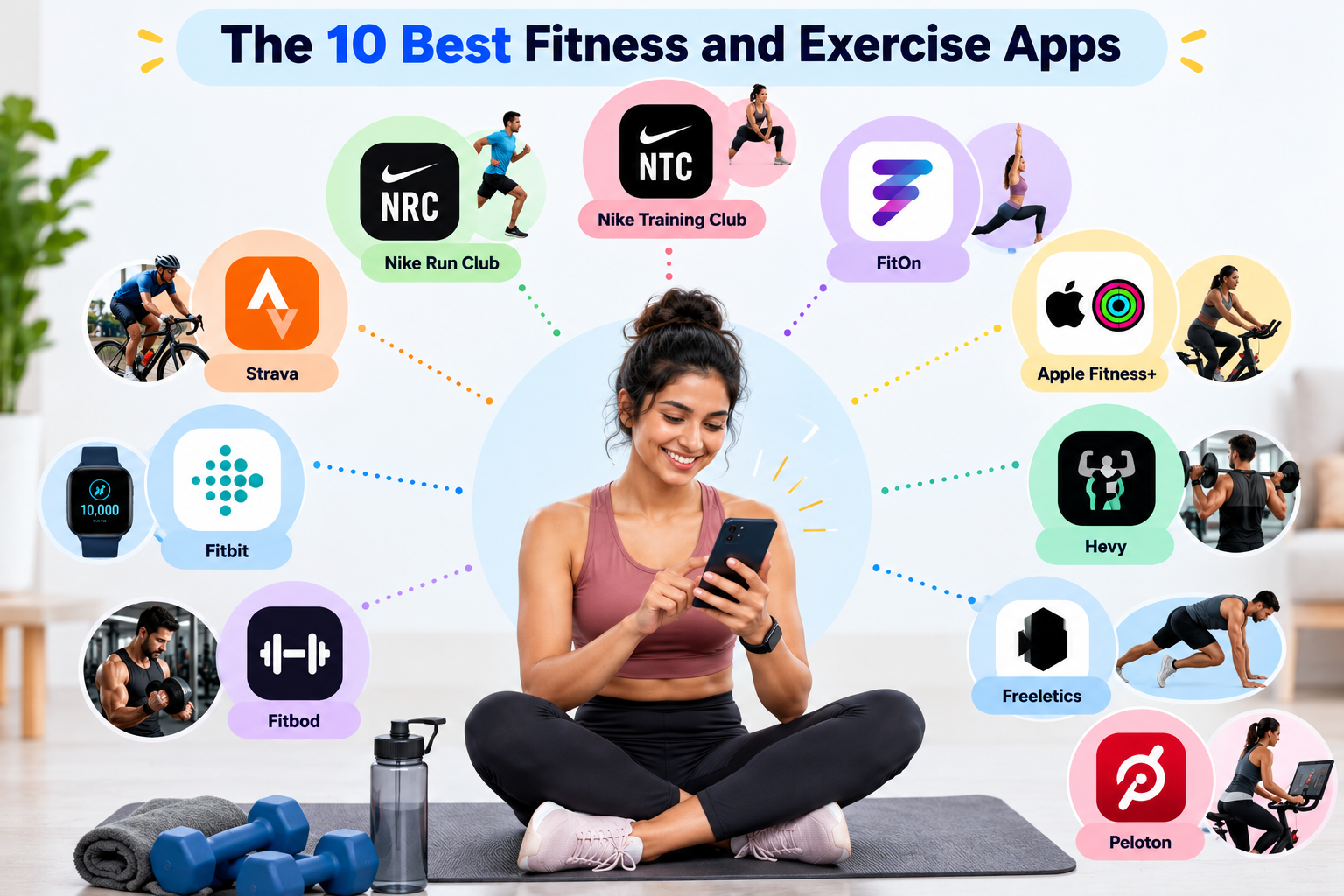
6. Fitbit
Fitbit monitors every day activities. It records steps, exercise, and activity goals. Extra measurements are provided by compatible devices. Some features need paid plan.
Best for: Daily activity tracking.
Main features:
- Step counts.
- Exercise records.
- Daily goals.
- Activity reminders.
- Device syncing.
- Progress reports.
- Fitness trends.
- Workout history.
- Personal targets.
- Activity summaries.
Main benefit: Daily movement can be tracked easily.
Available features depend on the device and plan.
7. Fitbod
Fitbod is used for strength workouts. Exercises depends on personal preferences. Available gym equipment can also be considered. Training progress can be recorded.
Best for: Strength training.
Main features:
- Workout plans.
- Exercise suggestions.
- Equipment choices.
- Strength routines.
- Training records.
- Exercise history.
- Personalised workouts.
- Progress tracking.
- Targeted training.
- Workout organisation.
Main benefit: Gym sessions can be organised.
Many advanced features require payment.
8. Hevy
Gym workouts can be recorded through Hevy. Weights, sets, and repetitions can be logged. Previous workout records are saved. Progress can then be reviewed.
Best for: Gym workout tracking.
Main features:
- Weight records.
- Set tracking.
- Rep tracking.
- Exercise logs.
- Workout plans.
- Training history.
- Strength records.
- Personal routines.
- Progress charts.
- Exercise organisation.
Main benefit: Workout tracking is made simple.
Some features have free-plan limits.
9. Freeletics
Bodyweight workouts are offered through Freeletics. Structured training plans are also provided. Many exercises require little equipment. Some coaching features require a paid plan.
Best for: Bodyweight exercise.
Main features:
- Bodyweight workouts.
- Training plans.
- Fitness challenges.
- Home exercises.
- Short sessions.
- Exercise variations.
- Fitness goals.
- Guided training.
- Progress tracking.
- Workout schedules.
Main benefit: Many workouts need little equipment.
10. Peloton
Instructor-led fitness classes are offered by Peloton. Strength, cardio, yoga, and stretching are included. Many sessions can be completed at home. Some workouts require specific equipment.
Best for: Guided fitness classes.
Main features:
- Video workouts.
- Strength classes.
- Cardio sessions.
- Yoga routines.
- Stretching exercises.
- Instructor guidance.
- Different durations.
- Training plans.
- Workout variety.
- Fitness motivation.
Main benefit: Many guided classes are available.
Full access generally requires a paid membership.
Quick Comparison of the Ten Apps
| App | Best For | Access |
| Nike Training Club | General workouts | Free content |
| FitOn | Home workouts | Free and paid |
| Strava | Running and cycling | Free and paid |
| Nike Run Club | Running | Free |
| Apple Fitness+ | Guided classes | Paid |
| Fitbit | Daily activity | Free and paid |
| Fitbod | Strength training | Paid features |
| Hevy | Gym tracking | Free and paid |
| Freeletics | Bodyweight workouts | Free and paid |
| Peloton | Guided classes | Free options and paid |
Features and prices may change over time.
Become a General Fitness Trainer and turn your passion into a Profession!
Best Fitness Apps for Home Workouts
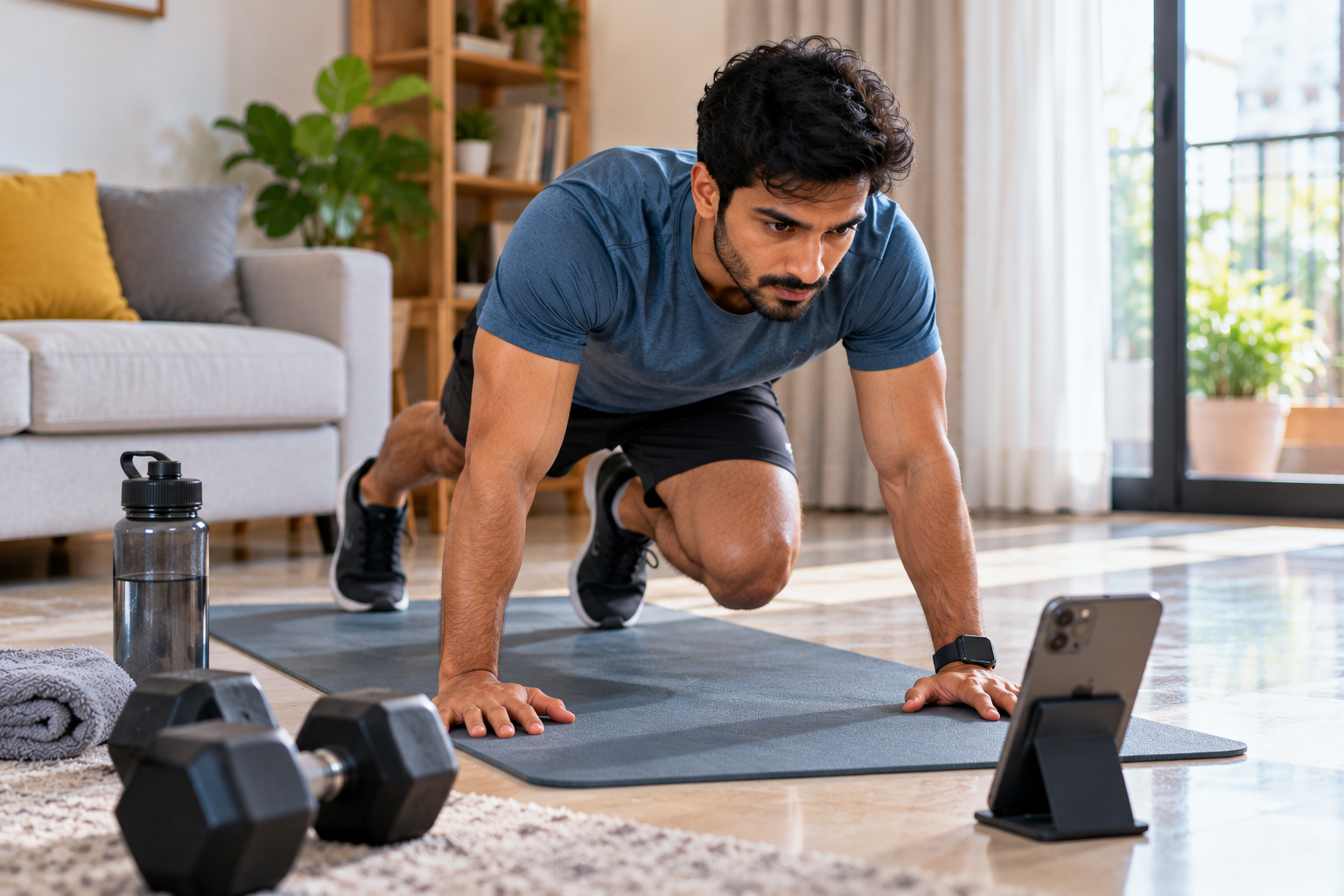
Home workouts can be supported through fitness apps. Many exercises can be completed without gym equipment. Guided videos and training plans are provided. Short sessions can also fit busy schedules.
1. Nike Training Club
Home workout routines are provided for different fitness levels.
- Strength exercises.
- Yoga sessions.
- Pilates classes.
- Mobility training.
- Guided workouts.
- Beginner routines.
- Flexible schedules.
- Free workout content.
Best for: General home fitness.
2. FitOn
Video classes can be followed at home. Different workout styles are offered.
- Cardio workouts.
- Dance classes.
- Yoga sessions.
- Pilates routines.
- Strength exercises.
- Short sessions.
- Beginner options.
- Free classes.
Best for: Varied home exercise.
3. Freeletics
Bodyweight exercises are offered through structured plans. Little equipment is needed for many sessions.
- Bodyweight training.
- Short workouts.
- Exercise variations.
- Training plans.
- Fitness challenges.
- Home routines.
- Progress tracking.
- Coaching options.
Best for: Equipment-free exercise.
4. Peloton
Guided classes can be completed at home. Many sessions require little or no equipment.
- Strength classes.
- Yoga sessions.
- Cardio workouts.
- Stretching routines.
- Instructor guidance.
- Different durations.
- Beginner classes.
- Workout schedules.
Best for: Guided home classes.
Tips for Home Workouts
Home exercise can be made safer with simple steps.
- Choose suitable exercises.
- Start with easy routines.
- Use a clear workout space.
- Follow exercise instructions.
- Wear comfortable clothing.
- Keep water nearby.
- Increase difficulty gradually.
- Allow time for rest.
- Stop if sharp pain occurs.
- Follow medical advice when needed.
Best Free Fitness Apps
Free fitness apps can support regular exercise. Some provide complete workout libraries. Others offer basic tracking tools. Certain features may require subscriptions.
1. Nike Training Club
Many guided workouts are available free.
- Strength training.
- Yoga sessions.
- Pilates routines.
- Mobility exercises.
- Home workouts.
- Guided programmes.
Suitable for: General fitness.
2. Nike Run Club
Running tools are provided without a paid subscription.
- Guided audio runs.
- Distance tracking.
- Pace records.
- Running plans.
- Training guidance.
- Progress history.
Suitable for: Beginner runners.
3. FitOn
Many video workouts can be accessed free.
- Cardio classes.
- Yoga sessions.
- Dance workouts.
- Pilates routines.
- Strength training.
- Home exercise.
Suitable for: People who enjoy video classes.
4. Strava
Basic activity tracking is available free.
- Running records.
- Cycling records.
- GPS tracking.
- Distance tracking.
- Activity sharing.
- Workout history.
Suitable for: Outdoor exercisers.
5. Fitbit
Basic tracking features can be used through the app. Some features require a compatible device.
- Step counts.
- Activity tracking.
- Daily goals.
- Exercise records.
- Progress summaries.
- Device syncing.
Suitable for: Daily movement tracking.
Free App Comparison
| App | Main Free Feature | Best Use |
| Nike Training Club | Guided workouts | General fitness |
| Nike Run Club | Running tools | Running |
| FitOn | Video classes | Home exercise |
| Strava | Activity tracking | Outdoor exercise |
| Fitbit | Basic activity tracking | Daily movement |
Free features can change over time. App availability may also vary by region.
Turn Your Passion for Fitness into a Profession
Learn practical skills, get certified, and step into the growing fitness industry with confidence.
Join the CourseHow to Choose the Right Fitness App
The best fitness app should match personal needs. Several factors should be checked before selection.
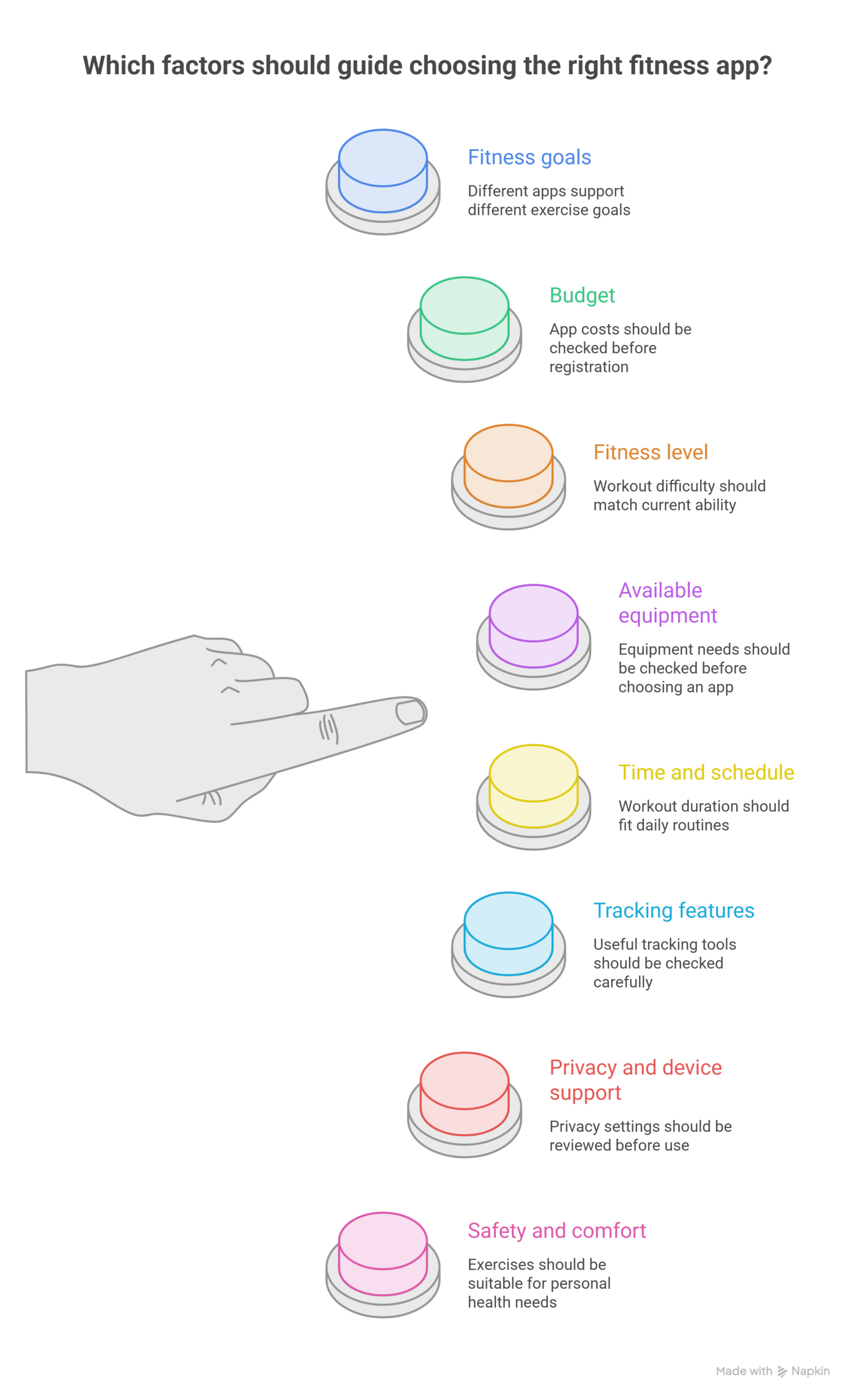
1. Fitness Goals
Different apps support different exercise goals.
- General fitness: Nike Training Club.
- Running: Nike Run Club.
- Cycling: Strava.
- Strength training: Fitbod.
- Gym tracking: Hevy.
- Home workouts: FitOn.
- Daily activity: Fitbit.
- Guided classes: Peloton.
A clear goal makes selection easier.
2. Budget
App costs should be checked before registration.
- Free workout content.
- Monthly subscriptions.
- Annual subscriptions.
- Trial periods.
- Paid coaching.
- Premium tracking.
- In-app purchases.
- Regional prices.
Free features may be enough for beginners. Paid plans should be chosen only when useful.
3. Fitness Level
Workout difficulty should match current ability.
- Beginner routines.
- Easy instructions.
- Low-impact exercises.
- Short sessions.
- Exercise modifications.
- Gradual progress.
- Suitable rest periods.
- Clear demonstrations.
Advanced routines may be unsuitable for beginners. Difficulty should be increased gradually.
4. Available Equipment
Equipment needs should be checked before choosing an app.
- No-equipment workouts.
- Resistance bands.
- Dumbbells.
- Exercise mats.
- Treadmills.
- Stationary bikes.
- Gym machines.
- Outdoor routes.
Home exercisers may prefer bodyweight workouts. Gym users may need strength-tracking tools.
5. Time and Schedule
Workout duration should fit daily routines.
- Five-minute sessions.
- Ten-minute workouts.
- Twenty-minute classes.
- Longer training sessions.
- Flexible schedules.
- Weekly plans.
- Rest days.
- Reminder settings.
Short workouts can help busy people start. Regular practice can be built gradually.
6. Tracking Features
Useful tracking tools should be checked carefully.
- Step counts.
- Distance records.
- Workout history.
- Weight records.
- Strength progress.
- Pace measurements.
- Activity summaries.
- Goal tracking.
Tracking can show changes over time. Measurements should be treated as estimates when appropriate.
7. Privacy and Device Support
Personal information may be collected by fitness apps. Privacy settings should be reviewed before use.
- Data permissions.
- Location access.
- Health information.
- Account settings.
- Device compatibility.
- Watch support.
- Data sharing.
- Subscription terms.
Only necessary permissions should be enabled. App policies should be checked before sharing sensitive information.
8. Safety and Comfort
Exercises should be suitable for personal health needs.
- Clear instructions.
- Safe movement options.
- Beginner modifications.
- Rest reminders.
- Suitable difficulty.
- Comfortable exercise space.
- Pain awareness.
- Medical guidance when needed.
Sharp pain should not be ignored. Medical advice may be needed before starting exercise.
Conclusion
Fitness apps take care of everyday exercise. Each app suits different goals. Nike Training Club provides guided workout options. Nike Run Club takes care of running routines. Strava tracks one’s outdoor activities. Fitbod looks after strength training. Hevy records gym workouts. FitOn offers video fitness classes. Fitbit provides daily activity tracking. Freeletics is used for bodyweight training. Peloton looks after exercise classes.
The right app should match personal needs. Budget, fitness level, and available time matter. Equipment needs should also be considered. Free features can provide a useful starting point. Paid plans may offer extra tools. Exercise should be increased gradually. Rest and recovery should also be included. Consistent activity can support long-term fitness.
Turn Your Passion for Fitness into a Profession
Learn practical skills, get certified, and step into the growing fitness industry with confidence.
Join the CourseFrequently Asked Questions
What is the best fitness app for beginners?
Nike Training Club is a useful choice for beginners because it offers guided workouts, strength exercises, yoga, and mobility sessions. FitOn is another option for people who prefer video classes with different workout styles and difficulty levels.
Which fitness apps are free to use?
Nike Training Club and Nike Run Club offer free workout content and running tools, while FitOn and Strava provide free features alongside optional paid plans. The available features can vary by region, device, and subscription, so the current app details should be checked before signing up.
Which fitness app is best for home workouts?
Nike Training Club, FitOn, and Freeletics are suitable options for home workouts because many sessions can be completed with little or no equipment. These apps offer different exercise styles, including strength training, yoga, cardio, and bodyweight routines.
Which app is best for tracking running and cycling?
Strava is a popular choice for tracking outdoor activities such as running and cycling, with features for recording distance, pace, routes, and workout history. Nike Run Club is especially useful for runners who want guided audio sessions, running plans, and progress tracking.
Are fitness apps effective for weight management?
Fitness apps can support weight management by helping users plan workouts, track physical activity, and maintain regular exercise habits. Results also depend on eating habits, sleep, daily movement, health conditions, and consistency over time.
Which fitness app is best for strength training?
Fitbod is designed to help users plan strength workouts, select exercises, and record training progress, while Hevy is useful for logging weights, sets, and repetitions. The better choice depends on whether personalised workout suggestions or detailed workout records are more important.
Can fitness apps be used without gym equipment?
Yes, many fitness apps offer bodyweight exercises, stretching routines, yoga sessions, and cardio workouts that can be completed at home without gym equipment. Freeletics, Nike Training Club, and FitOn are useful options for people who prefer simple home exercise routines.
Are paid fitness apps better than free apps?
Paid fitness apps may provide additional coaching, personalised plans, advanced tracking, and larger workout libraries, but these features are not necessary for everyone. Free apps can be sufficient for beginners and regular exercisers who need basic workout guidance or activity tracking.
How should the right fitness app be selected?
The right fitness app should match personal goals, exercise experience, available equipment, workout time, and budget. Privacy settings, device compatibility, subscription costs, and workout difficulty should also be checked before an app is selected.
Is it safe to follow workouts from fitness apps every day?
Fitness apps can support daily movement, but the intensity and type of exercise should be adjusted to individual fitness levels and recovery needs. Rest days, proper exercise technique, gradual increases in difficulty, and medical advice when needed can help reduce the risk of injury.