Table of Contents
Yes, learning video editing in three months is possible. Success depends on consistent practice and structured learning. Daily projects improve practical skills quickly. The right software also simplifies learning. However, three months cannot create an expert.
Advanced editing needs longer experience. Still, beginners can build strong foundations. Many also start freelancing confidently. Some even secure entry-level editing roles.
This guide explains realistic expectations. It also covers essential skills, learning roadmaps, and career opportunities.
Build a Career in AI-Powered Video Editing
Quick Overview
| Question | Quick Answer |
|---|---|
| Can video editing be learned in 3 months? | Yes, with regular practice. |
| Daily practice needed | 1–3 hours daily. |
| Skills achievable | Editing, audio, titles, color correction, exports. |
| Best beginner software | Premiere Pro, DaVinci Resolve, CapCut, Filmora. |
| Can freelancing begin? | Yes, with a portfolio. |
| Can beginners get jobs? | Entry-level opportunities exist. |
| Portfolio expectation | Five to ten quality projects. |
What Does Learning Video Editing in Three Months Actually Mean?
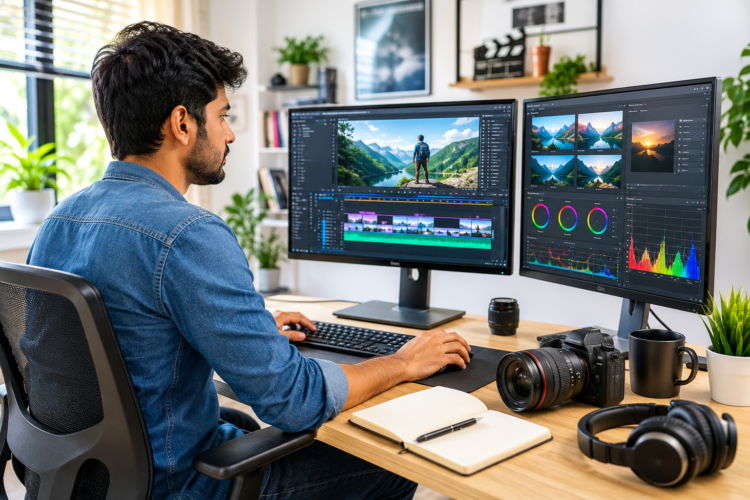
Learning video editing involves both technical and creative skills. Beginners first understand editing software. They then improve storytelling through practice. Every completed project builds confidence. Regular practice creates lasting improvement.
Learning video editing usually includes:
- Understanding editing software.
- Importing video and audio files.
- Organizing project folders.
- Managing editing timelines.
- Cutting unwanted footage.
- Trimming unnecessary scenes.
- Editing audio clearly.
- Correcting basic colors.
- Adding titles and graphics.
- Exporting finished videos.
Many beginners expect quick mastery. However, editing develops gradually. Software knowledge alone never creates quality videos. Practical experience matters much more. Every project improves creative judgment.
Knowing Editing Software
Software knowledge forms every editor’s foundation. Beginners should first understand essential tools. They should also develop organized workflows. Good habits save time later.
Essential software skills include:
- Importing media files.
- Organizing project assets.
- Using editing timelines.
- Applying basic transitions.
- Adding simple effects.
- Exporting videos correctly.
These skills prepare beginners for advanced learning.
Creating Professional-Quality Videos
Professional editing involves much more than software. Every editing decision supports the story. Good pacing keeps viewers engaged. Clean visuals improve viewing experiences. Strong audio creates greater impact.
Professional editors learn to:
- Improve storytelling.
- Maintain smooth pacing.
- Remove unnecessary scenes.
- Match suitable music.
- Balance video colors.
- Keep viewers interested.
Creative judgment improves through regular practice.
Becoming Job-Ready
Job-ready editors understand professional expectations. Employers value practical skills greatly. Reliable editors earn greater trust. Strong portfolios create better opportunities.
Professional editors should:
- Meet deadlines consistently.
- Organize project files.
- Follow client instructions.
- Deliver quality exports.
- Accept constructive feedback.
- Communicate professionally.
These habits improve employability significantly.
Becoming an Expert
Expert editors develop skills gradually. Years of experience build mastery. Large projects improve decision-making. Creative instincts strengthen naturally. Learning continues throughout every career.
Three months provide strong beginnings. However, expertise requires continuous improvement.
Become an AI-powered Video Editor
Master the future of video editing with AI-powered tools and techniques. Learn how to create professional-quality videos faster, automate repetitive editing tasks, generate engaging content, and boost your creative productivity.
Start Learning!Is Three Months Enough to Learn Video Editing?
Yes, three months usually provide solid foundations. However, learning speed differs greatly. Personal commitment shapes every outcome. Daily consistency produces better results. Strong habits support faster improvement.
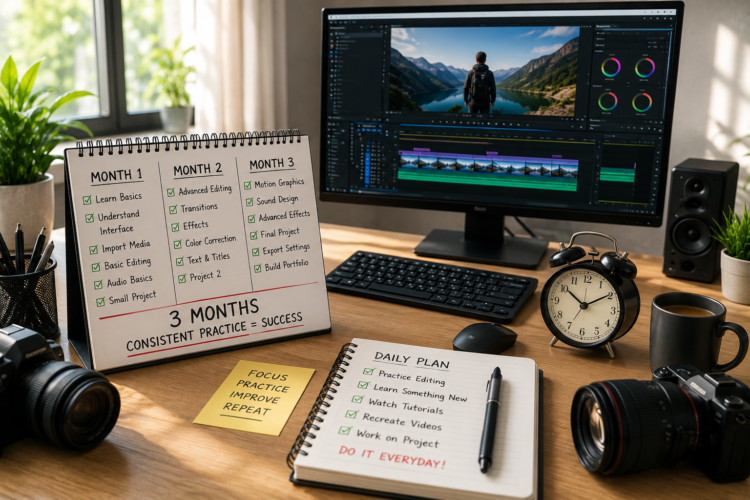
Several factors influence learning speed.
Daily Practice
Daily editing strengthens important skills. Frequent practice improves confidence. Editing also becomes much faster.
Expected progress improves with:
- One to three practice hours.
- Regular weekly projects.
- Daily software practice.
- Consistent revision.
- Continuous experimentation.
Consistency always beats occasional effort.
Learning Method
Learning methods affect overall progress. Random tutorials create confusion. Structured lessons save valuable time. Guided practice strengthens understanding.
Effective learning methods include:
- Following structured courses.
- Completing practical projects.
- Reviewing previous edits.
- Requesting helpful feedback.
- Improving weak areas.
Hands-on learning produces better results.
Software Choice
Software selection also affects learning speed. Beginners often switch unnecessarily. Frequent switching delays improvement. One software builds stronger confidence.
Choose software matching career goals.
Examples include:
- Premiere Pro for professional careers.
- DaVinci Resolve for free learning.
- CapCut for social media.
- Filmora for beginners.
- Final Cut Pro for Mac users.
Master one software before exploring others.
Does Previous Creative Experience Help?
Previous creative experience can speed learning. However, beginners can still succeed. Regular practice matters much more. Motivation and consistency remain the biggest advantages.
Helpful backgrounds include:
- Photography.
- Graphic design.
- Animation.
- Content creation.
- Social media management.
- Basic filmmaking.
These skills improve visual understanding. They also reduce the learning curve. Still, dedicated beginners can achieve similar results.
Why Does Project-Based Learning Work Best?
Projects teach practical editing faster. Real editing solves real problems. Every completed video builds confidence. Mistakes also become valuable lessons.
Instead of watching endless tutorials, beginners should create videos regularly. Practical work improves creativity naturally. It also prepares learners for client projects.
Start with simple projects, including:
- Short travel videos.
- Daily vlogs.
- Instagram Reels.
- YouTube Shorts.
- Product videos.
- Tutorial clips.
Each completed project strengthens editing skills.
What Skills Can You Learn in Three Months?
Three months cover many beginner-friendly skills. These abilities prepare learners for internships, freelancing, and personal projects. Strong fundamentals also support advanced learning later.
Basic Editing
Basic editing forms every editor’s foundation. It improves storytelling and video flow.
Learn to:
- Cut unwanted clips.
- Trim unnecessary pauses.
- Rearrange scenes.
- Improve pacing.
- Create smoother transitions.
Timeline Management
Well-organized timelines improve editing efficiency. Clean projects also reduce mistakes.
Key skills include:
- Arranging clips properly.
- Managing multiple layers.
- Organizing sequences.
- Naming project files.
- Keeping timelines structured.
Audio Editing
Audio quality affects every video. Clear sound creates a professional experience.
Beginners learn to:
- Remove background noise.
- Balance audio levels.
- Add background music.
- Sync voice recordings.
- Adjust sound effects.
Color Correction
Color correction improves visual consistency. Small adjustments create noticeable improvements.
Important basics include:
- Adjusting brightness.
- Correcting white balance.
- Improving contrast.
- Matching colors.
- Fixing exposure.
Titles and Graphics
Titles improve communication clearly. Graphics also increase viewer engagement.
Common beginner skills include:
- Adding titles.
- Creating lower thirds.
- Using readable fonts.
- Positioning text properly.
- Applying simple animations.
Motion Graphics Basics
Motion graphics create engaging visuals. Beginners usually start with simple animations.
Early lessons include:
- Basic keyframes.
- Text animation.
- Object movement.
- Logo animation.
- Simple transitions.
Export Settings
Exporting completes every project. Correct settings preserve video quality.
Editors learn about:
- Video resolution.
- Frame rates.
- File formats.
- Compression settings.
- Platform-specific exports.
Social Media Editing
Social media editing remains highly valuable. Short-form videos dominate many platforms.
Important skills include:
- Vertical editing.
- Caption placement.
- Fast-paced cuts.
- Hook creation.
- Platform optimization.
YouTube Editing
YouTube videos require stronger storytelling. Longer videos demand careful pacing.
Beginners also learn:
- Story structure.
- Chapter organization.
- Audience retention.
- Smooth transitions.
- Better video flow.
What Skills Need More Than Three Months?
Some editing skills require much longer learning. These areas demand patience and continuous practice.
Advanced skills include:
- Advanced visual effects.
- Professional color grading.
- 3D animation.
- CGI production.
- Film editing.
- Complex compositing.
- Advanced motion graphics.
These skills often require months or years. Professional editors continue learning throughout their careers.
Become an AI-powered Video Editor
Master the future of video editing with AI-powered tools and techniques. Learn how to create professional-quality videos faster, automate repetitive editing tasks, generate engaging content, and boost your creative productivity.
Start Learning!Three-Month Video Editing Learning Roadmap
Following a roadmap improves consistency. Small milestones feel easier. Regular practice also reduces confusion.
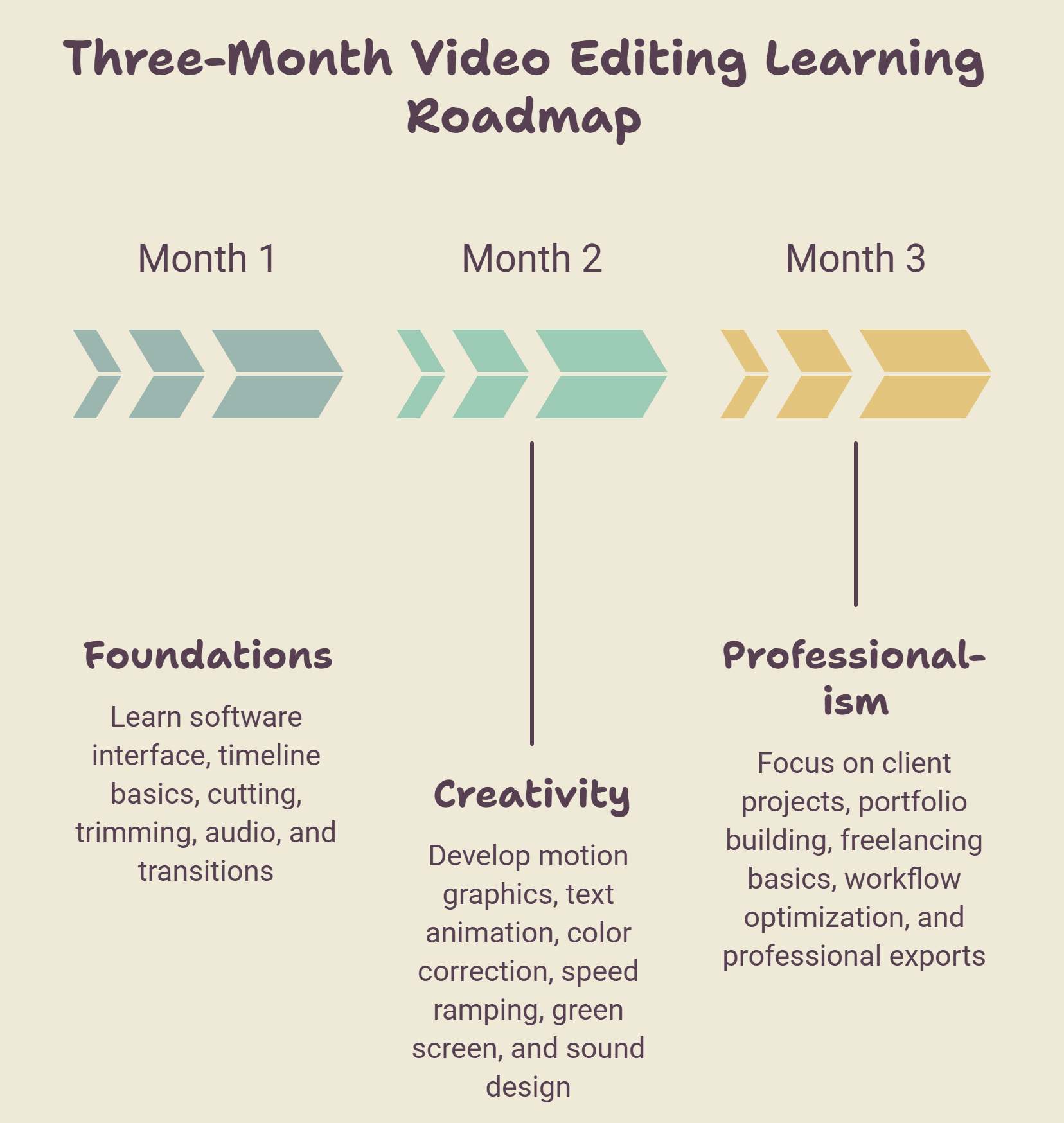
Month 1: Build Strong Foundations
Focus on understanding editing software first. Practice simple projects every day. Repeat important lessons regularly.
Learn:
- Software interface.
- Timeline basics.
- Cutting clips.
- Trimming footage.
- Audio adjustments.
- Basic transitions.
Expected Outcome
By month-end, learners should:
- Navigate software confidently.
- Edit short videos.
- Organize projects properly.
- Export completed videos.
- Understand editing fundamentals.
Month 2: Improve Creative Skills
The second month develops creativity. Projects become slightly longer. Editing speed also improves.
Focus on:
- Motion graphics.
- Text animation.
- Color correction.
- Speed ramping.
- Green screen basics.
- Sound design.
Expected Outcome
By month-end, learners should:
- Create polished videos.
- Improve storytelling.
- Edit longer projects.
- Build stronger portfolio pieces.
Month 3: Prepare Professionally
The final month focuses on real projects. Portfolio building becomes the priority. Professional workflows also become important.
Focus on:
- Client-style projects.
- Portfolio creation.
- Freelancing basics.
- Workflow optimization.
- YouTube editing.
- Professional exports.
Expected Outcome
By month-end, learners should:
- Build quality portfolios.
- Complete client-style projects.
- Apply for internships.
- Start beginner freelance work.
- Continue learning confidently.
Weekly Learning Timeline
A weekly plan makes learning easier. Small goals improve consistency. Regular projects build practical confidence. Every completed task strengthens editing skills.
| Week | Skills to Learn | Practice Project | Expected Outcome |
|---|---|---|---|
| Week 1 | Interface, timeline, imports | Travel video | Understand software basics. |
| Week 2 | Cutting, trimming, audio | Daily vlog | Improve editing flow. |
| Week 3 | Titles, transitions | YouTube intro | Create engaging edits. |
| Week 4 | Color correction, exports | Tutorial video | Produce polished videos. |
| Week 5 | Motion graphics | Instagram Reel | Learn basic animations. |
| Week 6 | Speed ramping, green screen | Sports edit | Improve creativity. |
| Week 7 | Sound design | Interview edit | Enhance production quality. |
| Week 8 | Long-form editing | Travel vlog | Manage larger projects. |
| Week 9–12 | Portfolio projects | Client-style edits | Build job-ready confidence. |
How Many Hours Should You Practice Daily?
Practice time affects learning speed. However, consistency matters more than long sessions. Choose a schedule matching daily routines. Avoid skipping practice regularly.
🕐 One Hour Daily
One hour suits busy learners.
Expected progress:
- Learn editing basics.
- Complete simple projects.
- Build software confidence.
- Improve gradually.
🕑 Two Hours Daily
Two hours balance learning well. Most beginners succeed with this routine.
Expected progress:
- Edit faster.
- Build better portfolios.
- Improve storytelling.
- Complete larger projects.
🕓 Four Hours Daily
Longer sessions accelerate learning. Breaks remain equally important.
Expected progress:
- Master fundamentals quickly.
- Finish portfolio projects.
- Prepare freelance work.
- Improve editing efficiency.
Weekend Learning
Weekend learning also works. Progress simply becomes slower. Focused practice still produces results.
Which Video Editing Software Should Beginners Choose?
Choosing one software reduces confusion. Master it before switching. Career goals should guide the decision.
| Software | Learning Ease | Best For | Pricing |
|---|---|---|---|
| Adobe Premiere Pro | Moderate | Professional careers | Paid |
| DaVinci Resolve | Moderate | Editing and color correction | Free/Paid |
| Final Cut Pro | Easy | Mac users | Paid |
| CapCut | Very Easy | Social media videos | Free/Paid |
| Filmora | Easy | Complete beginners | Paid |
Choose software based on long-term goals.
- Premiere Pro suits agency careers.
- DaVinci Resolve offers powerful free tools.
- CapCut fits short-form creators.
- Filmora simplifies beginner learning.
- Final Cut Pro works best for Mac users.
Practice Projects to Build Skills
Projects develop practical confidence. They also create portfolio content. Start with simple ideas. Increase difficulty gradually.
Good beginner projects include:
🌍 Travel vlog.
▶️ YouTube video.
📱 Instagram Reel.
🎙️ Podcast edit.
🛍️ Product advertisement.
🎤 Interview edit.
📚 Tutorial video.
These projects teach:
- Storytelling.
- Audio editing.
- Color correction.
- Text animation.
- Timeline management.
- Export settings.
Every completed project improves confidence.
Common Mistakes Beginners Make
Mistakes slow progress unnecessarily. Understanding them improves learning. Small changes produce better results.
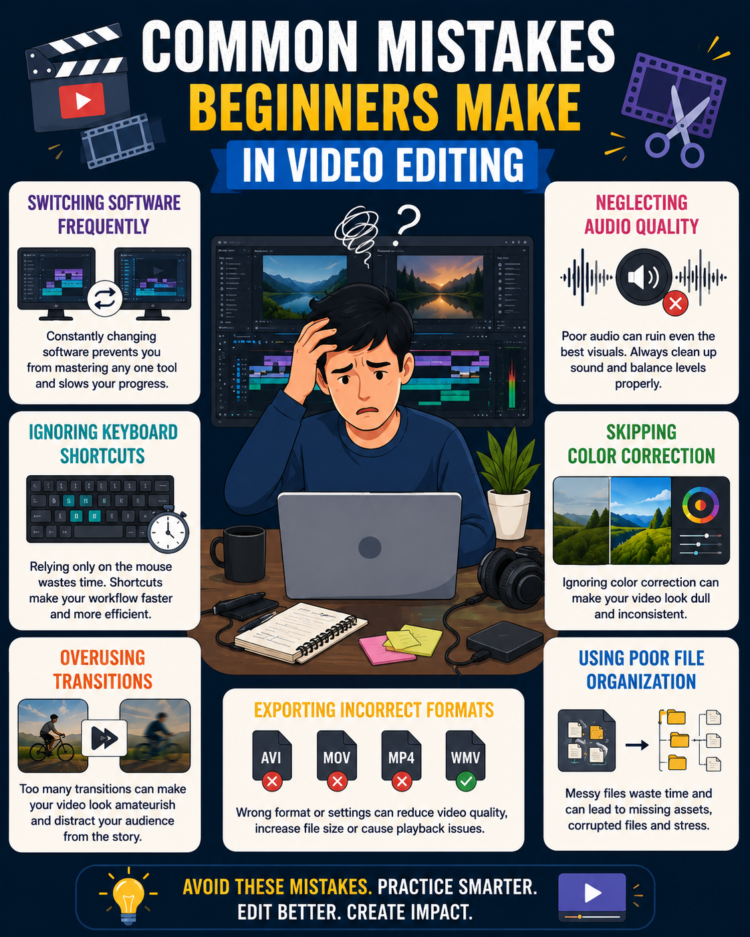
Avoid these common mistakes:
- Switching software frequently.
- Ignoring keyboard shortcuts.
- Overusing transitions.
- Neglecting audio quality.
- Skipping color correction.
- Using poor file organization.
- Exporting incorrect formats.
- Copying tutorials blindly.
- Avoiding constructive feedback.
- Watching without practicing.
- Rushing projects.
- Ignoring storytelling.
Learn from every mistake. Improvement follows consistent practice.
Can You Get a Job After Three Months?
Yes, entry-level opportunities exist. However, portfolios matter greatly. Employers value practical skills. Completed projects create stronger impressions.
Possible beginner roles include:
- Video Editing Intern.
- Junior Video Editor.
- YouTube Video Editor.
- Social Media Editor.
- Content Editor.
- Remote Editing Assistant.
Continue improving after employment. Learning never truly ends.
Can You Start Freelancing After Three Months?
Yes, many beginners start freelancing successfully. Begin with smaller projects first. Build experience gradually. Strong communication also matters.
Suitable beginner projects include:
- YouTube Shorts.
- Instagram Reels.
- Podcast editing.
- Product videos.
- Promotional content.
- Event highlights.
To build trust:
- Deliver projects on time.
- Communicate professionally.
- Accept revisions politely.
- Collect client testimonials.
- Improve after every project.
Satisfied clients often bring repeat work.
Salary Expectations for Beginners
Income depends on several factors. Skills influence earning potential. Portfolio quality also matters. Experience increases opportunities over time.
Beginners may expect:
- Freelance projects: ₹500–₹3,000 per project.
- Full-time jobs: ₹15,000–₹40,000 per month.
- Remote editing work: ₹20,000–₹50,000 per month.
- Part-time opportunities: ₹8,000–₹20,000 per month.
Focus on building skills first. Better opportunities follow experience.
How to Build a Strong Portfolio
A strong portfolio demonstrates practical ability. Employers prefer real projects. Quality matters more than quantity.
Include projects such as:
- Travel videos.
- Tutorials.
- Interviews.
- Product advertisements.
- Social media edits.
- YouTube videos.
Portfolio tips:
- Include five to ten projects.
- Create a short showreel.
- Organize projects neatly.
- Update work regularly.
- Showcase different editing styles.
Strong portfolios create lasting impressions.
Tips to Learn Video Editing Faster
Good habits improve learning speed. Daily practice produces steady progress. Focus on practical experience.
Follow these tips:
- Edit every day.
- Complete every project.
- Learn keyboard shortcuts.
- Focus on one software.
- Recreate professional videos.
- Watch editing breakdowns.
- Request regular feedback.
- Join editing communities.
- Review previous projects.
- Stay patient throughout learning.
Small improvements produce big results.
Upskill with AI Video Editing Skills
Is a Video Editing Course Worth It?
Courses provide structured learning. They reduce confusion. Mentors also guide improvement. Practical assignments build confidence.
Different learning options include:
📖 Self-learning.
💻 Online courses.
🚀 Bootcamps.
👨🏫 Mentorship.
📜 Certification programs.
A structured course suits:
- Complete beginners.
- Career changers.
- Students.
- Freelancers.
- Content creators.
Choose a course emphasizing practical projects.
Final Verdict
Yes, three months can teach video editing fundamentals. Consistent practice remains the biggest success factor. Practical projects develop confidence faster. Strong portfolios create better opportunities. Freelancing and internships become realistic goals.
However, advanced editing requires continued learning. Stay consistent and complete real projects. Every edit brings valuable experience.
Become an AI-powered Video Editor
Master the future of video editing with AI-powered tools and techniques. Learn how to create professional-quality videos faster, automate repetitive editing tasks, generate engaging content, and boost your creative productivity.
Start Learning!Frequently Asked Questions
Can anyone learn video editing in three months?
Yes. Consistent practice and project-based learning help beginners build strong editing skills within three months.
Which video editing software is best for beginners?
DaVinci Resolve, Filmora, CapCut, and Adobe Premiere Pro are popular beginner-friendly options.
How many hours should beginners practice daily?
Practicing one to three hours daily usually delivers steady improvement and better editing confidence.
Can beginners freelance after three months?
Yes. Small editing projects become possible with a strong portfolio and consistent practice.
Do employers value certificates or portfolios more?
Most employers prioritize practical portfolios that demonstrate editing ability over certifications alone.
Is video editing difficult to learn?
The basics are easy to understand. Advanced editing requires patience and continued practice.
How many projects should a beginner portfolio include?
Aim for five to ten high-quality projects showing different editing styles and techniques.
Can video editing become a full-time career?
Yes. Video editors work in media companies, agencies, marketing teams, and as freelancers worldwide.
Should beginners learn multiple editing software?
No. Master one software first before exploring additional editing applications.
What is the fastest way to improve editing skills?
Edit regularly, recreate professional videos, seek feedback, and complete real-world projects consistently.