Table of Contents
A CAD Engineer makes drawings and designs using a computer. These drawings help build buildings, machines, and other products.
CAD Engineers use design software and work with engineers and designers. They need basic technical skills and computer knowledge.
Many industries, such as construction, manufacturing, and engineering, hire CAD Engineers. With experience and practice, they can get better jobs and grow in their careers.
Key Takeaways:
- A CAD Engineer makes computer drawings.
- These drawings help build many things.
- CAD Engineers use design software.
- Many companies need CAD Engineers.
- Learning new skills helps them get better jobs.
Get Career oriented MEP training with Expert Mentors! Get Free Demo Here!
Understanding the Role of a CAD Engineer
CAD Engineers help turn ideas into real designs. Their drawings help complete projects smoothly.
👉 CAD Engineers help make work easier and more accurate.
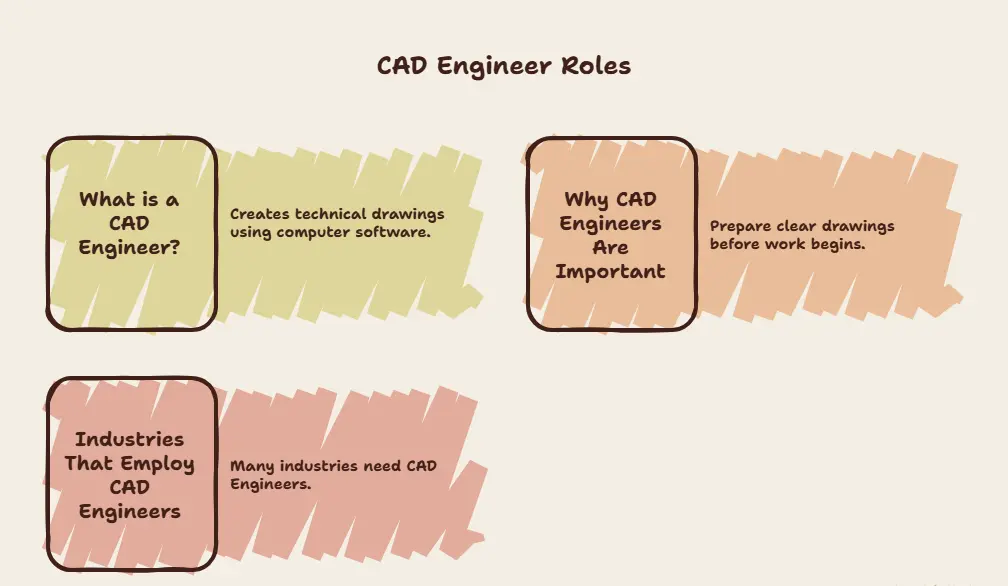
🔵 What is a CAD Engineer?
A CAD Engineer creates technical drawings using computer software.
CAD means Computer-Aided Design.
Instead of drawing by hand, they use special programs to make detailed designs.
They may create drawings for:
- Buildings
- Roads
- Bridges
- Machines
- Pipelines
- Factory equipment
👉 Good drawings help workers understand the project.
🔵 Why CAD Engineers are Important in Modern Design and Construction
Today, every project needs proper planning.
CAD Engineers prepare clear drawings before work begins.
Their work helps to:
- Reduce mistakes
- Save time
- Improve quality
- Support engineers
- Make projects easier
👉 Good planning helps projects run smoothly.
🔵 Industries that Employ CAD Engineers
Many industries need CAD Engineers.
🔹Construction
They help design:
- Houses
- Offices
- Buildings
- Factories
🔹Civil Engineering
They work on:
- Roads
- Bridges
- Water systems
- Dams
🔹Architecture
They prepare:
- Floor plans
- Building layouts
- Structural drawings
🔹Manufacturing
They design:
- Machine parts
- Industrial products
- Factory equipment
🔹Automotive
They help create:
- Car parts
- Vehicle systems
- Engine components
🔹Aerospace
They work on:
- Aircraft parts
- Space equipment
- Aviation systems
🔹Oil and Gas
They prepare:
- Pipeline drawings
- Plant layouts
- Equipment designs
🔹MEP Engineering
They design:
- Electrical systems
- Plumbing systems
- Air conditioning systems
- Fire safety systems
👉 CAD Engineers have many job opportunities.
Master MEP Design with Industry-Leading Training!
Gain in-depth knowledge of Mechanical, Electrical, and Plumbing (MEP) Design with expert-led courses. Learn HVAC, fire safety, sustainable building strategies, and BIM applications to excel in the construction industry.
Know MoreKey Responsibilities of a CAD Engineer
CAD Engineers have many important duties. Their work helps projects move forward.
🟠 Creating Technical Drawings and Designs
They prepare detailed drawings for different projects.
They may design:
- Buildings
- Machines
- Roads
- Industrial equipment
👉 Technical drawings help workers understand the design.
🟠 Converting Concepts into Digital Models
Many projects begin with a simple idea.
CAD Engineers change these ideas into computer designs.
They use:
- Rough sketches
- Engineering notes
- Project plans
👉 Digital models help people see the final design.
🟠 Preparing 2D Drafting and 3D Models
CAD Engineers prepare different types of designs.
2D Drafting
It shows:
- Length
- Width
- Measurements
- Layouts
3D Models
It shows:
- Shape
- Size
- Depth
- Complete view
👉 3D models help people understand projects better.
🟠 Reviewing and Modifying Existing Designs
Sometimes designs need changes.
CAD Engineers may:
- Correct mistakes
- Update drawings
- Add new details
- Change measurements
👉 Updated designs improve project quality.
🟠 Ensuring Compliance with Industry Standards
CAD Engineers follow important rules.
They check:
- Safety standards
- Design rules
- Measurements
- Company guidelines
👉 Following standards helps avoid problems.
🟠 Collaborating with Engineers, Architects, and Project Teams
CAD Engineers work with many professionals.
They work with:
- Engineers
- Architects
- Designers
- Project managers
- Construction teams
👉 Teamwork helps complete projects successfully.
🟠 Maintaining Design Documentation
CAD Engineers keep project files organized.
They manage:
- Drawings
- Reports
- Design files
- Updated documents
👉 Good records help future work.
🟠 Daily Responsibilities
A CAD Engineer may:
- Create drawings
- Check designs
- Update files
- Use CAD software
- Meet project teams
👉 Daily work keeps projects moving.
🟠 Project-Based Responsibilities
They may also:
- Prepare new designs
- Build 3D models
- Support engineering teams
- Complete project drawings
👉 Every project brings new experience.
🟠 Quality Control Tasks
CAD Engineers also check the quality of their work.
They may:
- Review drawings
- Check dimensions
- Find mistakes
- Update designs
- Follow standards
👉 Quality checks help create better projects.
A CAD Engineer needs both technical and personal skills. These skills help them create good designs and work with project teams.
👉 Good skills help CAD Engineers build a successful career.
Essential Skills Every CAD Engineer Needs
🔵 Technical Skills
Technical skills help CAD Engineers prepare accurate drawings and models.
🔹CAD Software Skills
A CAD Engineer should know how to use design software.
This helps to:
- Create drawings
- Edit designs
- Save project files
👉 CAD software is the main tool for this job.
🔹2D Drafting Skills
2D drawings show the basic layout of a project.
A CAD Engineer should know how to:
- Draw plans
- Add measurements
- Prepare layouts
👉 2D drawings are important for planning work.
🔹3D Modeling Skills
3D models show how a project will look.
They help to:
- View the full design
- Check project details
- Make design changes
👉 3D models make designs easy to understand.
🔹Design Reading Skills
CAD Engineers should understand engineering drawings.
They should know how to:
- Read plans
- Understand symbols
- Follow project details
👉 Good understanding helps avoid mistakes.
🔹Basic Engineering Knowledge
A CAD Engineer should know basic engineering concepts.
This helps to:
- Prepare correct drawings
- Support project work
- Understand design requirements
👉 Engineering knowledge improves design quality.
🔹BIM Awareness
BIM means Building Information Modeling.
Basic BIM knowledge helps CAD Engineers:
- Work on modern projects
- Share project information
- Improve teamwork
👉 BIM is becoming popular in many industries.
🔵 Software Skills
CAD Engineers use different software programs.
Some popular software includes:
- AutoCAD
- SolidWorks
- Revit
- CATIA
- MicroStation
- Fusion 360
👉 Learning software improves job opportunities.
🔵 Soft Skills
Soft skills help CAD Engineers work better with others.
🔹Communication Skills
CAD Engineers should communicate clearly.
They work with:
- Engineers
- Architects
- Managers
- Team members
👉 Good communication improves teamwork.
🔹Problem-Solving Skills
Sometimes design problems happen.
CAD Engineers should know how to:
- Find problems
- Think of solutions
- Make improvements
👉 Problem-solving helps complete projects smoothly.
🔹Attention to Detail
Small mistakes can create big problems.
CAD Engineers should:
- Check measurements
- Review drawings
- Find errors
👉 Careful work improves design quality.
🔹Teamwork Skills
CAD Engineers work with different departments.
They should know how to:
- Share ideas
- Support team members
- Work together
👉 Teamwork helps finish projects faster.
🔹Time Management Skills
Projects often have deadlines.
CAD Engineers should:
- Finish work on time
- Plan daily tasks
- Stay organized
👉 Good planning improves productivity.
Educational Requirements and Certifications
Students need education and training to become CAD Engineers.
👉 Learning helps build a strong career.
🟠 Relevant Degrees and Diplomas
Many students study:
- Civil Engineering
- Mechanical Engineering
- Architecture
- Diploma in Engineering
- Design courses
👉 These courses teach basic engineering skills.
🟠 CAD Certification Programs
CAD certification courses help students learn software.
Popular courses include:
- AutoCAD training
- Revit course
- SolidWorks course
- CATIA course
👉 Certificates improve job chances.
🟠 Industry-Specific Training Options
Some industries need special training.
Students can learn about:
- Construction projects
- Manufacturing designs
- MEP systems
- BIM projects
👉 Special training builds extra skills.
🟠 Importance of Practical Project Experience
Practical work helps students learn faster.
Students can gain experience through:
- Internships
- Training programs
- Live projects
- Practice drawings
👉 Real projects improve confidence.
Master MEP Design with Industry-Leading Training!
Gain in-depth knowledge of Mechanical, Electrical, and Plumbing (MEP) Design with expert-led courses. Learn HVAC, fire safety, sustainable building strategies, and BIM applications to excel in the construction industry.
Know MoreCAD Engineer vs CAD Designer vs Draftsman
These jobs are similar, but their work is different.
| Aspect | CAD Engineer | CAD Designer | Draftsman |
|---|---|---|---|
| Primary Role | Creates and checks designs | Prepares design layouts | Makes technical drawings |
| Technical Knowledge | High | Medium | Basic |
| Design Authority | Can make design decisions | Supports design work | Follows given plans |
| Software Usage | Advanced | Good | Basic to medium |
| Career Scope | Wide career growth | Good opportunities | Entry-level opportunities |
👉 All three roles are important in projects.
Tools and Technologies Used by CAD Engineers
CAD Engineers use different tools for their work.
1. Design and Drafting Software
Common software:
- AutoCAD
- MicroStation
- DraftSight
👉 These tools help create drawings.
2. 3D Modeling Tools
Popular tools include:
- SolidWorks
- CATIA
- Fusion 360
👉 These tools help build 3D designs.
3. BIM and Digital Engineering Platforms
Modern projects use BIM software like:
- Revit
- Navisworks
👉 BIM helps teams work together.
4. Collaboration and Documentation Tools
CAD Engineers also use tools for sharing work.
They help to:
- Save files
- Share drawings
- Manage documents
5. Most Widely Used Tools
- AutoCAD
- Revit
- SolidWorks
- CATIA
6. Emerging Technologies
- BIM
- AI-based design tools
- Digital engineering
7. Cloud-Based Design Solutions
Cloud platforms help teams:
- Work together
- Share files
- Access projects from anywhere
👉 Modern technology makes work easier.
Career Opportunities for CAD Engineers
CAD Engineers have many career options.
🔶 Entry-Level Roles
Beginners may work as:
- CAD Technician
- Junior CAD Engineer
- Drafting Assistant
👉 These jobs help build experience.
🔶Mid-Level Career Paths
With experience, they can become:
- CAD Engineer
- BIM Modeler
- Design Engineer
👉 Experience brings better opportunities.
🔶 Senior and Specialized Positions
Senior roles include:
- CAD Manager
- Project Coordinator
- Senior Design Engineer
👉 Senior jobs offer more responsibility.
🔶 Freelancing and Remote Opportunities
Some CAD Engineers work from home.
They may:
- Take freelance projects
- Work for international clients
- Offer design services online
👉 Remote work is becoming popular.

Salary Expectations and Job Outlook
CAD Engineering offers good career growth.
Factors Affecting CAD Engineer Salaries
Salary may depend on:
- Experience
- Skills
- Software knowledge
- Industry
- Location
👉 Better skills may lead to better pay.
Industry-Wise Demand
Many industries hire CAD Engineers.
They include:
- Construction
- Manufacturing
- Architecture
- Civil Engineering
- MEP
- Oil and Gas
👉 Demand for CAD Engineers continues to grow.
Future Trends in CAD Engineering
Future projects may use:
- BIM technology
- Smart design systems
- Digital engineering
👉 New technology creates new opportunities.
Impact of Automation and AI on CAD Careers
AI can help with simple tasks.
But CAD Engineers are still needed for:
- Creative thinking
- Design planning
- Project decisions
👉 Human skills remain important.
Experience vs Salary
| Experience | Salary Growth |
| Beginner | Basic salary |
| Mid-Level | Better salary |
| Experienced | Higher salary |
Industry vs Demand
| Industry | Demand |
| Construction | High |
| Manufacturing | High |
| MEP | High |
| Architecture | Good |
| Automotive | Good |
Benefits and Challenges of a CAD Engineering Career
Advantages
Benefits include:
- Good job demand
- Many career options
- Modern technology work
- Global opportunities
👉 CAD Engineering offers long-term growth.
Challenges
Some challenges are:
- Learning new software
- Meeting deadlines
- Creating accurate designs
- Following industry rules
👉 Continuous learning helps overcome challenges.
How to Become a CAD Engineer
Becoming a CAD Engineer is simple if you learn step by step. You need education, software skills, and practical experience.
👉 Regular learning and practice can help you build a good career.
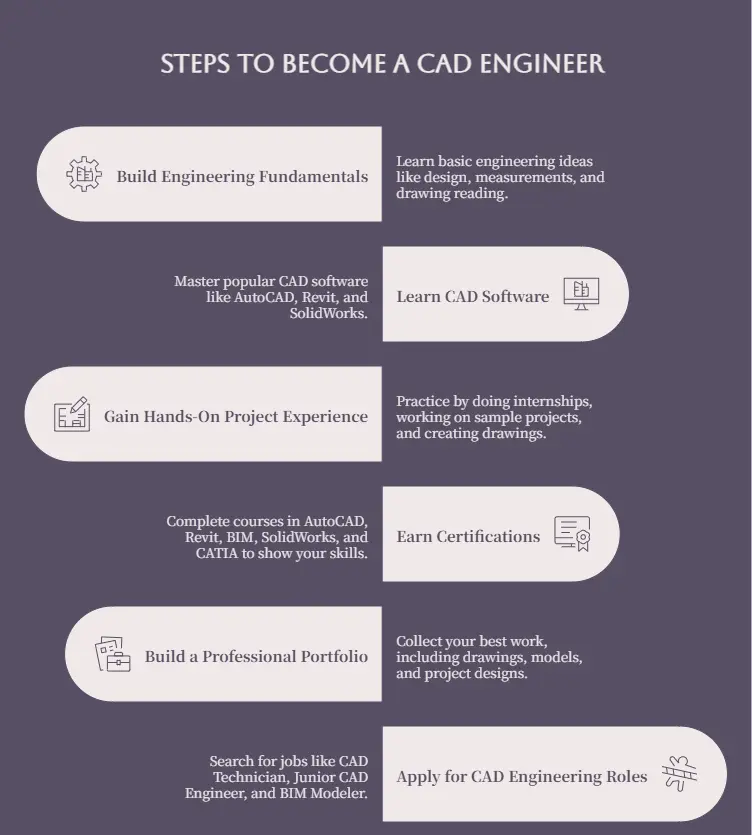
Step 1: Build Engineering Fundamentals
First, learn the basic ideas of engineering.
You can study:
- Civil Engineering
- Mechanical Engineering
- Architecture
- Engineering Diploma courses
You should understand:
- Basic design
- Measurements
- Drawing reading
- Simple engineering concepts
👉 Basic knowledge helps you learn CAD more easily.
Step 2: Learn CAD Software
CAD software is the main tool used by CAD Engineers.
Start by learning popular software like:
- AutoCAD
- Revit
- SolidWorks
- CATIA
Practice simple drawings every day.
You can learn through:
- Training institutes
- Online courses
- CAD classes
👉 Good software skills improve job opportunities.
Step 3: Gain Hands-On Project Experience
Practical experience is very important.
Students can practice by:
- Doing internships
- Working on sample projects
- Creating practice drawings
- Joining training programs
Real projects help you:
- Improve skills
- Understand industry work
- Build confidence
👉 Practice helps you become a better CAD Engineer.
Step 4: Earn Certifications
CAD certificates help show your skills.
You can complete courses in:
- AutoCAD
- Revit
- BIM
- SolidWorks
- CATIA
Certificates may help you:
- Improve your resume
- Apply for jobs
- Build confidence
👉 Certification can increase career opportunities.
Step 5: Build a Professional Portfolio
A portfolio is a collection of your best work.
You can include:
- 2D drawings
- 3D models
- Project designs
- Internship work
- Practice projects
A good portfolio helps employers see your skills.
👉 Good work samples can improve your job chances.
Step 6: Apply for CAD Engineering Roles
After learning the required skills, you can apply for jobs.
You can search for:
- CAD Technician
- Junior CAD Engineer
- CAD Designer
- BIM Modeler
- Drafting Assistant
Keep learning new software and new technologies.
👉 Learning never stops in the CAD field.
Get Career oriented MEP training with Expert Mentors! Get Free Demo Here!
Final Thoughts
CAD Engineering is a good career for people who like design and computer work. CAD Engineers help create drawings for buildings, machines, and many other projects.
Learning CAD software and practicing regularly can help students get good jobs. With hard work and new skills, CAD Engineers can build a bright and successful future.
| Related Links | |
| How to Optimize Linkedin for A Mechanical Engineering Fresher | Top Skills Mechanical Engineers Need to Get Placed |
Master MEP Design with Industry-Leading Training!
Gain in-depth knowledge of Mechanical, Electrical, and Plumbing (MEP) Design with expert-led courses. Learn HVAC, fire safety, sustainable building strategies, and BIM applications to excel in the construction industry.
Know MoreFrequently Asked Questions
What qualifications are needed to become a CAD Engineer?
To become a CAD Engineer, students usually need an engineering degree, diploma, or a CAD-related course.
Many students study:
- Civil Engineering
- Mechanical Engineering
- Architecture
- Diploma courses
- CAD certification courses
Learning CAD software is also very important.
👉 Education and software skills help students start their careers.
Is CAD Engineering a good career choice?
Yes, CAD Engineering is a good career option.
Many industries need CAD Engineers to create drawings and designs.
Some benefits are:
- Good job opportunities
- Career growth
- Work in different industries
- Learn modern technology
👉 It is a good career for students who enjoy design and computer work.
Which CAD software should beginners learn first?
Many beginners start with AutoCAD because it is simple and widely used.
After that, they can learn:
- Revit
- SolidWorks
- CATIA
- Fusion 360
- MicroStation
👉 Learning one software first makes it easier to learn others.
What is the difference between CAD and BIM?
CAD and BIM are both used for design work, but they are different.
CAD
- Creates drawings
- Makes 2D and 3D designs
- Focuses on design details
BIM
- Manages complete building information
- Helps different teams work together
- Stores project data
👉 CAD is mainly for drawing, while BIM helps manage the whole project.
Can a CAD Engineer work remotely?
Yes, many CAD Engineers can work from home.
They can:
- Create drawings
- Edit designs
- Share project files
- Attend online meetings
Many companies and freelance clients offer remote work.
👉 Computer and internet access make remote work possible.
What industries offer the highest demand for CAD Engineers?
Many industries hire CAD Engineers.
Some popular industries are:
- Construction
- Civil Engineering
- Architecture
- Manufacturing
- Automotive
- Aerospace
- Oil and Gas
- MEP Engineering
👉 CAD Engineers have many job opportunities.
How long does it take to become a CAD Engineer?
The time depends on the course and training.
Many students complete:
- Diploma courses
- Engineering degrees
- CAD certification programs
They also gain experience through internships and projects.
👉 Regular learning and practice help students become job-ready.
What are the career growth opportunities after CAD Engineering?
With experience, CAD Engineers can move into better positions.
Some career options are:
- CAD Technician
- CAD Engineer
- BIM Modeler
- Design Engineer
- Project Coordinator
- Senior CAD Engineer
- CAD Manager
They can also work as freelancers or start their own design services.