Table of Contents
If you are a beginner in 2026, DaVinci Resolve will be more suitable for you compared to Premiere Pro. It offers you a full version that is free of charge without any watermarks or any time constraints.
It uses pro-quality colour grading software used for Hollywood movies, and it also comes with sound and visual effect features. If you are using Adobe Photoshop or After Effects, then you would benefit from using Premiere Pro.
Join Our Online Video Editing Course in Kerala. Get Ready for your Dream Job!
KEY TAKEAWAYS
-
DaVinci Resolve is free – The free version is professional-grade, with no watermarks and no time limits .
-
Premiere Pro requires a subscription – Around $22.99/month for the single app, or $54.99/month for Creative Cloud All Apps .
-
Resolve wins on colour – Its node-based colour grading is the industry standard, used on Hollywood films .
-
Premiere wins on ecosystem – Dynamic Link with After Effects, Audition, and Photoshop saves time for teams already in Adobe .
-
Premiere is slightly easier for absolute beginners – Cleaner drag-and-drop interface and more learning resources .
-
Resolve has a steeper learning curve – Expect 2-3 weeks to be productive, 6-12 months to be fluent .
-
Both are career-relevant – Premiere dominates agencies and newsrooms; Resolve dominates colour, finishing, and narrative film .
INTRODUCTION
You want to learn video editing. You have narrowed it down to two tools: Adobe Premiere Pro and DaVinci Resolve. Both are professional, can edit anything from YouTube videos to Hollywood films and also have passionate users who swear by them.
So which one do you learn first?
This is not a simple question. The answer depends on your goals, your budget, and the ecosystem you want to join. Premiere Pro is the long-standing industry standard, tightly integrated with Adobe’s creative apps. DaVinci Resolve started as a color tool and grew into a complete editing suite that is free to use .
This guide compares them honestly. You will learn the differences, the costs, the learning curves, and which one makes sense for your specific path. By the end, you will know exactly where to start.
Become an AI-powered Video Editor
Master the future of video editing with AI-powered tools and techniques. Learn how to create professional-quality videos faster, automate repetitive editing tasks, generate engaging content, and boost your creative productivity.
Start Learning!ADOBE PREMIERE PRO VS DAVINCI RESOLVE: QUICK COMPARISON
| Feature | Adobe Premiere Pro | DaVinci Resolve |
|---|---|---|
| Price | $22.99/month (single app) | Free; $295 one-time for Studio |
| Ease of Use | Slightly easier for beginners | Steeper learning curve |
| Color Grading | Good (Lumetri) | Industry-leading (node-based) |
| Audio | Requires Audition for advanced work | Built-in Fairlight audio |
| Visual Effects | Requires After Effects | Built-in Fusion |
| Ecosystem | Deep Adobe integration | All-in-one application |
| Career Relevance | Agencies, newsrooms, broadcast | Color, finishing, narrative film |
ADOBE PREMIERE PRO OVERVIEW
Premiere Pro has been the dominant non-linear editor for over a decade. It runs on Windows and Mac and is used in agencies, newsrooms, and broadcast facilities worldwide .
Key Features
-
Timeline editing – Standard clip-based editing with industry-standard keyboard shortcuts.
-
Multi-cam support – Handles 16+ camera angles, ideal for events and interviews .
-
Dynamic Link – Sends clips directly to After Effects and Audition without rendering .
-
Essential Graphics – Template-based motion graphics for branded content .
-
Auto Reframe – Automatically reframes horizontal video for vertical social platforms .
Advantages
-
Ecosystem integration – If you use Photoshop, After Effects, or Audition, Premiere fits naturally into your workflow .
-
Largest learning community – More tutorials, courses, and forums than any other editor .
-
Industry standard for hiring – Easier to find jobs requiring Premiere skills .
-
Faster for social content – Auto Reframe and Remix tools speed up short-form editing .
Disadvantages
-
Subscription cost – $22.99/month adds up to $276/year. Stop paying, lose access .
-
No built-in advanced color – Lumetri is competent but lacks Resolve’s depth .
-
Round-trips required – Advanced audio and VFX require leaving Premiere for Audition and After Effects .
Ideal Users
Premiere Pro is ideal for editors already in the Adobe ecosystem, teams using Frame.io for client review, agencies producing high-volume social content, and anyone targeting jobs where Premiere is the required skill.
DAVINCI RESOLVE OVERVIEW
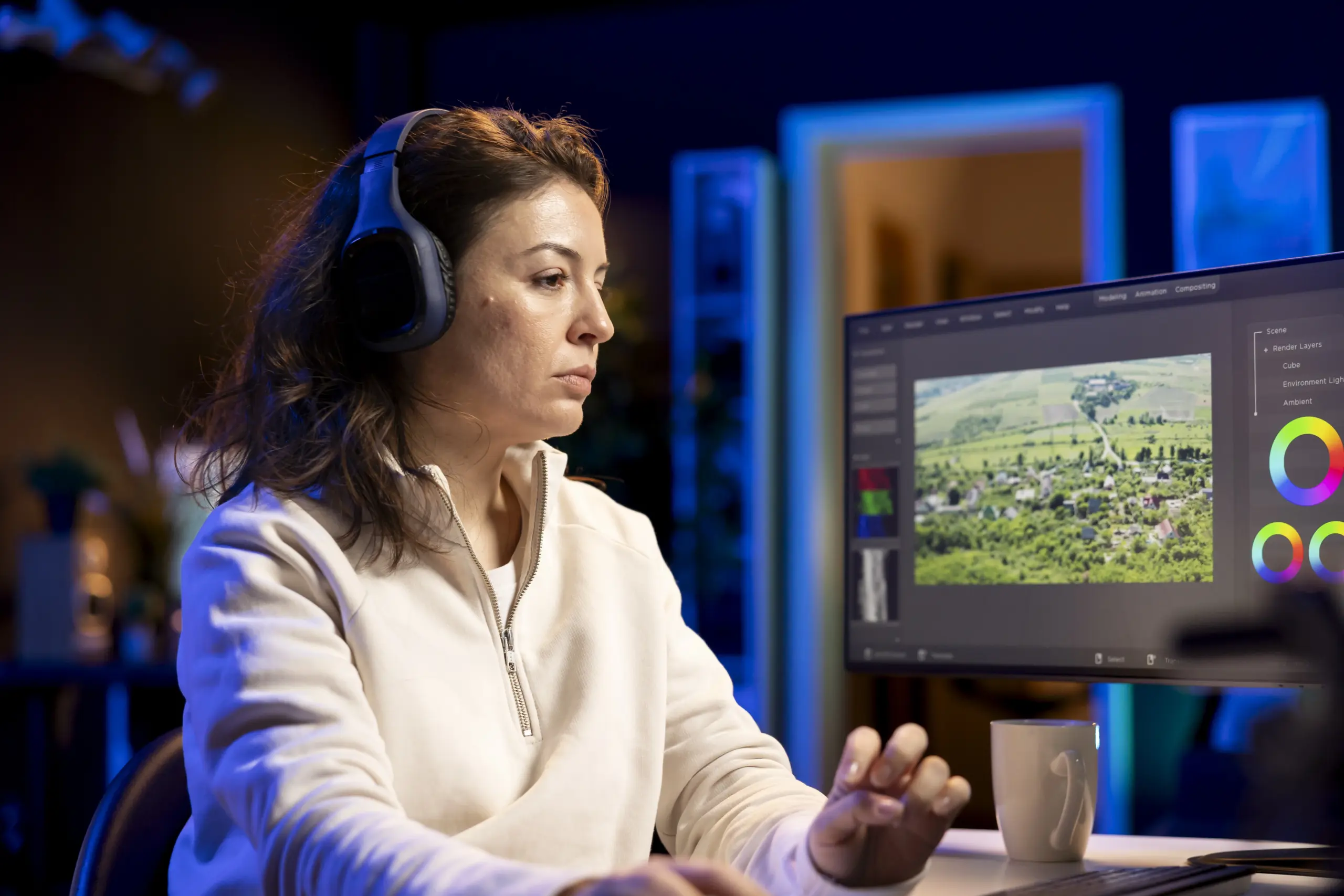
DaVinci Resolve began as a color correction tool for Hollywood. Blackmagic Design expanded it into a full editing suite. It now handles editing, color, audio, and visual effects in one application .
Key Features
-
Node-based color grading – The industry standard for colorists .
-
Fairlight audio – Professional audio mixing built directly into the application .
-
Fusion VFX – Node-based compositing, comparable to After Effects .
-
Multi-user collaboration – Studio version allows editors, colorists, and sound engineers to work on the same project simultaneously .
-
AI tools – DaVinci Neural Engine powers features like AI CineFocus, Speech Generator, and IntelliSearch .
Advantages
-
Genuinely free – The free version has no watermarks, no time limits, and handles 4K editing .
-
One-time purchase – Studio costs $295 once. No subscription, free lifetime updates .
-
All-in-one workflow – No round-trips. Edit, color, mix audio, and add VFX in one place .
-
Color quality – Used on Hollywood films and streaming series .
-
Cross-platform – Runs on Windows, Mac, and Linux .
Disadvantages
-
Steeper learning curve – The node-based system and complex interface overwhelm beginners .
-
Hardware-hungry – Requires a modern GPU for smooth real-time performance .
-
Smaller editor talent pool – Fewer experienced Resolve editors in the job market .
Ideal Users
Resolve is ideal for budget-conscious creators, colorists, narrative filmmakers, documentary editors, and anyone wanting a complete post-production pipeline without subscriptions .
Become an AI-powered Video Editor
Master the future of video editing with AI-powered tools and techniques. Learn how to create professional-quality videos faster, automate repetitive editing tasks, generate engaging content, and boost your creative productivity.
Start Learning!PREMIERE PRO VS DAVINCI RESOLVE FOR BEGINNERS
Learning Curve
Premiere Pro is slightly more beginner-friendly. Its drag-and-drop interface is cleaner. Its timeline works like most other editors. Adobe provides hundreds of tutorials and a robust community. A complete beginner can start editing within a week .
DaVinci Resolve takes longer to learn. The interface is divided into pages: Cut, Edit, Fusion, Color, Fairlight, Deliver. Each page is a specialized workspace. Beginners may feel lost. Expect 2-3 weeks to be productive and 6-12 months to be fluent .
Interface
Premiere uses a traditional timeline with clips arranged horizontally. DaVinci offers both a traditional Edit page and a simplified Cut page designed for fast assembly. The Cut page is the best starting point for new users .
Editing Workflow
Premiere’s workflow revolves around the timeline. DaVinci’s workflow moves through pages. For a simple edit, both work fine. For complex projects involving color and audio, DaVinci keeps everything in one place. Premiere requires jumping between applications .
Learning Resources
Premiere has more tutorials, courses, and YouTube guides than any other editor. DaVinci’s resources have grown significantly but still trail Premiere .
WHICH IS BETTER FOR DIFFERENT GOALS?
| Goal | Recommendation | Why |
|---|---|---|
| YouTube content | Either works. Start with Resolve for free. | Free version handles 4K YouTube videos. Premiere offers faster social exports . |
| Freelancing | Premiere Pro | More clients request Premiere. Easier to find work . |
| Filmmaking | DaVinci Resolve | Color pipeline and all-in-one workflow suit narrative projects . |
| Social media | Premiere Pro | Auto Reframe and template-based graphics speed up short-form work . |
| Professional editing | Depends on employer | Agencies use Premiere. Color houses use Resolve . |
PRICING AND SYSTEM REQUIREMENTS
| Premiere Pro | DaVinci Resolve | |
|---|---|---|
| Free Version | No | Yes (fully featured) |
| Paid Version | $22.99/month | $295 one-time (Studio) |
| 5-Year Cost (1 editor) | ~$1,380 | $295 |
| Minimum RAM | 8GB (16GB recommended) | 16GB (32GB for 4K) |
| GPU | 4GB VRAM minimum | 4GB minimum, 8GB+ recommended |
| OS Support | Windows 11, macOS Sonoma+ | Windows, Mac, Linux |
Premiere Pro’s latest version requires Windows 11 and macOS Sonoma or newer. Windows 10 is no longer supported .
CAREER OPPORTUNITIES
Premiere Pro remains the industry standard in agencies, newsrooms, and broadcast. Job listings frequently require “Premiere Pro proficiency.” The talent pool is larger, making it easier to hire and be hired .
DaVinci Resolve dominates colour grading and finishing. Hollywood films use Resolve for colour. Narrative and documentary productions increasingly use Resolve as the primary editor. The talent pool is smaller but highly skilled .
If you want maximum job listings, learn Premiere. If you want colour and finishing expertise, learn Resolve. Many professionals learn both.
WHICH SHOULD YOU LEARN FIRST?
Learn DaVinci Resolve first if you:
- want a free, professional tool with no subscription.
- are interested in colour grading.
- edit narrative, documentary, or personal projects.
- want an all-in-one workflow without round-trips.
- are on a budget.
Learn Premiere Pro first if you:
- already use Adobe apps.
- have a target employer who requires Premiere.
- edit high-volume social content.
- want the largest learning community.
- need Frame.io integration for client review .
CAN YOU LEARN BOTH?
Yes, and most professionals eventually do. Learn one tool deeply first. Then learn the second when a project or job requires it.
If you learn Premiere first, transitioning to Resolve takes 2-3 weeks. If you learn Resolve first, Premiere feels like a simpler, more limited editor .
BEGINNER LEARNING ROADMAP (30 DAYS)
| Week | Focus |
|---|---|
| Week 1 | Learn the interface. Import media. Practice basic cuts and trims. |
| Week 2 | Learn transitions, titles, and simple audio adjustments. Complete a 2-minute edit. |
| Week 3 | Learn color correction basics. Practice matching shots. Export for YouTube. |
| Week 4 | Complete a full project. Add motion graphics. Explore advanced features. |
Follow this roadmap in whichever tool you choose. Focus on finishing projects, not just watching tutorials.
Join Our Online Video Editing Course in Kerala. Get Ready for your Dream Job!
CONCLUSION
There is no single “better” tool. Premiere Pro and DaVinci Resolve are both professional, both capable, and both career-relevant. The right first choice depends on your budget, your goals, and the ecosystem you want to join.
For most beginners in 2026, DaVinci Resolve is the smarter starting point. It is free, professional, and teaches you color grading at a level Premiere cannot match. If you later need Premiere for a job, the transition is easy.
If you already use Adobe apps or your dream job requires Premiere, start there. Learn it deeply. Then add Resolve when you need its color and finishing power.
Pick one. Start today. Finish a project this week. The tool matters less than the practice.
Become an AI-powered Video Editor
Master the future of video editing with AI-powered tools and techniques. Learn how to create professional-quality videos faster, automate repetitive editing tasks, generate engaging content, and boost your creative productivity.
Start Learning!Frequently Asked Questions
Which is better for beginners: Premiere Pro or DaVinci Resolve?
DaVinci Resolve is better for most beginners because the free version is professional-grade with no watermarks. Premiere Pro is slightly easier to learn and has more tutorials. However, Resolve’s free version saves money while you build skills.
Is DaVinci Resolve really free?
Yes, DaVinci Resolve has a genuinely free version with no watermarks, no time limits, and support for 4K editing. The paid Studio version costs $295 one-time and adds features like AI tools and multi-user collaboration. There is no subscription required.
How much does Premiere Pro cost compared to Resolve?
Premiere Pro costs $22.99 per month for the single app, or $54.99 for Creative Cloud All Apps. Over five years, that is about $1,380. DaVinci Resolve Studio costs $295 once with free lifetime updates. Resolve is significantly cheaper long-term.
Which software is easier to learn?
Premiere Pro has a slightly easier learning curve with a cleaner drag-and-drop interface. DaVinci Resolve takes longer because of its page-based system (Cut, Edit, Fusion, Color, Fairlight). Expect 2-3 weeks to be productive in Resolve versus about one week in Premiere.
Which is better for color grading?
DaVinci Resolve is the industry standard for color grading. Its node-based system is used on Hollywood films and streaming series. Premiere’s Lumetri color tools are competent but lack Resolve’s depth and precision.
Which is better for YouTube content?
Both work well for YouTube. DaVinci Resolve is better for budget-conscious creators because the free version handles 4K. Premiere Pro offers faster social exports, Auto Reframe, and template-based graphics for high-volume content.
Can I get a job if I only know DaVinci Resolve?
Yes, but job listings more frequently request Premiere Pro. Agencies, newsrooms, and broadcasters often require Premiere. DaVinci Resolve dominates color grading and finishing roles. Learning both increases your job opportunities.
Which software has better audio tools?
DaVinci Resolve has Fairlight audio built directly into the application. Premiere Pro requires Audition for advanced audio work, which means round-tripping between apps. Resolve’s all-in-one workflow is more efficient for audio-heavy projects.
How long does it take to learn both tools?
Learn one tool deeply first (2-3 months). Then learning the second takes 2-3 weeks if you already understand editing concepts. Most professionals eventually learn both, but mastering one first prevents confusion.