Table of Contents
You can protect your digital life with simple habits. Follow five easy rules to stay safe online. Use strong passwords for important accounts. Apply 2FA for extra security. Avoid clicking unknown links. Skip suspicious messages. Keep your devices updated. Also update apps regularly. Avoid using public Wi-Fi. For sensitive tasks use mobile data. This blog explains each rule in simple steps. It also gives examples and practical safety tips. Follow these rules to stay safe and confident online.
Enroll in Entri’s AI-Powered Cybersecurity course now!
Key Takeaways:
- Strong passwords protects one’s account from easy attacks.
- 2FA adds an extra layer of security.
- Avoid clicking unknown links or messages.
- Keep devices updated for better protection.
- Stay careful while using public internet networks.
Introduction
Online scams are becoming very common in daily life. Many users face hacking attempts without realizing risks early. Fraudsters use smart tricks. They steal sensitive information with it. These attacks look trustworthy. And also trustworthy.
People receive fake messages that look like official alerts. Some messages ask for urgent action or personal details. Many users click links without checking the source carefully. This leads to loss of money and personal data.
Digital usage is increasing in everyday activities now. People depend on apps for payments and communication. More online activity increases chances of cyber risks. Awareness keeps one stay safe in digital spaces.
The solution is simple. It is easy to follow as well. Small habits can improve one’s online safety. Following basic rules can prevent most cyber problems.
⚠️ Common Risks Faced by Users
- Fake links that steal login information.
- Fraud calls asking for OTP or passwords.
- Malicious apps that access personal data.
- Unsafe websites that collect sensitive details.
🎯 What This Guide Will Help You Do
- Understand common online threats clearly.
- Learn simple ways to protect your data.
- Avoid common mistakes made by users.
- Build safe habits for daily online activities.
This guide makes online safety easy to understand.
Section 1: What is Cyber Security Awareness?
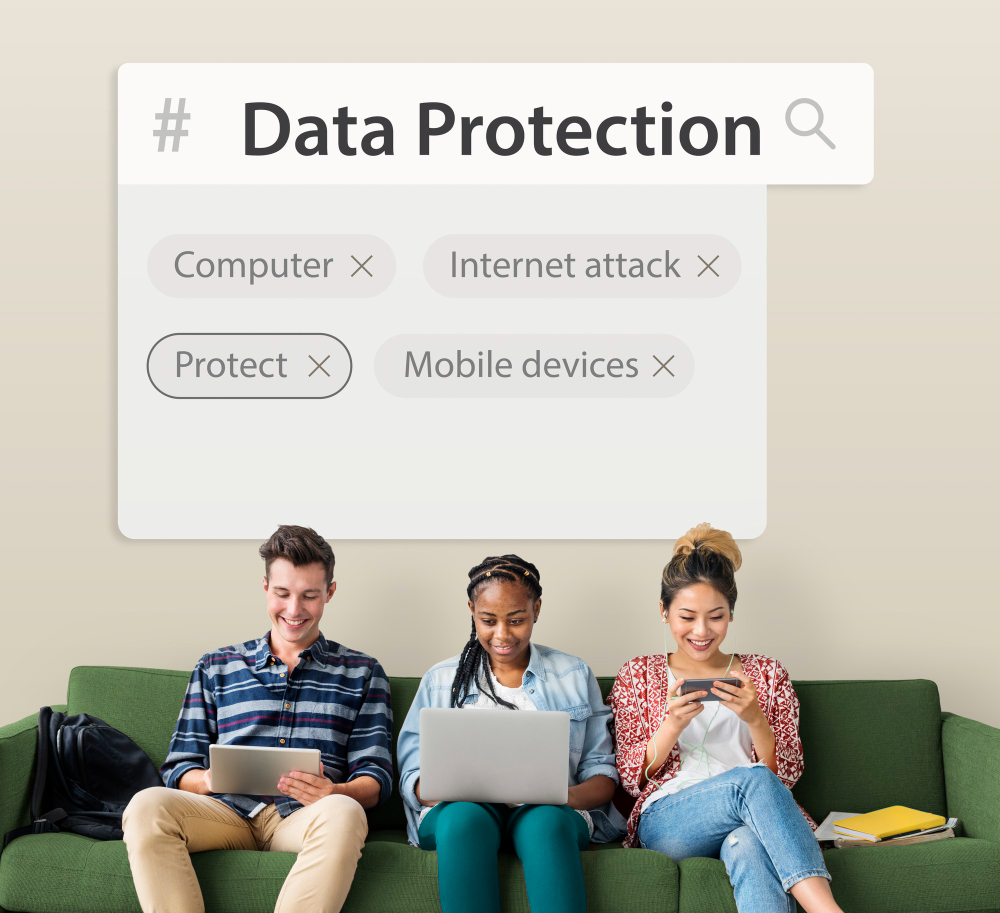
Cyber security awareness means staying safe. Especially when one uses internet. It helps protect data. It also keeps one’s devices, and online accounts safe. One can make safe decisions during daily activities.
People use the internet a lot today. Without it can be risky. Simple knowledge can prevent several online problems.
🔍 Why Cyber Security Awareness Matters
Being aware helps. One recognizes risks before damage. You can avoid unsafe situations online.
- Key Benefits
- Protects personal information.
- Keeps sensitive information safe
- Online fraud and scams reduces.
- Protects devices from harmful activities.
📱 Where Cyber Security Awareness Is Used
It is needed in everyday digital activities.
- Online Banking and Payments
- Protects financial information during transactions.
- Helps avoid fake payment links.
- Prevents fraud.
- Social Media Usage
- Keeps personal data safe.
- Unknown users cannot access.
- Prevents misuse of photos.
- Protects private details.
- Email Communication
- Helps identify fake emails.
- Suspicious mails are filtered
- Avoids clicking harmful links.
- Prevents opening dangerous attachments.
⚠️ What Happens Without Awareness
- Users may trust fake messages easily.
- Sensitive data get shared unknowingly.
- Accounts gets hacked.
- Accounts may be misused.
📌 Key Understanding
- Awareness helps identify risks.
- Safe habits reduces cyber attacks.
- Small actions can prevent major problems.
Cyber security awareness keeps one safe online.
Section 2: Why Cyber Security is Important in 2026
Cybersecurity is more important than ever today. Digital life is growing faster across all sectors. More online activity brings more security risks daily.
📈 Increase in Cyber Attacks
Cyber attacks are increasing across different platforms. Hackers use new and smarter techniques regularly.
- Common Threats
- Online scams targeting users through messages.
- Fraud calls asking for sensitive information.
- Fake websites collecting login details.
- Why It Matters
- Attacks happen quickly without warning.
- Users often trust fake messages easily.
📱 Digital Dependency
People depend heavily on digital services daily. Most activities now happen through mobile apps.
- Daily Usage Areas
- Online payments using UPI and banking apps.
- Social media communication and file sharing.
- Cloud storage for personal and work data.
- Impact of Dependency
- More data is stored online than before.
- Increased usage creates more attack points.
⚠️ Personal & Financial Risks
Cyber risks directly affect personal and financial safety. Losses can happen quickly without proper awareness.
- Personal Risks
- Data theft can lead to identity misuse.
- Private information can be exposed online.
- Financial Risks
- Money can be stolen through fraud links.
- Unauthorized transactions may happen instantly.
📌 Key Insight
- Online safety is important for everyone today.
- Risks increase with more digital usage.
- Awareness helps reduce chances of cyber damage.
Section 3: 5 Golden Rules to Protect Your Digital Self
Staying safe online requires simple and consistent habits. These five rules help protect your data and accounts. They are easy to follow in daily digital life.
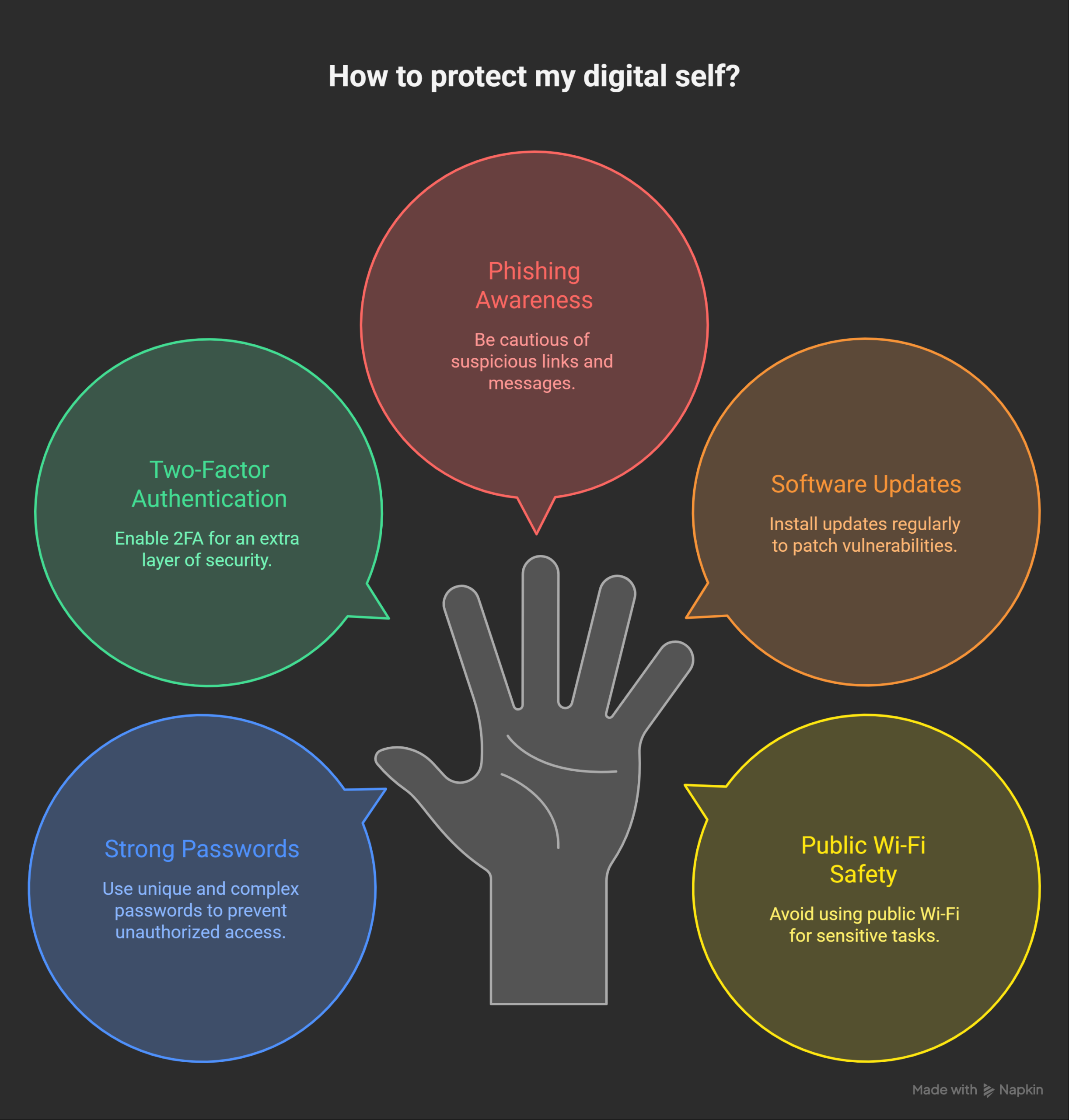
🔐 Rule 1: Use Strong & Unique Passwords
Strong passwords protect your accounts from easy attacks. Weak passwords can be guessed within seconds easily. Using the same password increases risk across accounts.
📌 What Makes a Strong Password?
- Use at least twelve characters.
- Include letters, numbers, and symbols.
- Avoid names, dates, or common words.
⚠️ Common Mistakes
- Using “123456” or simple patterns.
- Reusing one password for many accounts.
💡 Real-Life Example
A reused password can expose multiple accounts. One hack can affect banking and email accounts.
✅ Actionable Tips
- Use a password manager for safe storage.
- Change passwords regularly for important accounts.
📊 Quick Password Tips Table
| Practice | Benefit |
|---|---|
| Strong passwords | Harder to crack |
| Unique passwords | Limits damage across sites |
| Password manager | Easy and secure storage |
🔑 Rule 2: Enable Two-Factor Authentication (2FA)
2FA adds an extra layer of security protection. It requires a second step after entering passwords. This makes accounts much harder to access illegally.
📌 How 2FA Works
- Enter your password normally.
- Receive OTP or app verification code.
- Enter code to complete login.
⚠️ Why It Matters
- Password alone is not always enough.
- Extra verification blocks unauthorized access.
💡 Real-Life Example
A stolen password cannot access your account directly. The attacker still needs the second verification step.
✅ Actionable Tips
- Enable 2FA for banking and email accounts.
- Use authenticator apps instead of SMS when possible.
⚠️ Rule 3: Beware of Phishing Scams
Phishing scams try to trick users into sharing details. These scams often look real and trustworthy initially. They use urgency to make users act quickly.
📌 Common Phishing Methods
- Fake emails from banks or companies.
- SMS messages with suspicious links.
- Fake websites asking for login details.
⚠️ Warning Signs
- Urgent messages asking for quick action.
- Links with strange or incorrect URLs.
💡 Real-Life Example
A fake message asks to update bank details. Clicking the link leads to a fake website.
✅ Actionable Tips
- Always check sender details carefully.
- Avoid clicking links without verification.
🔄 Rule 4: Keep Software & Devices Updated
Updates fix security problems in apps and devices. Outdated systems are easier for hackers to attack. Regular updates improve system protection and performance.
📌 Why Updates Matter
- Fix known security vulnerabilities.
- Improve system stability and performance.
⚠️ Risks of Ignoring Updates
- Devices become easy targets for attackers.
- Old software may not support security features.
💡 Real-Life Example
An outdated app may allow unauthorized access. Hackers exploit known issues in old versions.
✅ Actionable Tips
- Turn on automatic updates for devices.
- Check updates regularly for important apps.
📊 Update Benefits Table
| Action | Benefit |
|---|---|
| Regular updates | Better security protection |
| Automatic updates | No missed fixes |
| Updated apps | Improved performance |
📶 Rule 5: Avoid Public Wi-Fi for Sensitive Tasks
Public Wi-Fi networks are not always secure. They can expose your data to attackers easily. Sensitive activities become risky on open networks.
📌 Risks of Public Wi-Fi
- Data can be intercepted by hackers.
- Login details may be stolen easily.
⚠️ Unsafe Activities
- Online banking on public networks.
- Entering passwords on shared connections.
💡 Real-Life Example
Using public Wi-Fi for payments can expose details. Attackers can access data on unsecured networks.
✅ Actionable Tips
- Use mobile data for important tasks.
- Use VPN for secure internet connection.
📊 Safe Network Practices Table
| Practice | Benefit |
|---|---|
| Avoid public Wi-Fi | Reduces data exposure |
| Use mobile data | More secure connection |
| Use VPN | Protects internet activity |
Following these five rules improves your online safety.
Section 4: Bonus Tips
Extra safety steps help improve your online protection. These tips support your daily cybersecurity habits effectively. They are simple and easy to follow regularly.

🛡️ Use Antivirus Software
Antivirus helps detect and remove harmful programs quickly. It protects your device from viruses and malware attacks.
- Key Benefits
- Detects threats before they cause damage.
- Scans files and apps regularly.
- Best Practices
- Keep antivirus updated at all times.
- Run regular scans for better safety.
💾 Backup Your Data Regularly
Data backup helps recover lost or damaged information. It protects your important files from unexpected incidents.
- Why Backup Matters
- Prevents data loss during cyber attacks.
- Helps restore files after system failure.
- How to Backup Safely
- Use cloud storage for easy access.
- Keep copies on external storage devices.
🔐 Limit App Permissions
Apps often request access to your personal data. Limiting permissions reduces risk of data misuse.
- What to Check
- Camera and microphone access.
- Location and storage permissions.
- Best Practices
- Allow only necessary permissions.
- Review permissions regularly.
📱 Lock Your Devices
Device locks protect your data from unauthorized access. Simple security settings can prevent many risks.
- Security Options
- Use PIN, password, or fingerprint lock.
- Enable auto-lock after inactivity.
- Why It Matters
- Prevents misuse if device is lost.
- Keeps personal data secure.
These bonus tips strengthen your overall digital safety.
Section 5: Common Cyber Security Mistakes
Many users make simple mistakes while using the internet. These mistakes increase the risk of cyber attacks quickly. Avoiding them can improve your online safety greatly.
🔑 Using Weak Passwords
Weak passwords are easy for attackers to guess. They make accounts vulnerable to hacking attempts.
- Common Issues
- Using short or simple passwords.
- Reusing the same password everywhere.
- Better Approach
- Create strong and unique passwords.
- Use a password manager for safety.
📲 Sharing OTP and Sensitive Details
Sharing OTP can lead to immediate financial loss. Attackers often pretend to be trusted sources.
- Common Scenarios
- Fake calls asking for OTP verification.
- Messages requesting confidential information.
- Better Approach
- Never share OTP with anyone.
- Verify requests before taking action.
🔗 Clicking Unknown Links
Unknown links can lead to harmful websites. They may steal your data or install malware.
- Common Risks
- Fake links in emails or messages.
- Redirects to phishing websites.
- Better Approach
- Check links before clicking.
- Avoid suspicious or unknown sources.
⚠️ Ignoring Security Updates
Skipping updates makes devices less secure. Outdated software contains known vulnerabilities.
- Common Issues
- Delaying system or app updates.
- Using old versions without patches.
- Better Approach
- Install updates as soon as available.
- Enable automatic updates on devices.
📌 Not Checking App Permissions
Apps may access more data than needed. This increases risk of data misuse.
- Common Mistakes
- Allowing all permissions without checking.
- Ignoring privacy settings.
- Better Approach
- Allow only required permissions.
- Review permissions regularly.
Avoiding these mistakes helps protect your digital life better.
Conclusion
Cybersecurity awareness is important for safe digital life today. Simple habits can prevent many common online risks easily. Following basic rules helps protect your data and accounts. Staying alert reduces chances of scams and attacks.
Start applying these safety steps in your daily activities. Be careful while using apps, links, and online services. Small actions can create strong protection over time. Stay aware, stay safe, and protect your digital life always.
Frequently Asked Questions
What is cybersecurity awareness?
It means understanding how to stay safe online. It helps protect data and accounts.
Why are strong passwords important?
Strong passwords make accounts harder to hack. They protect personal information.
What is 2FA and why use it?
2FA adds an extra login step for security. It prevents unauthorized access.
What are phishing scams?
They are fake messages that steal your information. They often look real.
Is public Wi-Fi safe to use?
Public Wi-Fi is not safe for sensitive activities. It can expose your data.
How often should I update my devices?
Update devices whenever new updates are available. This improves security.
Can antivirus protect completely?
Antivirus helps but does not guarantee full safety. Awareness is still important.
What should I do if I get a suspicious message?
Avoid clicking links and verify the source. Delete the message if unsure.
How can I protect my bank account online?
Use strong passwords, enable 2FA, and avoid sharing OTP.
Is cybersecurity important for everyone?
Yes, anyone using the internet needs basic cybersecurity awareness.