Table of Contents
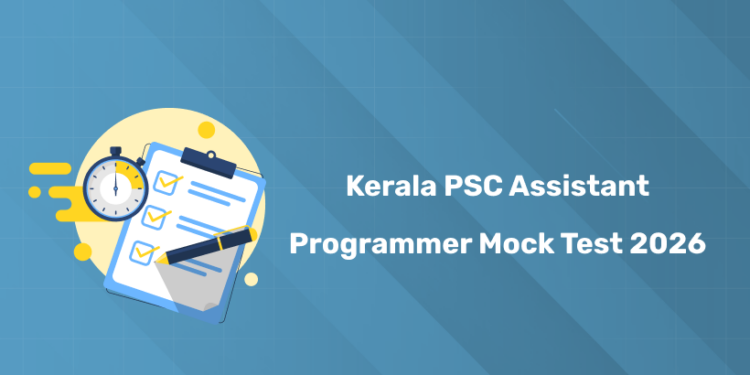
Are you preparing for the Kerala PSC Assistant Programmer exam? Attempt the mock tests as part of your final revision. These mock tests include frequently asked questions, helping you get familiar with the exam pattern and repeated MCQs. Attempting them will improve your confidence level and knowledge base for the actual exam. To try the Kerala PSC Assistant Programmer 2026 mock test series, click the link provided below.
Kerala PSC Assistant Programmer 2026 Syllabus PDF Download
Before you start attempting the mock tests, it’s important to have a clear understanding of the exam syllabus. Download the Kerala PSC Assistant Programmer 2026 syllabus PDF to know all the topics included. Make sure to review the syllabus thoroughly before starting any practice series.
Kerala PSC Assistant Programmer 2026 Highlights
1: Between the period of 1858-1947, how many Viceroys ruled over India?
| Recruitment Details | Information |
|---|---|
| Exam Body | Kerala PSC |
| Department | Kerala State Planning Board |
| Post Name | Assistant Programmer |
| Category No. | 442/2025 |
| Number of Vacancies | 1 (One) |
| Application Start Date | 28 November 2025 |
| Application Last Date | 31 December 2025 |
| Application Method | Online through One Time Registration |
| Ranked List Validity | 1–3 years |
| How to Apply | Register via Kerala PSC One Time Registration portal or apply through profile if already registered |
| Official Website | www.keralapsc.gov.in |
Prepare for Kerala PSC Technical Exams with Entri
സർക്കാർ ജോലി എന്ന സ്വപ്നം ഇനി സ്വപ്നം മാത്രമല്ല! Join Kerala's Top-rated PSC Coaching Programs
Join NowKerala PSC Assistant Programmer Mock Test 2026 – Direct Link to Attempt
Take advantage of the free 7-day mock test series for the Kerala PSC Assistant Programmer exam. The questions are prepared based on previous year exams, giving you a high chance of encountering similar questions in the actual test. Review your results carefully, track your progress, and avoid repeating mistakes by solving them at the end of each day. Click the link below to start Kerala PSC Assistant Programmer mock test 2026 series!
| Mock Test Series | Link |
| Series 1 | |
| Series 2 | |
| Series 3 | |
| Series 4 | |
| Series 5 |
Step-by-Step Guide: Before, During & After Assistant Programmer Mock Test
Before Mock Test:
- Review the syllabus and know the topics included
- Keep paper, pen, and calculator (if needed) ready
- Ensure a quiet environment with no distractions
- Set a timer to replicate actual exam conditions
During Mock Test:
- Attempt easier questions first to save time
- Avoid getting stuck; mark and move on if unsure
- Keep track of time per section
- Stay calm and focused
After Mock Test:
- Review answers carefully, note mistakes
- Track your score and weak areas
- Re-attempt incorrect questions and revise concepts
- Plan your next mock or study session accordingly
Why You Should Attempt Kerala PSC Assistant Programmer Mock Test 2026
- Provides a real exam-like experience before the actual test
- Helps in efficient revision of all important topics
- Highlights areas that need more practice
- Enhances your accuracy in solving questions
- Teaches you exam strategy and time allocation
- Track your study progress
Prepare for Kerala PSC Technical Exams with Entri
സർക്കാർ ജോലി എന്ന സ്വപ്നം ഇനി സ്വപ്നം മാത്രമല്ല! Join Kerala's Top-rated PSC Coaching Programs
Join NowSteps to Attempt KPSC Assistant Programmer Mock Test on Entri
Check out this step-by-step guide to attempt Kerala PSC Assistant Programmer 2026 mock tests on the Entri app. Follow the instructions carefully
Step 1: Install and Open the Entri App
- Download the Entri App from Google Play Store or Apple App Store.
- Sign up using your phone number, or log in if you already have an account.
Step 2: Find the Mock Test Section
- From the home screen, go to “Mock Tests” or “PSC Exam Practice”.
- Select the Kerala PSC Assistant Programmer 2026 mock test series.
Step 3: Select Your Mock Test
- Start with the free 7-day trial or choose a paid plan if preferred.
- Pick a test according to the exam syllabus and difficulty level.
Step 4: Start the Test
- Carefully read the instructions and timer details.
- Attempt questions in sequence or mark doubtful questions to revisit.
- Keep an eye on the time remaining.
Step 5: Submit and Analyze
- Submit the test once completed.
- Go through the correct answers and explanations.
- Note mistakes and revise weak topics immediately.
Step 6: Monitor Your Progress
- Track scores, accuracy, and improvement over time.
- Re-attempt tests to improve confidence and speed.
- Use results to plan further revision before the exam.