Table of Contents
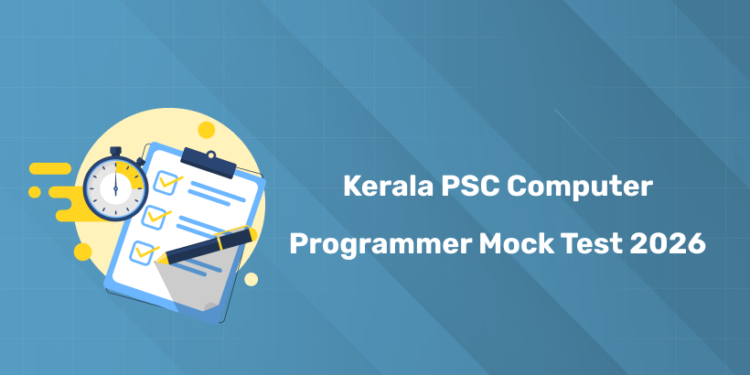
The Kerala PSC Computer Programmer exam has been announced. It’s the right time for candidates, who have given confirmation to appear for the exam, to start their final preparation. Solving previous year questions (PYQs), attempting mock tests, and following a revision series will be highly beneficial. In this article, a link to the mock test series is provided—scroll down to access it and attempt the Kerala PSC Computer Programmer mock test 2026 series!
Kerala PSC Computer Programmer 2026 Syllabus PDF Download
To maximize the benefits of the mock tests, always start by reviewing the official syllabus PDF. Having the syllabus on hand ensures that you cover all important topics and track your preparation systematically. Download the Kerala PSC Computer Programmer 2026 syllabus PDF now and plan your mock test attempts accordingly.
Kerala PSC Computer Programmer Recruitment 2026 Highlights
1: Between the period of 1858-1947, how many Viceroys ruled over India?
| Recruitment Highlights | Details |
|---|---|
| Exam Body | Kerala PSC |
| Post Name | Computer Programmer |
| Category No. | 460/2025 |
| Organization | Kerala State Co-operative Federation for Fisheries Development Ltd. (MATSYAFED) |
| Application Start Date | 28 November 2025 |
| Application Last Date | 31 December 2025 |
| Application Method | Online through One Time Registration (OTR) |
| Official Website | www.keralapsc.gov.in |
Prepare for Kerala PSC Technical Exams with Entri
സർക്കാർ ജോലി എന്ന സ്വപ്നം ഇനി സ്വപ്നം മാത്രമല്ല! Join Kerala's Top-rated PSC Coaching Programs
Join NowKerala PSC Computer Programmer Mock Test 2026 – Free Series Attempt Link
tart practicing the mock tests for free for 7 days. The questions are based on previous papers, so you can get familiar with the pattern and types of questions. After each test, check your answers, track your progress, and fix any mistakes. Click the link below to access the mock test series and make your final revision stronger.
| Mock Test Series | Link |
| Series 1 | |
| Series 2 | |
| Series 3 | |
| Series 4 | |
| Series 5 |
How to Prepare for Kerala PSC Computer Programmer Mock Test 2026
Before Mock Test:
- Download the syllabus PDF and revise important topics
- Arrange all study materials and notes nearby
- Sit in a quiet place and switch off phone/notifications
- Have a water bottle and stay comfortable
During Mock Test:
- Solve questions in a step-by-step manner
- Manage time efficiently, don’t spend too long on one question
- Focus on accuracy over speed initially
- Avoid distractions; treat it like the real exam
After Mock Test:
- Go through each question and analyze mistakes
- Update your mistake notebook for future reference
- Identify topics that need more practice
- Use results to plan the next revision session
Benefits of Attempting Kerala PSC Computer Programmer Mock Test 2026
- Familiarizes you with the exam pattern and question types
- Helps identify strong and weak areas in your preparation
- Improves speed and time management during the exam
- Builds confidence and reduces exam anxiety
- Allows you to track progress and correct mistakes regularly
- Prepares you for repeated questions from previous years
Prepare for Kerala PSC Technical Exams with Entri
സർക്കാർ ജോലി എന്ന സ്വപ്നം ഇനി സ്വപ്നം മാത്രമല്ല! Join Kerala's Top-rated PSC Coaching Programs
Join NowHow to Attempt Kerala PSC Computer Programmer Mock Tests on the Entri
Go through the step-by-step guide to attempt KPSC Computer Programmer Mock Tests 2026 on Entri app
Step 1: Download & Install the Entri App
- Go to the Google Play Store or Apple App Store.
- Search for “Entri App” and install it on your smartphone.
- Open the app and sign up or log in with your credentials.
Step 2: Navigate to the Mock Test Section
- On the home screen, look for “Kerala Technical” then “Computer Programmer Post”
- Select the Kerala PSC Computer Programmer 2026 mock test series.
Step 3: Choose a Test
- You can start with the free 7-day trial or select a subscription plan if needed.
- Pick a mock test from the list that matches the exam pattern.
Step 4: Attempt the Test
- Read the instructions carefully before starting.
- Attempt the questions within the given time limit.
- Mark questions you are unsure about and move on; don’t get stuck.
Step 5: Submit & Review
- After completing the test, submit your answers.
- Review the detailed solution and explanation for each question.
- Note your mistakes in a notebook and revise them.
Step 6: Track Your Progress
- Check your score and rank in the test.
- Repeat tests to improve accuracy and speed.
- Focus on weak areas and revise accordingly.