Table of Contents
Key Takeaways
- AI Financial Helper: Google has launched a new conversational tool inside its popular payments app in India.
- Powered by Gemini: The assistant uses advanced artificial intelligence to answer questions about your money.
- 10 Indian Languages: Chat or use voice commands in multiple local languages.
- Smart Spend Analysis: Now you can break down your weekly expenses, track habits, and spot savings options.
- Financial Literacy: It is very much possible to learn about complex topics like Mutual Funds, SIPs, and credit scores in simple terms.
- Privacy First: An optional feature that requires explicit user consent and keeps your sensitive bank numbers completely safe.
Ace your personal finance journey with Entri’s Personal Finance Online Course. Join Now!
Introduction
1: What is a stock?
Managing daily expenses leaves us with several unanswered questions. Many of us open our banking apps at the end of the month. Finally, we end up wondering where all our money went. Keeping track of food delivery bills, auto fares, and household grocery shopping is not at all an easy task. It is equally difficult to understand financial terms like compound interest or credit scores.
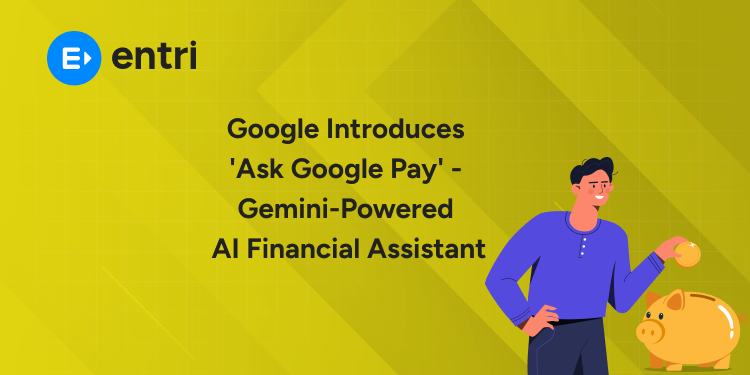
To solve these everyday challenges, Ask Google Pay brings the power of artificial intelligence directly to your digital wallet. Built using Google’s intelligent Gemini AI models, this new companion turns a simple payment app into a personal guide for your finances.
Be it analyzing your monthly spending or learning how a Systematic Investment Plan (SIP) works, all you have to do is to text or just send a voice message. An AI financial assistant designed specifically for users across India, it aims to make money management easy, smart, and stress-free for everyone.
What is this New AI Financial Assistant?

For years, we have been using payment apps mainly to send money or pay bills. All we have to do is to scan a QR code at a local store and enter the PIN. It’s over and we could move on with our day. However, the biggest problem is to track where that money actually goes. For that purpose, we have to again rely on manual bookkeeping or spreadsheets.
The introduction of Ask Google Pay changes this completely. It is a conversational AI assistant that lies directly inside the money section of your app. No longer you have to go through long lists of past transactions. Now it’s pretty easy as you can simply ask questions in natural language.
The assistant works like a knowledgeable friend who knows your general spending habits. It reads your transaction history (with your permission) and gives you instant answers. Because it runs on advanced Gemini technology, it understands context, follow-up questions, and real-life financial scenarios.
Key Features Built for Everyday Indian Users
Managing money in India involves unique habits. We split bills with roommates, pay local vegetable vendors via UPI, and look for cashback offers on utility bills. This new tool comes packed with features designed specifically for Indian consumers.
1. Simple Expense Analysis
There’s absolutely no need to manually add up your bills. Now you can ask direct questions. For example, you can type, “How much did I spend on food delivery last week?” or “What was my total shopping expenditure this month?” The assistant scans your history in no time and presents a neat summary.
2. Multi-Language Support
India is a country where we have numerous languages. Thus, understanding financial terms in English can sometimes be tricky. To fix this, the tool supports 10 Indian languages.
Now you can ask questions in your preferred language using either text or voice commands. This makes smart money management accessible to millions of people across tier-2 and tier-3 cities.
3. Smart Recommendations for Offers
Finding the right credit card or discount offer can save you a lot of money. If you spend heavily on travel or online shopping, you can ask the assistant to help you explore matching financial products.
It looks at your spending patterns and points you toward reward programs or cards that offer the best value for your needs.
4. Educational Insights
Are you aware of how your credit score is calculated? Or how tax regimes differ from each other? Many people hesitate to ask these basic questions.
With Ask Google Pay, you can ask anything related to personal finance without feeling self-conscious. It breaks down complex financial definitions into simple, everyday concepts.
How it Helps Boost Financial Literacy

Financial literacy is inevitable for long-term wealth creation. However, as traditional financial advice uses heavy jargon, many a time beginners are confused. This AI tool acts as an easy educational hub right inside your pocket.
Understanding Investments
If you are curious about starting an investment journey, you can ask questions like:
- “What is a Systematic Investment Plan (SIP)?”
- “What is the difference between a direct fund and a regular fund?”
- “How does compound interest work over 5 years?”
The assistant explains these topics clearly. It provides neutral, educational information so you can understand how different investment channels work before making any decisions.
Your CIBIL score plays a major role when you apply for home loans, car loans, or credit cards. The assistant helps you understand what factors impact your credit score. It can guide you on habits that maintain a healthy credit standing, such as paying bills on time and keeping credit utilization low. Trusted, concepts to help you grow with confidence. Enroll now and learn to start investing the right way.
When dealing with money matters, privacy is the top priority for everyone. You might wonder: Is my private banking data safe when using an AI tool? Google has built this system with strong security guardrails to protect user privacy: The assistant is completely optional. It does not look at your spending data unless you explicitly enable data personalization in your settings. If you prefer not to use it, you can leave it turned off. The AI is programmed to never store, access, or process sensitive identifiers. Your full debit card numbers, credit card CVVs, bank account passwords, and UPI PINs are strictly excluded from all AI interactions. Your queries and transaction summaries stay within the secure ecosystem. They are not shared with unapproved third-party apps. You can view your chat history for up to 42 days and delete your records whenever you want. You can also turn off personalization at any time with a single tap in the settings menu. Remember that this AI assistant provides general information for educational purposes only. It is not a registered financial advisor and does not execute investment trades or payment transactions on its own. Getting started is simple. Follow these basic steps to activate and use the feature on your smartphone: Through the Unified Payments Interface (UPI), India has grown to be a global leader in digital payments. Millions of small businesses and individuals make instant transactions every single day. However, moving from simple digital payments to overall financial wellness is the next big step. By adding a conversational Gemini AI tool into daily payments, Google is bridging the gap between transaction processing and financial awareness. People who depended on informal advice before can now access clear financial guidance on demand. With this shift comes some enormous benefits. They include better budgeting, higher savings rates, and greater confidence when dealing with banks and investment products. Ace your personal finance journey with Entri’s Personal Finance Online Course. Join Now! Managing your money is not a confusing or boring chore anymore. With the launch of Ask Google Pay, intelligent, personalized financial guidance is directly becoming part of your daily routine. It is a perfect combination of smart spending analysis, multi-language support, and simple financial lessons. Thus, this tool empowers everyday users to take full control of their financial health safely and easily. Trusted, concepts to help you grow with confidence. Enroll now and learn to start investing the right way.
It is an AI-powered companion built inside your payments app. It helps you analyze spending and learn personal finance concepts. Yes, it is completely free for all eligible app users in India. No. The assistant only provides financial insights and cannot make payments or transfer money on your behalf. No. Sensitive details like UPI PINs, passwords, and full bank account numbers are never accessed or stored by the AI. Yes. You can speak or type your questions in up to 10 Indian regional languages. No. The information provided is for general educational purposes only. It is not a substitute for professional financial advice. It can be disabled anytime by turning off Data Personalization under the Privacy & Security tab in your app settings.Managing Credit Health
Stock Market Training Reviewed & Monitored by SEBI Registered Investment Advisor
Privacy and Data Security – The First Priority

Strictly Opt-In:
No Sensitive Data Processing:
In-App Data Boundaries:
Full User Control:
Important Safety Note:
How to Start Using the Assistant: A Step-by-Step Guide

Comparison: Traditional Payment Apps vs. AI Financial Assistant
Feature
Traditional Payment Apps
AI-Powered Assistant
Primary Focus
Processing payments and money transfers
Interactive money management and analysis
Expense Tracking
Manual scrolling through transaction history
Instant summaries via text or voice prompts
Language Support
Fixed menu text in chosen language
Conversational chat in 10 Indian languages
Financial Literacy
Static blogs or help articles
Direct answers to custom questions (SIPs, taxes, CIBIL)
Offer Discovery
Generic banner ads
Tailored card and savings suggestions based on habits
The Broader Impact on Digital Payments in India
Conclusion
Stock Market Training Reviewed & Monitored by SEBI Registered Investment Advisor
Frequently Asked Questions
What is this new financial assistant?
Is this feature free to use?
Can the AI complete payments or send money for me?
Is my private banking PIN or password shared with the AI?
Can I use voice commands in my local language?
Is the financial advice given by the AI legally binding?
How do I turn off this feature if I don't need it?