Table of Contents
Introduction
There isn’t a computer, electronic gadget, or digital technology today that can operate without software and firmware. Both assist equipment to perform certain jobs but there are differences between the two in terms of intended usage, functioning and production and maintenance procedures. Software enables users to carry out many tasks, including as visiting the internet, editing files and playing games. But hardware can only execute its work according to the basic instructions set by the firmware. If you are interested in working in embedded systems, computer science, electronics, or development, then understanding the difference between firmware and software is essential.
In this blog we will look at the distinction between software and firmware. We will also look at the basic differences, examples, benefits and uses of each.
Kickstart your embedded systems career and turn your tech passion into high-demand skills!
Key Takeaways:
- Firmware helps regulate a gadget ‘s hardware .
- Software assists the users to do numerous jobs.
- Firmware is usually made for specific devices.
- Software encompasses applications, games and operating systems.
- Firmware and software are both upgradeable.
- Both operate together to make devices work properly .
What Is Firmware?
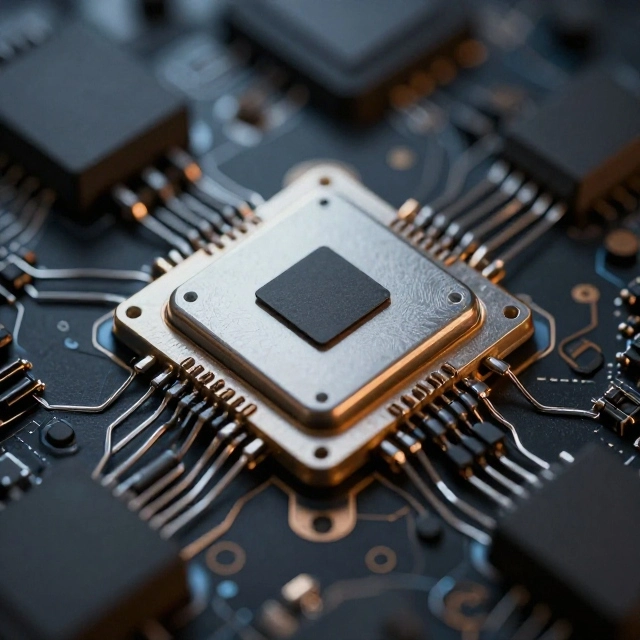
Firmware is a type of software that is responsible for providing low-level instructions that are used to control and operate physical devices. In order to ensure that the instructions remain accessible even after the device has been powered off, it is often stored in a non-volatile memory such as ROM or flash memory.
It is the firmware that is responsible for ensuring that the hardware components perform as intended. In the case of a washing machine, for instance, the firmware is responsible for controlling the washing cycle, the water level, and the spin speed. In a similar manner, the firmware of a router is responsible for controlling network connections as well as the communication between devices that are connected to it.
Software that serves a general purpose is distinct from firmware, which is closely connected to the hardware that it controls. Typically, it is constructed to perform particular tasks in a dependable and effective manner.
Key Features of Firmware
- The operation of electronic components and devices is managed by the firmware, which is referred to as hardware control.
- Having low-level functionality means that it operates in close proximity to the hardware and has the ability to directly control certain hardware functions.
- On the other hand, non-volatile storage is often kept in memory, which is able to keep information even when it is not powered.
- The term “device-specific design” refers to the process by which software is often built for certain hardware or device families.
- Despite the fact that current devices are able to get firmware updates on a regular basis, the frequency of firmware updates may be lower than that of application upgrades.
- Performance that is dependable: Firmware frequently carries out critical activities that must function in a consistent manner.
Examples of Firmware
1. BIOS or UEFI: When a computer is turned on, the BIOS and UEFI firmware assist in initializing the hardware of the computer and starting the installation of the operating system.
2. Router firmware: The firmware of the router is responsible for controlling network connections, wireless settings, and data transfer capabilities.
3. Printer firmware: In addition to managing printing processes, paper management, and connectivity with computers, printer firmware is responsible for managing these issues.
4. Firmware for smart TVs: Firmware makes it possible to control the hardware of the television, as well as the operations of the remote control, display settings, and the startup of the system.
5. Firmware for microcontrollers: Microcontrollers in embedded systems use firmware to control electronic components such as sensors, motors, lights, and other electronic components.
Master Embedded Systems Programming!
Launch your tech career with our Embedded Systems Course, designed for hands-on learning and industry readiness.
Know MoreWhat Is Software?
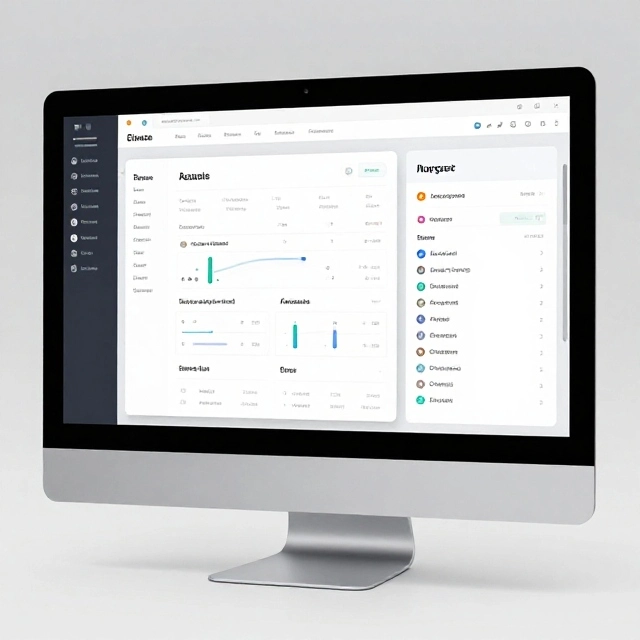
Information that tells a computer or other electronic equipment what tasks to carry out is referred to as software. Software is a collection of programs, instructions, and related data. Interacting with devices, processing information, creating documents, communicating online, and doing a wide variety of other activities are all made possible for users by this.
Operating systems, application programs, development tools, and firmware are all examples of software, which is a wide category that encompasses all of these. Software, on the other hand, is more commonly used to refer to operating systems and general-purpose programs than it is to firmware when making comparisons in everyday situations.
Users are able to produce papers, for instance, with the help of Microsoft Word, and they can access websites with the assistance of a web browser. Both are instances of software that is used for applications.
Computers, smartphones, tablets, servers, and embedded devices are all possible platforms for software to run on. Depending on the requirements of the application, it may be updated on a regular basis in order to incorporate new features, enhance performance, and resolve security concerns.
Key Features of Software
- Software is built to execute certain tasks or to support a variety of user activities. This type of functionality is known as task-oriented functionality.
- Several software applications offer graphical user interfaces that enable users to interact with a device. This type of interaction is known as user interaction.
- Updates that are flexible: Software can frequently be updated to improve its features, performance, and defenses against threats.
- The independence of hardware refers to the fact that numerous software programs are capable of running on a variety of hardware platforms provided that compatible operating systems and environments are available.
- Software has a wide range of uses, including but not limited to the following: communication, education, entertainment, business, and data processing.
- Software comes in a variety of forms, including system software, application software, programming tools, and specialized embedded software.
Examples of Software
1. Operating systems: Windows, macOS, Linux, and Android are examples of operating systems that are responsible for managing system resources and providing platforms for programming programs.
2. Application software: Applications such as Microsoft Word, Google Chrome, and spreadsheet programs assist users in completing tasks that are performed on a daily basis.
3. Mobile applications: Message-sending apps, navigation apps, and instructional apps are examples of mobile applications that offer specific services on mobile devices such as smartphones.
4. Development software: Developers are able to design and maintain programs with the assistance of development software, which includes code editors, compilers, and debugging tools.
5. Business software: Accounting software, customer relationship management software, and inventory management software are all examples of business software that offer assistance to firms in managing their operations.
Firmware vs Software: Key Differences
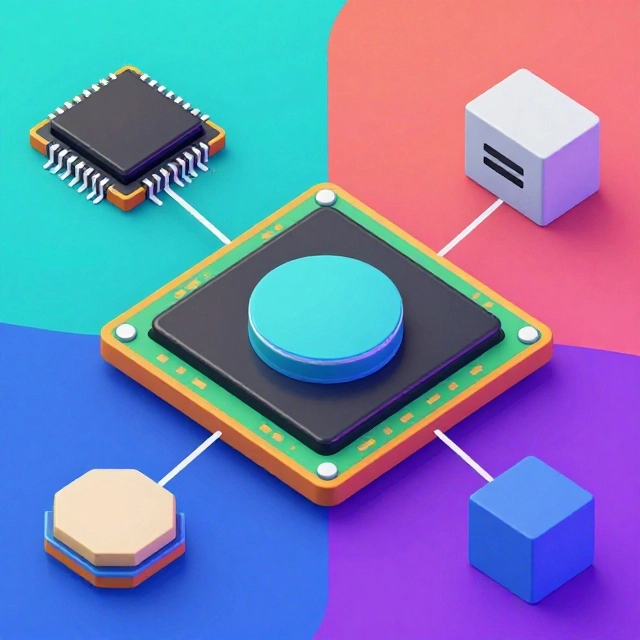
Firmware and software share similarities because both contain instructions executed by a computing system. However, they differ in their typical purpose, relationship with hardware, storage, and update requirements.
| Basis of Comparison | Firmware | Software |
|---|---|---|
| Definition | Instructions at a low level that govern or supply support for the operation of hardware | Programs that are meant to carry out various computing tasks |
| Main purpose | Performs and oversees the operation of particular hardware functions | Applications, system functions, and user features are all provided by this system. |
| Hardware relationship | Intertwined with particular pieces of hardware | May function on a variety of hardware systems that are compatible with it |
| Storage | Typically kept in non-volatile memory such as flash memory, ROM, or another type of memory | It is possible for it to be saved on flash memory, disks, or other storage devices. |
| Updates | Issues with hardware, compatibility, or security are frequently addressed by updates. | Regular updates to include new features, bug fixes, and enhancements to increase security |
| User interaction | Functions in the background most of the time | Could allow for direct connection with the user |
| Development | It is frequently necessary to have an understanding of both low-level programming and hardware. | There are a variety of requirements, ranging from system programming to general application development. |
| Examples | Microcontroller firmware, router firmware, and router BIOS/UEFI firmware | Word processors, web browsers, and operating systems for computers |
| Failure impact | Could potentially prevent a gadget or hardware function from functioning as intended. | An application or, in certain instances, the entire operating system may be affected. |
| Portability | Designs that are typically developed for particular hardware platforms | There are a variety of programs; some are quite portable, while others are platform-locked. |
How Does Firmware Work?
Firmware is a control layer that sits between higher-level software and the physical components that make up the system. Through the provision of instructions, it enables a device to carry out its intended functions, interface with other components, and initiate the initialization process.
Following are the steps that are often involved in the process:
- When the device is powered on, it begins to receive electricity and begins to carry out instructions that are included within its firmware or other starting code.
- Initialization of the hardware: The firmware performs any necessary checks and initializations on the components.
- Beginning with the system initialization, the BIOS or UEFI firmware of a computer assists in getting the machine ready to load an operating system.
- Firmware is responsible for managing device-specific functions, such as reading sensor data or running a motor. Hardware control takes care of these functions.
- Continuous operation: it is possible for software to continue monitoring inputs and regulating hardware while the device is operating, although this is dependent on the types of devices.
By way of illustration, when you turn on a smart washing machine, the firmware of the machine assists in initializing the control system and interpreting the washing program that you have chosen. This therefore allows it to synchronize functions such as the intake of water, the movement of the drum, and spinning.
Master Embedded Systems Programming!
Launch your tech career with our Embedded Systems Course, designed for hands-on learning and industry readiness.
Know MoreHow Does Software Work?
A processor is responsible for carrying out the instructions that are provided by software in order to accomplish tasks. When it comes to accessing memory, storage, networks, and hardware resources, it frequently involves relying on an operating system and several other software components.
In general, the procedure consists of the following steps:
- When it comes to installation or availability, the software can be downloaded, installed, or made available as a component of the operating system.
- During the execution phase, the program is initiated by the operating system or the runtime environment.
- The program is able to receive information from users, files, sensors, or other applications through the process of input processing.
- Execution of Tasks: The processor is responsible for carrying out the instructions provided by the program in order to carry out calculations, process information, or deliver services.
- The software could show the results, preserve the data, or connect with another system. This is what is known as output creation.
An illustration of this would be the loading of an application into memory by the operating system whenever you open a web browser. Your queries are processed by the browser, which also communicates with websites and shows the content of such websites.
Types of Firmware
Firmware can be classified by its complexity, function and need for update.
1. Low-Level Firmware
Low-level firmware gives simple instructions on how to use the hardware. It is very much dependent on the architecture of the device and may have limited capabilities apart from its primary purpose.
Examples: very simple control code for simple electronic devices, some hardware initialization techniques.
2. High-Level Firmware
High-level firmware can incorporate more complex functionalities and may include networking, user interfaces, or advanced device management. It’s a feature available on most current routers, smart TVs and connected products.
3. Firmware of Subsystem
Some gadgets have their own software for each device. For example, a computer may have firmware that controls its storage device, keyboard or other hardware subsystems.
4. Firmware Embedded
Embedded firmware is software that operates on microcontrollers or CPUs in dedicated devices. It is widely utilized in industrial equipment, automobile electronics, medical equipment and home goods.
These categories may overlap, and terminology can vary from one manufacturer to another and amongst engineering teams.
Types of Software
It is possible to classify software into a number of different groups according on its function.
1. System software
It is the responsibility of system software to control the hardware of the computer and to provide the basis for applications.
Device drivers, system utilities, and operating systems such as Windows, Linux, and Android are some examples.
2. Application Software
It is application software that assists users in doing particular tasks.
The following are some examples of software applications: word processors, web browsers, video editing tools, messaging applications, and accountancy programs.
3. Programming software
Programs can be created, tested, and maintained with the help of the tools that are provided by programming software.
Coding editors, compilers, interpreters, and debugging tools are some examples of software applications.
4. Embedded Software
A significant amount of the time, embedded software interacts directly with sensors, communication interfaces, and other hardware components. Embedded software functions within specific electronics. Additionally, it might contain higher-level application logic in addition to firmware.
As an illustration, a control system for an automobile might make use of firmware for low-level hardware control and additional software for more advanced operations.
Advantages of Firmware
Electronic devices and embedded systems can reap a number of benefits from the implementation of firmware.
- The ability to give direct and predictable control over the functions of the hardware is a key component of its efficient hardware control.
- Operation that is dependable implies that it supports critical device operations that must function in a consistent manner.
- Specialized firmware is able to carry out specified operations with a minimal amount of overhead, resulting in rapid execution.
- Resource efficiency: It is possible to design it so that it can function with a restricted amount of memory and processing resources.
- Updates have the ability to fix bugs, improve compatibility, and address security issues, all of which together contribute to improved device operation.
Modifications to the firmware, on the other hand, require caution because an unsuccessful update could render a device incapable of starting up or functioning appropriately.
Advantages of Software
Software offers a great deal of flexibility and is capable of supporting a lot of different computing operations.
- Because of its versatility, it can be used to help engineering, business, communication, entertainment, and education initiatives.
- There are a lot of software applications that can be upgraded without having to change the physical hardware, which makes maintenance simple.
- Scalability refers to the ability of software systems to be significantly enlarged in order to accommodate extra users, data, or features.
- User-friendly interfaces: Applications have the ability to simplify activities that are otherwise difficult to carry out.
- The developers are able to deploy updates in order to solve problems and introduce new features. This provides continuous improvement.
Limitations are also present in software. It is possible for programs to have errors, necessitate a substantial amount of computational resources, or become incompatible with more recent systems.
Can Software Work Without Firmware?
In most practical computing systems, software depends on some form of firmware or lower-level startup code. A computer needs hardware initialization before its operating system can load, and embedded applications often depend on firmware or equivalent low-level code to communicate with hardware.
However, the distinction is not always absolute. Some devices integrate firmware functions into larger software platforms, and some systems use programmable hardware or other startup mechanisms.
The important point is that applications generally require a functioning hardware platform and the appropriate low-level support to execute.
Firmware vs Software: Which Is More Important?
Firmware and software are of equal importance. Both are needed for many electronic and computational systems yet they have different uses.
When a gadget needs instructions on how to initialize or control its hardware, it needs firmware. Without working firmware or some other method to do it, the device may not boot or work as intended.
They need software to provide operating environments, applications, and enhanced capabilities. Hardware might be working properly , but if it does not have the right software , a computer or a smart gadget may be of limited practical utility .
For example, a smart TV requires low-level control capabilities to control its hardware and software applications for streaming and interactive features. They work together to offer the whole experience.
Which Career Should You Choose?
If you like electronics, microcontrollers, hardware interface and low level programming, go for firmware development. If you are thinking of producing applications, websites, business tools or cloud based services then consider generic software development.
Embedded software engineering is a good option if you like both hardware and programming, because it mixes both.
Kickstart your embedded systems career and turn your tech passion into high-demand skills!
Conclusion
Firmware and software are closely related to one another, yet in current technology, they serve distinct functions. Software provides operating systems, apps, and other tools for completing tasks, whereas firmware provides low-level instructions that assist hardware in initializing and performing specified operations. Firmware has the ability to help hardware do specific functions. When compared to general-purpose software, which may run on various platforms that are compatible with it, firmware is typically tightly associated with a specific piece of hardware.
When it comes to explaining how computers, smartphones, routers, automotive systems, and embedded devices function, having a solid understanding of the distinction between software and firmware is very helpful. In addition to this, it offers a solid groundwork for individuals who are interested in pursuing jobs in software development, embedded systems, and firmware engineering.
Master Embedded Systems Programming!
Launch your tech career with our Embedded Systems Course, designed for hands-on learning and industry readiness.
Know MoreFrequently Asked Questions
What is the main difference between firmware and software?
Firmware typically provides low-level instructions that support or control hardware, while software is a broader category that includes operating systems, applications, and other programs. Firmware is itself a type of software.
Is firmware a type of software?
Yes. Firmware is a specialized type of software designed to operate closely with hardware. The term distinguishes it from general-purpose applications and other higher-level programs.
Is Windows firmware or software?
Windows is system software. It manages computer resources, provides a user interface, and allows applications to run. BIOS or UEFI firmware performs important hardware initialization and startup functions before Windows loads.
Is BIOS firmware or software?
BIOS is firmware. It contains low-level instructions that help initialize computer hardware and begin the boot process. Modern computers commonly use UEFI firmware instead of traditional BIOS.
Can firmware be deleted?
Firmware is generally stored in non-volatile memory and is not removed like an ordinary application. However, it can sometimes be erased, corrupted, or replaced during programming or updating. This may prevent the device from working until the firmware is recovered.
Does firmware need an operating system?
No. Many devices run firmware directly on a microcontroller without a full operating system. More complex devices may use firmware alongside an operating system or embedded software platform.
Which is easier to learn: firmware or software development?
The answer depends on your interests and background. General software development can be easier to start because many beginner tools do not require physical hardware. Firmware development often requires additional knowledge of electronics, memory, processors, and hardware debugging.
What programming languages are used for firmware development?
C and C++ are widely used in firmware development. Assembly language may be used for specialized low-level tasks, while Rust and other languages are also used in some embedded projects.
Do smartphones use firmware?
Yes. Smartphones use firmware to support hardware operation and low-level system functions. They also use an operating system, such as Android or iOS, and applications that provide user-facing features.
Can firmware updates improve device security?
Yes. Firmware updates can fix security vulnerabilities, improve compatibility, and address bugs. Installing appropriate updates from trusted manufacturers is an important part of maintaining many connected devices.