Table of Contents
RRB Candidate Login is the online account Railway Recruitment Board aspirants use to apply for railway jobs and, later, to download city intimation slips, admit cards and scorecards.
The RRB candidate login for 2026 recruitments is on the common portal, rrbapply.gov.in, and the 21 regional RRB websites link to it. You use it to apply, check application status, make corrections, and download city intimation slips and admit cards.
RRB exams for which application window open right now?
- NTPC Graduate Level: The RRB NTPC Graduate Level application link went live on October 8, 2026 and candidates can use it with their login credentials until November 5, 2026. Correction window starts from November 9 and ends in November 18, 2026.
- NTPC UG Level Recruitment: The application window is open from 15th October 2026 to 13th November 2026. The last date for fee payment is 15th November, 2026.
Applicants log in with their registered credentials to fill or edit the form and check status. For the city intimation slip and admit card, the usual login is the registration number plus date of birth.
RRB Apply Link 2026
| What | Details |
| Official login portal | rrbapply.gov.in (also linked from the 21 regional RRB websites) |
| Credentials | Registration number + password, or registration number + date of birth (DD/MM/YYYY) for admit card and city slip |
| What you can do | Apply, check application status, edit during the correction window, download city slip, admit card and scorecard |
What Is the RRB Candidate Login Portal?
1: The electron was discovered by________.
The RRB candidate login portal is the single online portal the Railway Recruitment Boards use for every recruitment, including NTPC, ALP, Group D (Level 1) and other notifications. You create it once at registration, and it stays your entry point from application to final result.
rrbapply.gov.in vs regional RRB websites
- rrbapply.gov.in is the common application portal. Registration, application, fee payment, status and correction all happen here.
- Regional RRB websites (RRB Thiruvananthapuram, Chennai, Bengaluru, Mumbai and the rest, 21 in total) publish notices and host links to the city intimation slip, admit card and results. These links open a candidate login window.
- You pick one regional RRB while applying. Use that board’s website for exam-stage downloads.
Prepare for RRB Exams with Expert Mentors! Get Free Demo Classes!
Official Application & Regional RRB Links
- Central Application Portal (Registration & Profile Login):rrbapply.gov.in
- Unified Railway Recruitment Portal:rrb.indianrailways.gov.in
RRB Login 2026: Which Exams Are Open Right Now?
Application window Open for:
- RRB NTPC Graduate Level (CEN 06/2026):
- Vacancies: 3,548 posts
- Application Dates: 8th October 2026 to 6th November 2026
- Last Date for Fee Payment: 8th November 2026
- RRB NTPC Undergraduate / 10+2 Level (CEN 07/2026):
- Vacancies: 1,688 posts
- Application Dates: 15th October 2026 to 13th November 2026
- Last Date for Fee Payment: 15th November 2026
How to Log In to the RRB Candidate Portal (Step by Step)
There are two login routes: one for the application on rrbapply.gov.in, and one for exam-stage downloads on the regional websites.
Login for new application or registration
- Open rrbapply.gov.in in a browser.
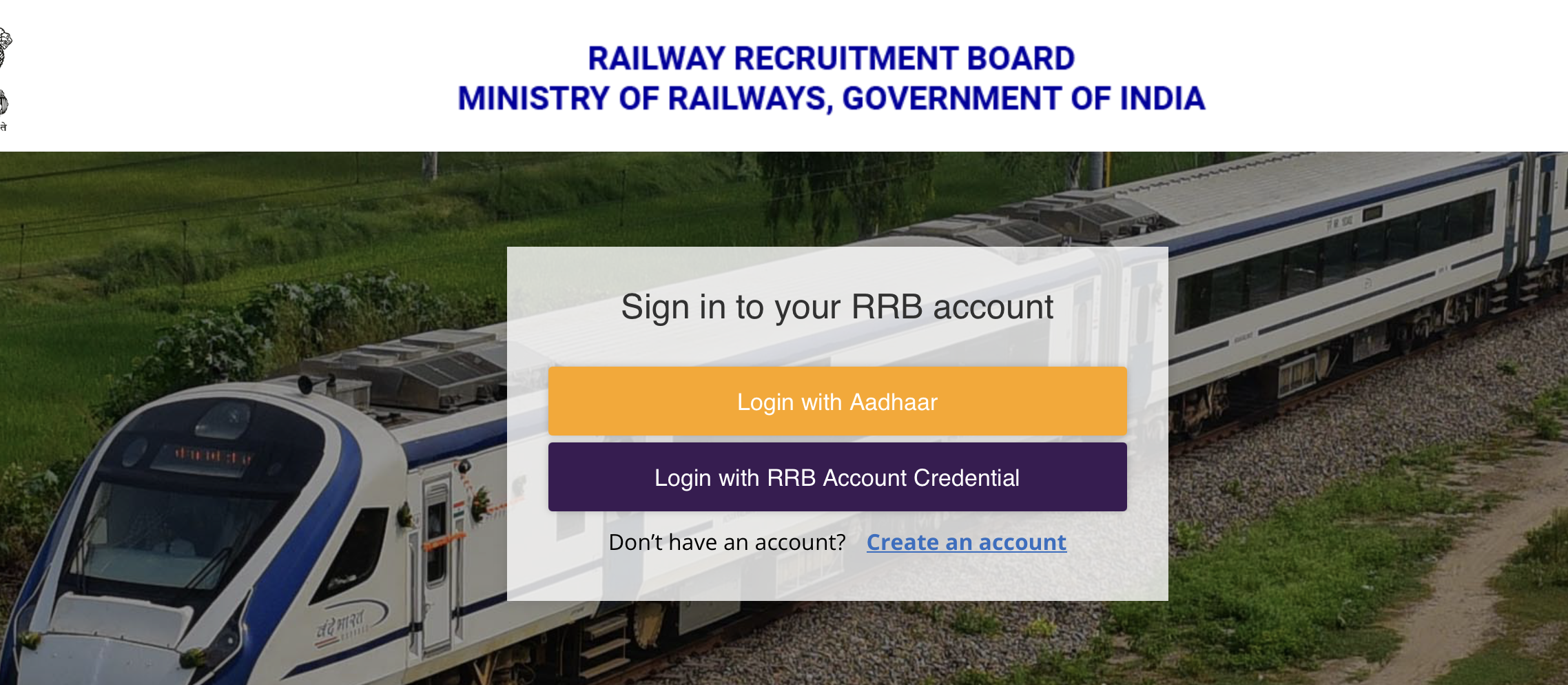
- New user: click “Create an Account” and register with your mobile number, email ID and basic details. The registration number is sent to you by SMS and email.
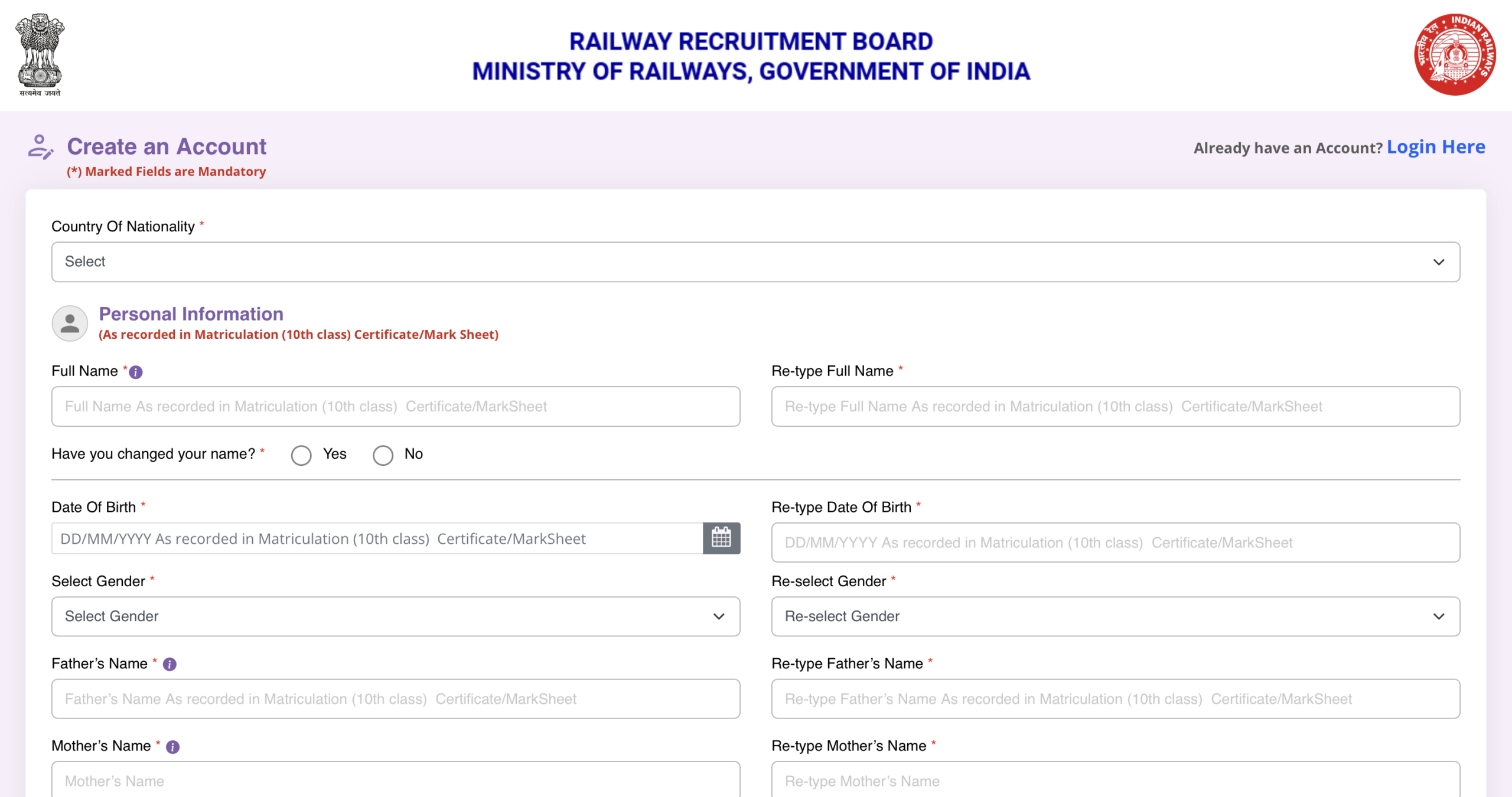
Existing User
- Click “Login“.
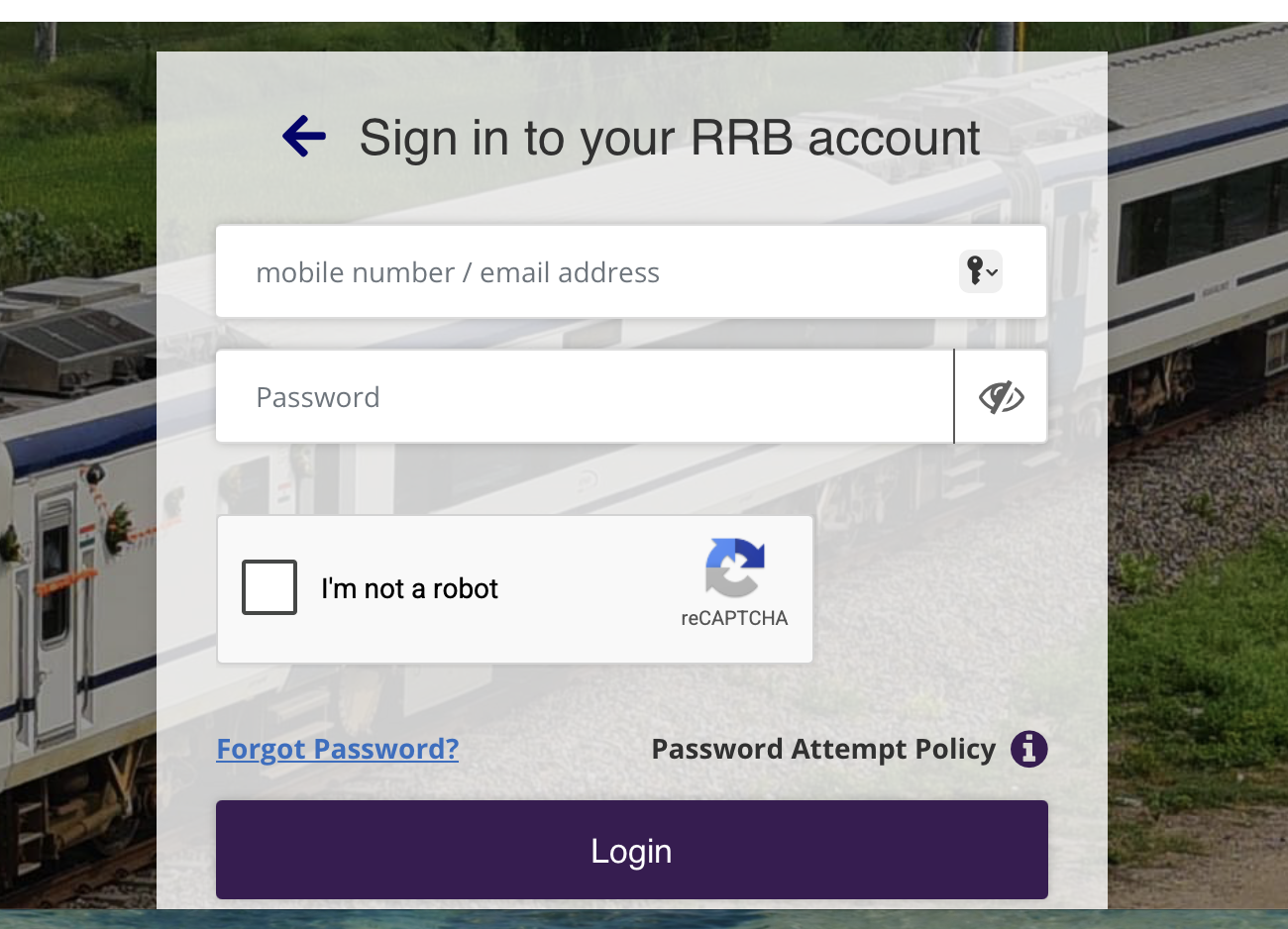
- Enter your registered mobile number or email ID and your password OR login with Aadhar
- Type the captcha and submit. Your candidate dashboard opens.
- Choose the active notification (for example, RRB NTPC Graduate Level 2026) and continue the application.
Login for admit card and city intimation slip
- Go to your regional RRB website or rrbapply.gov.in.
- Click the link for the exam, such as “City Intimation Slip” or “E-Call Letter”.
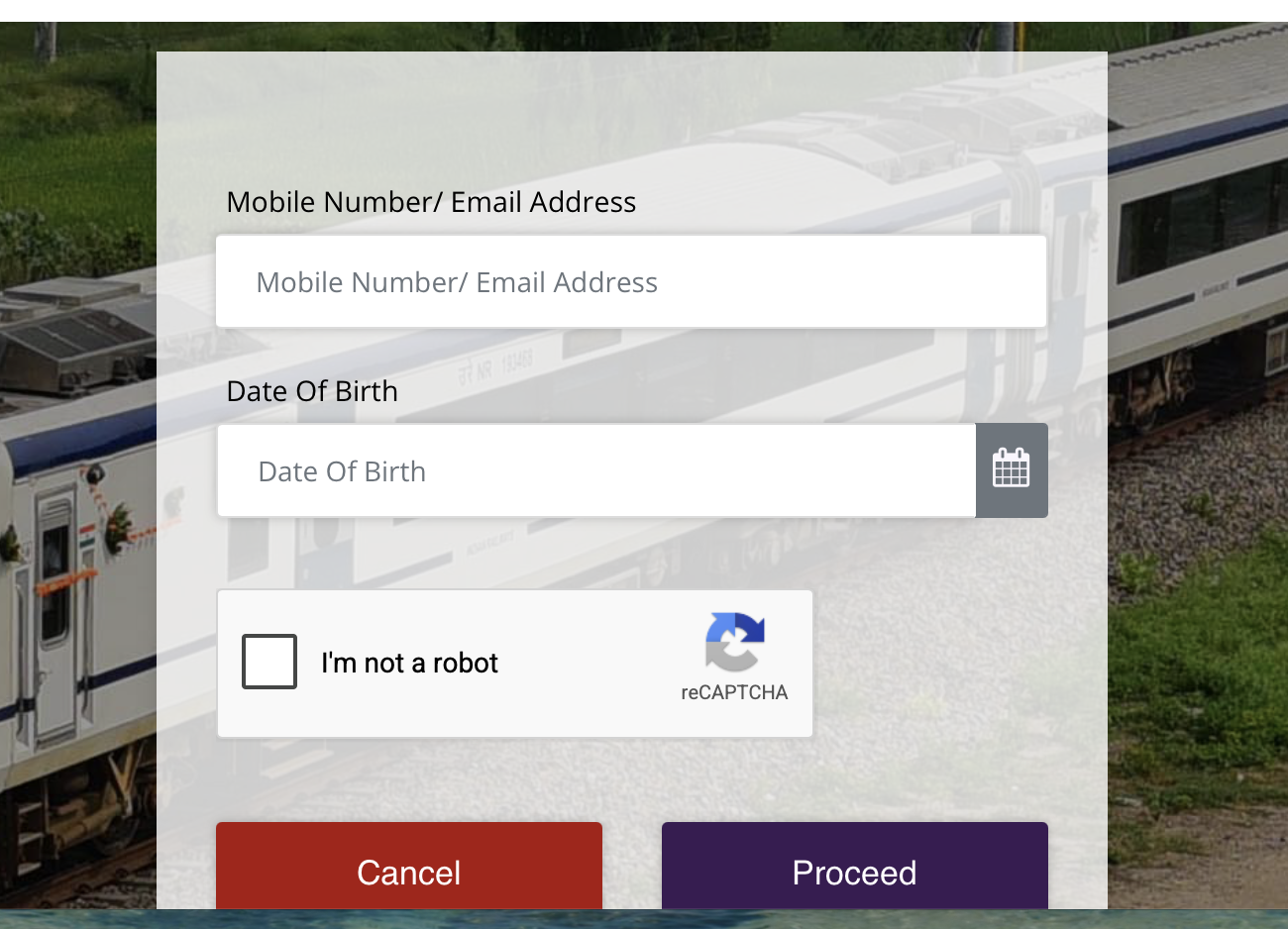
- Enter your registration number.
- Enter your date of birth in DD/MM/YYYY format, or your password if that is what the page asks for.
- Submit, then download and print the document.
Login Credentials Required for RRB 2026
Your login details depend on the task. The registration number is the one item you need at almost every stage.
| Task | Credentials needed |
| New registration | Mobile number, email ID, basic personal details |
| Fill or submit application | Registered mobile number or email ID + password |
| Check application status | Registration number or registered ID + password |
| Edit form (correction window) | Registered ID + password; a correction fee may apply |
| City intimation slip | Registration number + date of birth |
| Admit card (e-call letter) | Registration number + date of birth or password |
| Result and scorecard | Registration number + date of birth or password |
Forgot RRB Password or Registration Number? How to Recover
You can recover both from the login page, provided you can still reach the mobile number or email ID used at registration.
Reset your password
- Open the login page on rrbapply.gov.in.
- Click “Forgot Password”.
- Enter your registered mobile number or email ID.
- Enter the OTP you receive.
- Set a new password and log in again.
Recover your registration number
- Search your SMS inbox and email (including spam) for the message sent at registration. It contains the registration number.
- Check your downloaded or printed application form, which also shows it.
- If neither works, use the “Forgot Registration Number” option on the candidate login page, where available, and verify with your registered details.
- Still stuck: contact the helpdesk number or email listed on the rrbapply.gov.in portal.
RRB Login Not Working: Common Errors and Fixes
Most login failures come from the wrong date format, heavy traffic near a deadline, or an old browser cache.
| Problem | Likely cause | Fix |
| “Invalid credentials” | Wrong date of birth format or password | Enter DOB as DD/MM/YYYY; reset the password if unsure |
| Page not loading or timing out | Heavy traffic near a deadline or result | Try early morning or late night; avoid the last day |
| Captcha keeps failing | Case-sensitive entry or expired captcha | Refresh the captcha and type it exactly |
| OTP not received | Network delay or old mobile number | Wait 2 to 3 minutes and resend; check the email option |
| Admit card link shows an error | Link not yet live for your shift or board | Check the date on your regional RRB website |
| Page looks broken or blank | Old browser cache | Clear cache, use the latest Chrome or Firefox, or try incognito |
What You Can Do After Logging In
The login stays useful through every stage of the recruitment, from application to final result.
- Check your application status: accepted, rejected or provisionally accepted
- Edit details during the official correction window
- Download the city intimation slip about 10 days before the exam
- Download the admit card (e-call letter) about 4 days before the exam
- View the provisional answer key and raise objections
- Check your result and scorecard
- Track further stages: CBAT, typing test, document verification and medical exam.
RRB Recruitment 2026 – Important Links
| Particulars | Link |
|---|---|
| RRB Recruitment 2026 | Click Here |
| RRB Exam Calendar 2026 | Check Calendar |
| RRB NTPC Recruitment | Click Here |
| RRB ALP Recruitment | Click Here |
| RRB Technician Recruitment | Click Here |
| RRB JE Recruitment | Read More |
| RRB Group D Recruitment | Click Here |
| RRB Previous Year Papers | Practise Now |
Get Expert Guidelines for RRB Preparation! Free Demo Classes Here!
Frequently Asked Questions
What is RRB Candidate Login?
RRB Candidate Login is an online facility through which candidates can access application and examination-related services for their Railway Recruitment Board recruitment.
How can I login to my RRB account?
Candidate can Log in to your Railway Recruitment Board (RRB) account by visiting RRB application portal.
What details are required for RRB login?
Candidate can either login with Aadhaar or login with RRB account credential which includes Mobile number/email address and password.
What should I do if I forget my RRB password?
If you forget your Railway Recruitment Board (RRB) password, you can reset it by clicking “Forgot Password?” option in RRB login portal and follow the instructions for credential recovery.
What is the official RRB login website for 2026
The official portal is rrbapply.gov.in. The 21 regional RRB websites also link to the candidate login for the city slip, admit card and results.
Can I log in to RRB with my date of birth instead of a password?
Yes, for exam-stage downloads. The city intimation slip, admit card and result usually accept registration number plus date of birth. The application itself needs your password.
Does rrbapply.gov.in login work after the last date to apply?
Yes. After the deadline you can still log in to check status and download the city intimation slip and admit card.
Is the same login portal used for all RRB exams?
The portal is common for all exams in 2026 – rrbapply.gov.in