Table of Contents
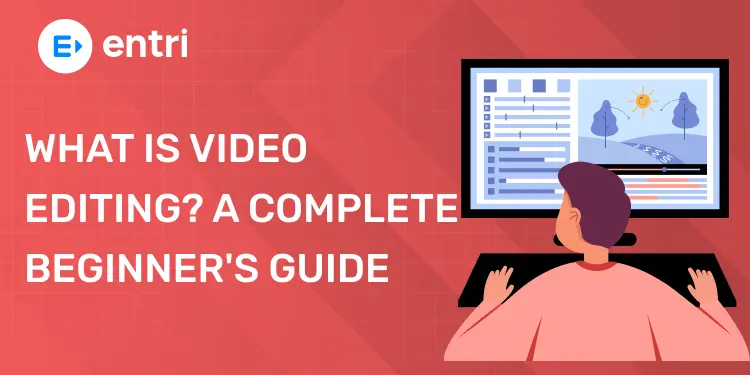
Video editing means editing and improving video clips to make a final video. It helps videos look clear, attractive, and professional. Video editing is used in YouTube videos, movies, social media, ads, and business videos.
Key Takeaways:
- Video editing needs practice
- Simple editing looks better
- Learn slowly and regularly
- Creativity improves video quality
- Good skills increase opportunities
- Beginners can learn easily
Video editing means changing and arranging video clips to create a final video. It helps make videos clean, smooth, and interesting. Editors remove unwanted parts and keep important scenes. They also add music, text, effects, and transitions.
Editing Includes:
- Cutting unwanted clips
- Joining video parts
- Using basic effects
- Making video quality better
👉 Video editing makes videos look more professional.
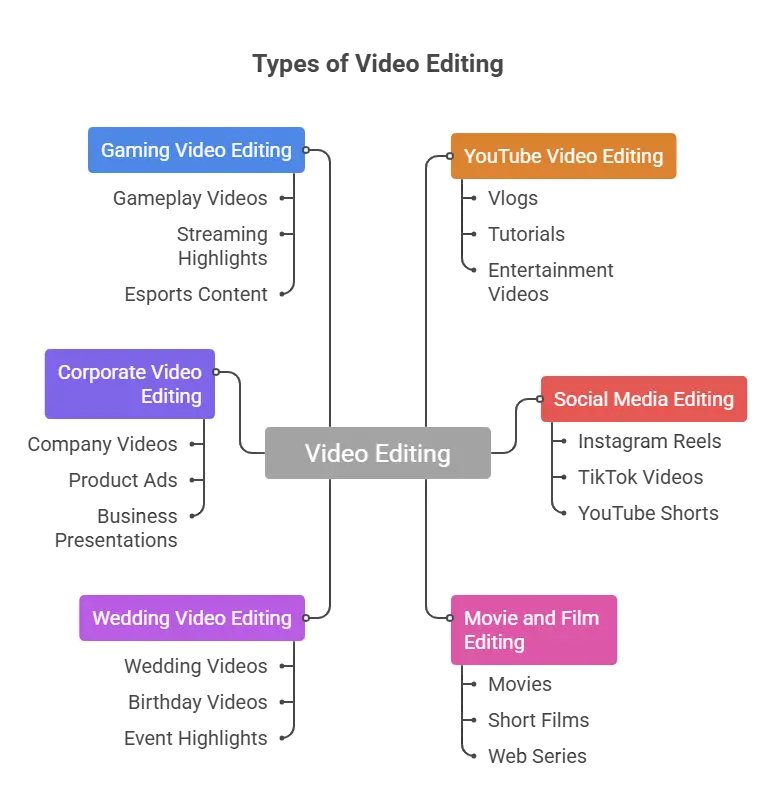
Where Video Editing is Used
👉 Video editing is important in modern content creation.
What Does a Video Editor Actually Do?
Key Video Editing Terms Every Beginner Should Know
Timeline: Place where editing happens
Cut: Remove unwanted parts
Trim: Shorten video clips
Transition: Change between clips
B-Roll: Extra supporting footage
Resolution: Video picture quality
Frame Rate: Video speed per second
Audio Track: Sound used in video
Subtitle: Text shown in video
Export: Save final video
👉 These terms help beginners understand editing easily.
What Software Do Video Editors Use?
Video editors use software to edit and improve videos. These tools help add music, text, colors, and simple effects. Some software is easy for beginners, while some are used by professionals.
Adobe Premiere Pro
Adobe Premiere Pro is one of the most popular editing software in the world.
It is used for:
- YouTube videos
- Movies
- TV shows
- Advertisements
Features include:
- Advanced editing tools
- Audio editing
- Color correction
- Effects and transitions
Final Cut Pro
Final Cut Pro is made for Apple Mac users.
It is known for:
- Fast editing speed
- Smooth performance
- Professional video editing
Used for:
- YouTube content
- Film projects
- Business videos
DaVinci Resolve
DaVinci Resolve is famous for color editing and professional video work.
Editors use it for:
- Color correction
- Film editing
- Cinematic videos
- Professional projects
Features include:
- High-quality color tools
- Audio editing
- Visual effects
- Free version available
Filmora
Filmora is simple and beginner-friendly software.
It is used for:
- Basic video editing
- School projects
- YouTube videos
- Personal videos
Features include:
- Drag-and-drop editing
- Simple effects
- Easy interface
- Quick learning process
CapCut
CapCut is very popular for mobile and social media editing.
It is used for:
- Instagram reels
- TikTok videos
- YouTube shorts
- Short videos
Features include:
- Simple editing tools
- Auto captions
- Effects and filters
- Mobile editing support
How to Choose the Right Software
Choose editing software based on:
- Your skill level
- Type of videos
- Budget
- Computer or mobile device
Beginners should start with simple software first and slowly learn advanced tools.
How Long Does it Take to Learn Video Editing?
Learning video editing takes time and regular practice. Some people learn basic editing quickly, while advanced editing may take longer.
Learning Basic Editing
Basic editing can be learned in a few weeks.
Beginners can learn:
- Cutting videos
- Adding music
- Using transitions
- Adding text and subtitles
Learning Advanced Editing
Advanced editing may take months or years.
This includes:
- Color correction
- Professional effects
- Cinematic editing
- Advanced audio editing
Practice Improves Skills
Regular practice helps editors improve faster.
You should:
- Edit videos daily
- Try different styles
- Watch tutorials
Learning Speed Is Different for Everyone
Some people learn faster than others.
Learning depends on:
- Interest
- Practice time
- Creativity
- Consistency
Can Beginners Learn at Home?
Yes, beginners can easily learn from home.
You can learn through:
- YouTube tutorials
- Online courses
- Practice projects
- Editing simple videos
Is Video Editing a Good Career
Yes, video editing is a good career choice in 2026. Today, videos are used everywhere, so skilled video editors are needed in many industries.
People watch videos on YouTube, Instagram, Facebook, movies, TV shows, and business websites every day. Because of this, companies and creators need editors to make videos look professional and attractive.
High Demand for Video Editors
Many industries need video editors today.
Video editors are needed for:
- YouTube videos
- Social media reels
- Advertisements
- Movies and TV shows
- Business and marketing videos
- Online courses
Different Career Opportunities
Video editors can work in many ways.
They can become:
- Freelance video editors
- Full-time company editors
- Social media editors
- YouTube editors
- Film editors
- Wedding video editors
Work From Home Opportunity
Many video editors work from home.
They can:
- Work online
- Edit videos remotely
- Work with international clients
- Do freelance projects
Creative and Interesting Career
Video editing is a creative job.
Editors can:
- Create attractive videos
- Add music and effects
- Tell stories through videos
- Use creative ideas
Good Income Growth
Video editors can earn good income with experience.
Income depends on:
- Editing skills
- Experience
- Portfolio quality
- Client projects
Experienced editors usually earn more than beginners.
Easy to Start Learning
Beginners can start learning video editing from home.
They can learn through:
- YouTube tutorials
- Online courses
- Practice projects
- Simple editing software
Challenges in Video Editing
Video editing also has some challenges.
Editors may face:
- Tight deadlines
- Long editing hours
- Client revisions
- High competition
How to Get Started with Video Editing Today
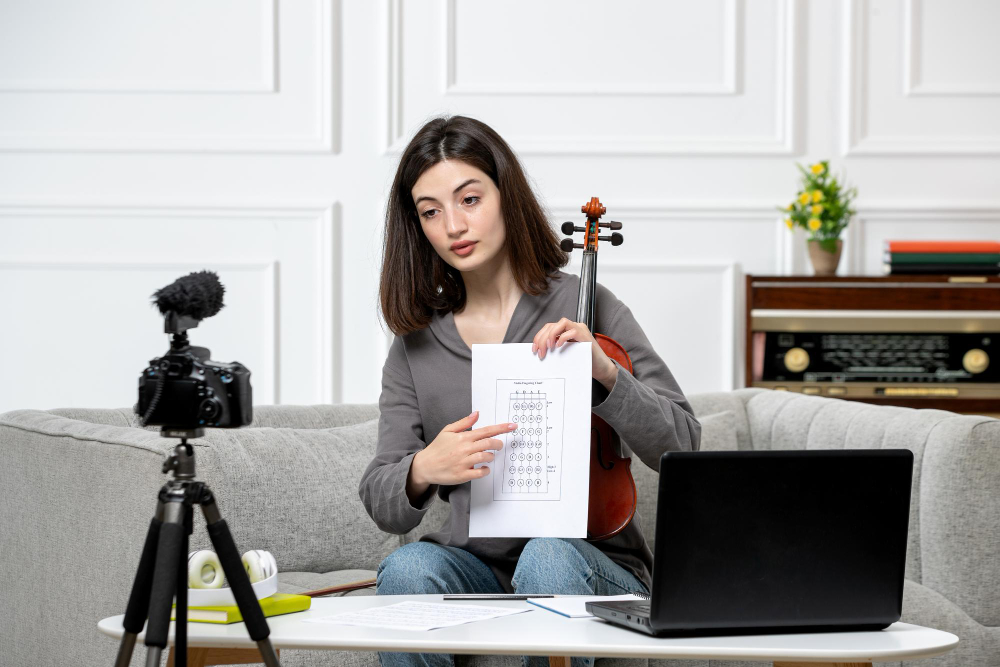
Starting video editing is easier than many people think. Beginners can start learning with simple tools, regular practice, and basic editing knowledge. Anyone can start video editing with patience and practice.
1. Choose One Editing Software
Start with one simple editing software first.
Beginners can use:
- CapCut
- Filmora
- DaVinci Resolve
- Adobe Premiere Pro
👉 Learning one software properly is important.
2. Learn Basic Editing Skills
First, learn simple editing functions.
Focus on:
- Cutting videos
- Trimming clips
- Adding music
- Using transitions
- Adding text and subtitles
👉 Basic skills are the foundation of editing.
3. Practice Every Day
Practice helps improve editing skills faster.
You can practice by editing:
- Phone videos
- Short clips
- Social media videos
- Simple travel videos
4. Watch Tutorials and Courses
Online tutorials help beginners learn easily.
You can learn from:
- YouTube tutorials
- Online courses
- Editing communities
- Beginner guides
Join Our Online Video Editing Course in Kerala. Get Ready for your Dream Job!
5. Start Small Projects
Begin with simple editing projects.
You can create:
- Instagram reels
- YouTube shorts
- Birthday videos
- Vlogs
- Short cinematic videos
6. Learn Keyboard Shortcuts
Shortcuts help editors work faster.
They help with:
- Faster cutting
- Quick editing
- Better workflow
7. Build a Simple Portfolio
Save your best editing work.
Add:
- Practice projects
- Social media videos
- Personal edits
- Creative videos
8. Take Feedback and Improve
Share your videos with others and ask for feedback.
This helps you:
- Find mistakes
- Improve editing quality
- Learn new ideas
9. Stay Updated with Trends
Video editing trends change regularly.
Learn about:
- New editing styles
- AI editing tools
- Social media trends
- Popular effects
10. Be Patient and Keep Learning
Good editing skills take time to develop.
Beginners should:
- Practice regularly
- Learn slowly
- Stay consistent
- Enjoy the learning process
Become an AI-powered Video Editor
Master the future of video editing with AI-powered tools and techniques. Learn how to create professional-quality videos faster, automate repetitive editing tasks, generate engaging content, and boost your creative productivity.
Start Learning!Conclusion
Video editing is a useful and creative skill in 2026. It is used in YouTube, social media, movies, and many businesses. Anyone can learn video editing with simple practice and patience. Start with basic editing tools, practice regularly, and slowly improve your skills. With time and practice, video editing can become a good career opportunity.
| Related Articles | |
| The Complete Guide to Video Editing: Skills, Tools, and Career (2026) | How to become a freelance video Editor |
Become an AI-powered Video Editor
Master the future of video editing with AI-powered tools and techniques. Learn how to create professional-quality videos faster, automate repetitive editing tasks, generate engaging content, and boost your creative productivity.
Start Learning!Frequently Asked Questions
What is video editing?
Video editing is the process of changing and improving video clips to create a complete video.
It includes:
- Cutting unwanted parts
- Adding music and sound
- Adding text and subtitles
- Using effects and transitions
👉 Video editing helps videos look more professional and interesting.
Can beginners learn video editing easily?
Yes, beginners can learn video editing easily with regular practice.
They can start by:
- Learning basic tools
- Editing short videos
- Watching tutorials
- Practicing daily
👉 Simple practice helps beginners improve quickly.
Which software is best for beginner video editors?
Some beginner-friendly editing software are:
- CapCut
- Filmora
- DaVinci Resolve
- Adobe Premiere Pro
- 👉 Beginners should start with simple software first.
How long does it take to learn video editing?
Basic editing can be learned in a few weeks with regular practice.
Advanced editing may take more time because it includes:
- Color correction
- Advanced effects
- Professional editing techniques
👉 Practice is important for learning faster.
Is video editing a good career in 2026?
Yes, video editing is a growing career in 2026.
Video editors are needed for:
- YouTube videos
- Social media content
- Movies and TV
- Advertisements
- Business videos
👉 Skilled video editors have many job opportunities.
What skills are needed for video editing?
Important video editing skills include:
- Cutting and trimming videos
- Creativity
- Storytelling
- Audio editing
- Time management
👉 Both technical and creative skills are important.